ZBrushCentral

Turntable - Bad Rotation

Hello every one,

I know maybe there is some threads to this issue, but I didn’t find . . . . .

Its my first turntable , a character with some sub-tools and goes away from center to the left of screen when I try to create the turn table, if I need a plug in please kindly send me link,

Thank you all.

See my answers in this thread:
http://www.zbrushcentral.com/zbc/showthread.php?t=73977

Hello,

Circle3D : I cant position it, move tool not work on it :frowning:

Transpose Master : what is this and where can I get this?

Thanks for your support.

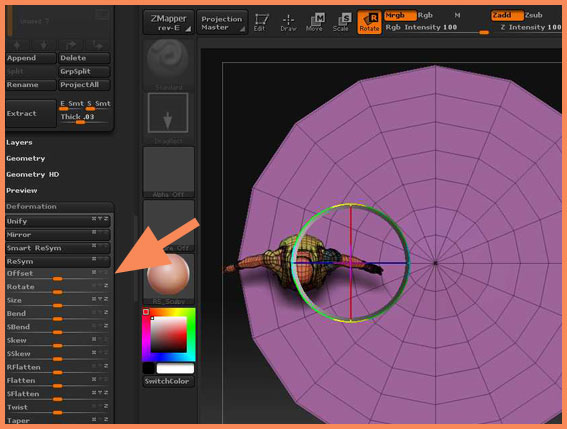
To move the Circle3D use the Offset slider in the Tool>Deformation submenu. Or you can convert it to a polymesh before appending to your model.

Transpose Master is available from the Download Center (see my signature).

Hello,

Sorry but I totally don’t understand what’s wrong :frowning: I’ve attached it.

Thanks or your help.

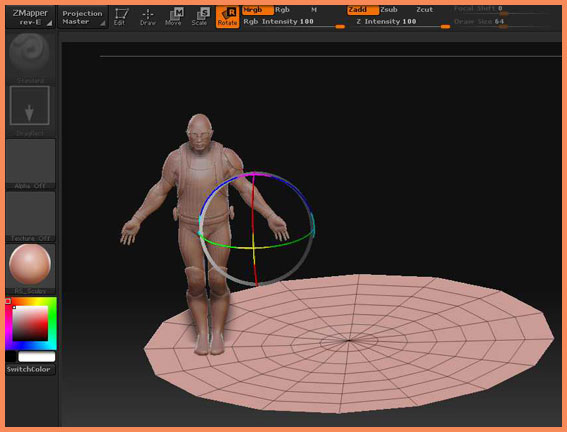
I think this is simply because the rotation center is not the center of your base. (You can delete the Circle3D as with the base you have you don’t need it.) You can check to see where the rotation center is by:

  1. Turning off Edit.
  2. Turning on Rotate.
    This will show the Gyro. For your model to rotate nicely it needs to be in the center of your base. I expect that it will be off center like this:
    TM_adjustRot01.jpg
  3. In the Tool>Deformation submenu use the Offset slider to shift the Gyro so that it is in the center of your base. You’ll need to select the right axis by clicking the little X,Y or Z on or off. Probably you’ll need ‘X’ or just ‘Z’.
  4. When you’re happy turn Edit back on and press the Transpose Master>TPose>SubT button. The changes will be transferred to your original model and it should now rotate OK.

Attachments

TM_adjustRot02.jpg

Thank you for the steps, but each time I follow them a new error appeared, Please check the attached screen shots .

Thanks Again.

Picture 2 & 5 are caused because the plugin thinks there’s a backslash in the subtool name. If you have a backslash in the subtool name then rename it to take it out (renaming it may help anyway). If your ztool is saved to a removable drive save it to your main drive and try again.

Pictures 3 & 7 are not errors. You’re pressing the wrong buttons. Read the Transpose Master instructions to see what the buttons do.

Hello,

Thanks again, but I did check them all and followed exactly your tutorial. I dont have backslash , I dont have other device, and didnt click wrong buttom,
I have many subtools, and I selected the main character and followed the steps, but result is the same as I attached :frowning:

Regards
M.Shay

Hello,

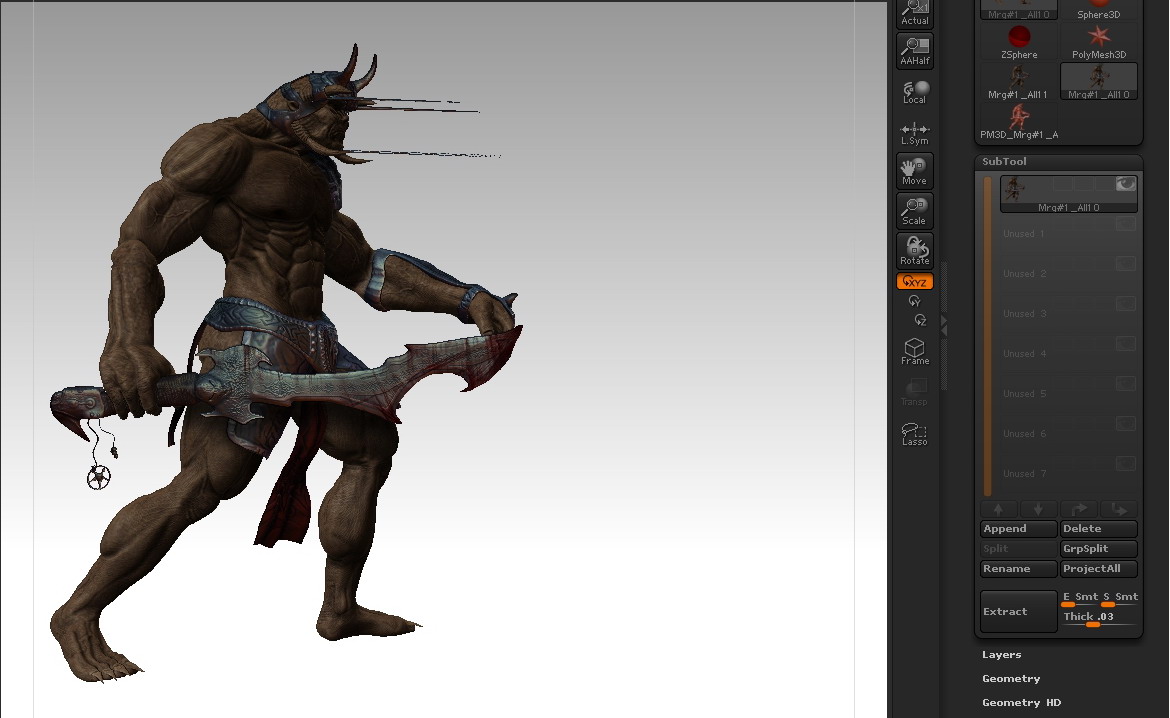
Still got problems, I’ve try another way, I merged all sub tools so they can move to the center, but some parts will looks like the attached image :frowning:

Attachments

ScreenShot001.jpg

Hey marcus_civis. Thanks a billion! I didn’t know you could offset the model and tweak it maually there. Sometimes I try to Set Pivot Point and it just doesn’t work for me, but your advice worked. Thanks a ton!