Hello,
I am using Zbrush 4R2, and I’m having a major issue with my layers. On the subtool of my naked lady mesh, I added layers to store the transposing I did on her. So when I turn the layer off, I can always go back to the original t-pose. I also stored the expression in a separate layer.
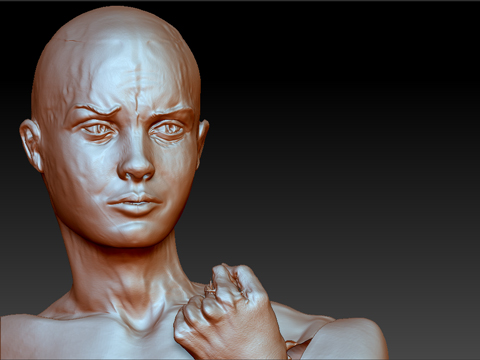
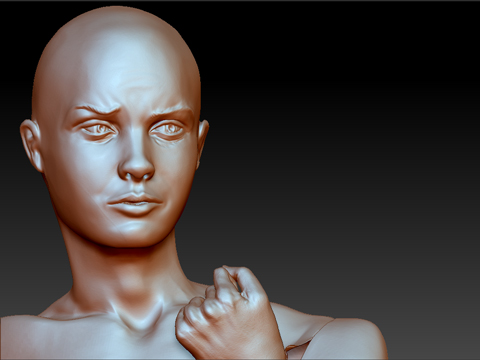
Anyways, for some reason, when I now click on a different layer than the current active one (ofcourse on highest subdivision level), it gives my mesh ‘wrinkles’ for no reason at all, I’m not doing anything besides clicking on a different one. If I turn all layers off, they are still there. I added 2 screenshots before and after.
Ok, I can’t touch any of my layers now because it messes it up… which is quite annoying because I NEED those layers. Baking the layers gets rid of the problem, but I’d really like to keep those layers.
Can someone help me please?
before: after clicking on a layer:
Attachments