ZBrushCentral

Turning an alpha into isolated geometry

What would be the best way to take an alpha like the one I’ve created below, extruding it from a plane, and isolating the newly extruded area by deleting the surrounding area? I basically want to be able to create a mesh that mimics this alpha but with depth to it. Thanks!

Attachments

nunStencil-small.jpg

It seems to me that you would benefit from doing this another way (other than extruding). Rather than extruding, cutting, etc., which is a PITA at the very least, and probably very hard to get precisely what you’re looking for; you can instead paint a mask of your pic on one of the walls of a shadowbox, and then paint the desired thickness on the perpendicular wall. That will create a mesh that is a 3D “extruded” version of your alpha, but nice and clean. Another option is to load the alpha, and with it selected in the Alpha menu, you can use the “Make 3D” panel to generate the mesh.

Personally, I much prefer the shadowbox approach. It’s very easy, gives you more control, and gives great results.
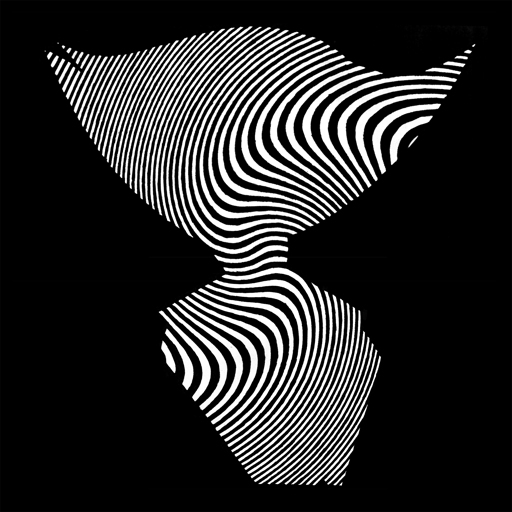
I’m going to give this a shot as soon my office gets approval to upgrade from 4.0 (looks like shadowbox is missing). In the meantime, I tried the extract technique where you go into quick sketch mode, drag out your mask, and use the thickness attribute in the subTool panel to ‘extrude’ the surface. This seems to work pretty well but the geometry is far from clean. When I export an .obj to maya It’s actually broken into 3 separate pieces (front, back, and sides). The extruded sides are just stretched polygons so there’s nothing to really work with. As soon as we upgrade I’ll let you know how the shadow box goes. Thanks!

I just tried it in ShadowBox and it works well… set resolution to 1024 (max)… and use ONLY A SLIVER for the cross section. I don’t know why (I’m pretty new to ZBrush) but there seems to be a limitation on how many polys/points Shadowbox will generate. Keep it as a sliver (as shown in my screen shot) and then use the transpose tool to change how thick it is. VERY clean results (as you can see.)

ALSO - and this is important - make sure that you set your mask brush “Focal Shift” to -100 (all the way to the left) or else it applies a radial fade and you won’t get the whole design. (You’ll see when you try it.)

Incidentally, shadowbox is in the Tool:Geometry panel, unless it’s an older version, in which case I believe it is in the Subtool panel… I think! lol

zbrush help.jpg