Hello and thanks for your time.
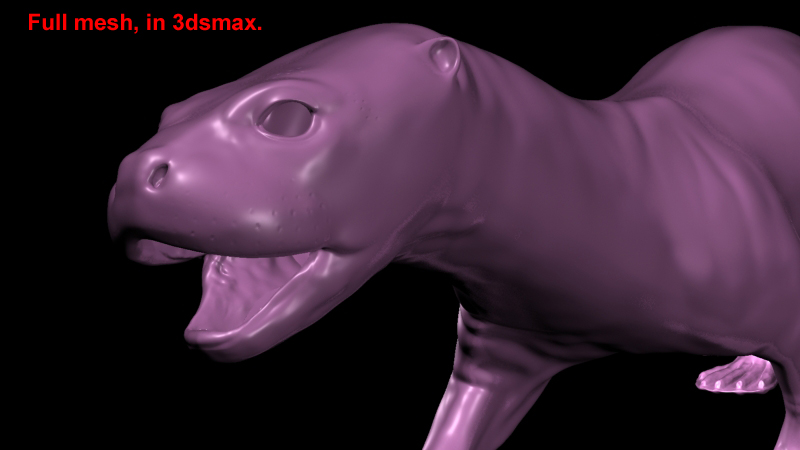
No matter what i do to the normal map in 3dsmax, I can never get the nice and clean detail that I have in Zbrush on my model.
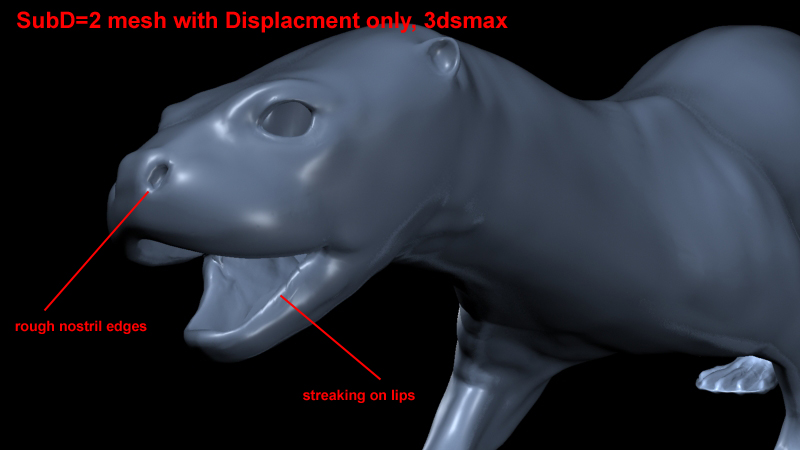
The mesh is fine, the displacement map is fine, but the normal map looks raggedy in certain ears (around ears and nostril holes), and even seems to create unwanted detail (creases, pinches, noise).
The map is inserted into a “bump map” shader in 3dsmax. Smoothing is on, Multiplier is set to 0.3. Bump value is at default 30. Increase the smoothenss of the mesh model using Turbosmooth just in help out with smoothing the contours. Rendering in MR
I just think there is something I am missing to make this look tighter.
Can you suggest a better idea or an idea on how to make the normal map look better when I rendering.
thanks, Lemon