ZBrushCentral

trouble with tiling AUV-->Maya, bizarre checkerboard

Hello all,

Here is the deal: As far as I know, I am doing it correctly. I take the model. I go to the lowest subdivision level on my model. I select either AUV or PUV tiles. After doing this, I create texture maps and normal maps. I open Maya. I apply everything as planned. BUUUUT, when I render, it looks totally out of whack-everything is tiling the wrong way. As far as I know I DO flip the UVs before I do anything else. I don’t know why this keeps happening to me and I don’t know if it is the texture that is screwed up or the normal map or both.

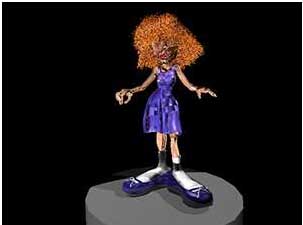
I am enclosing thumbnails-could somebody tell me what in the name of sweet God happened?! (Note: have a high poly mesh in both cases.)

Attachments
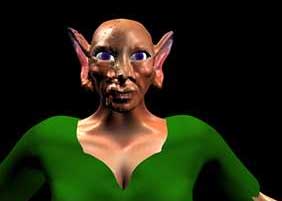
problem1.jpg

problem2.jpg

There are a couple possibilities:

  1. Before assigning any tiles mapping method it is important to first specify the texture size that you’ll be exporting. Otherwise, ZBrush will calculate the UV’s based on a texture size of 1024x1024. Since tiles mapping are precision methods, this can create seams issues.

  2. Not all programs register the 0,0 point on the UV mapping precisely the same. You may find that you need to offset the texture slightly in the U and/or V direction. This can be done from within ZBrush (the controls in 3.5 are in the Tool>UV Map menu), or can also be done in most animation packages when you apply the texture.

1) Before assigning any tiles mapping method it is important to first specify the texture size that you’ll be exporting. Otherwise, ZBrush will calculate the UV’s based on a texture size of 1024x1024. Since tiles mapping are precision methods, this can create seams issues.

Yeah, but the thing of it is, I went back into the original file and checked: I am mapping at 2048 X2048. Twice the size of the 1024 standard. Should I go bigger?

  1. Not all programs register the 0,0 point on the UV mapping precisely the same. You may find that you need to offset the texture slightly in the U and/or V direction. This can be done from within ZBrush (the controls in 3.5 are in the Tool>UV Map menu), or can also be done in most animation packages when you apply the texture.

How do I do that, in Maya and Zbrush (want both nuggets of information.) __________________

Hello? Any body out there? Aurick? Yooo-hooo!!!