Hi
I was wondering about having troubles with the new maya.ma export.
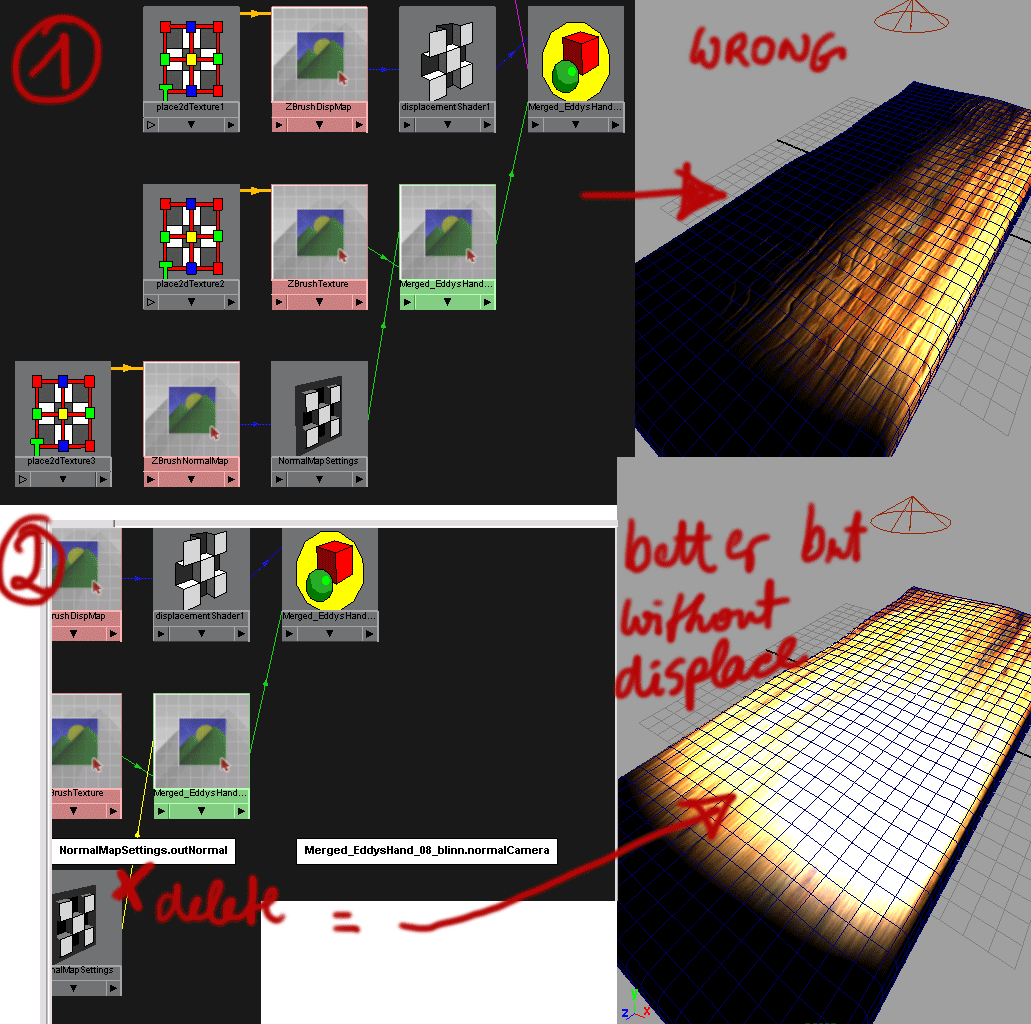
well it works, and conects all the maps in the correct way, but it seems to me, that there are some troubles with the generated normal map.
I export an box objekt to .ma and open it again in Maya. Now I create 2 lights in the middle obove the box. Only the left side of the top plane is illuminated and even though the lights are obove the box and wont illuminate the sides, the side is illuminated as bright as the top.
If I disconnect the normal map, everything is as it should be.
Does anyone knows this problem? Do I have to flip the normalmap?
And btw: If I have a model with 6 subtools and every subtool has its own uvlayoutspace and texturemap, how could I export this to maya? If I use the .ma export, Zbrush only exports the active subtool with all the shading connections. Do I have to merge the subtools first? But if so, what will happen with the texture? Baked all together?
Thank you in advance for your help.
AND THANKS PIXOLOGIC FOR ZBRUSH!!!
 ]
]