Hi all,
Pls find below my screenshot which describes my problem:
How do I fix this?
Attachments

Hi all,
Pls find below my screenshot which describes my problem:
How do I fix this?
use clip curve instead of trim when not using straight lines.
Tks, works now Beta Channel!
Hi,
Another quick question to which I’ve searched the ZBrush docs for but can’t seem to find an answer.
See attached my zsketch screenshot.
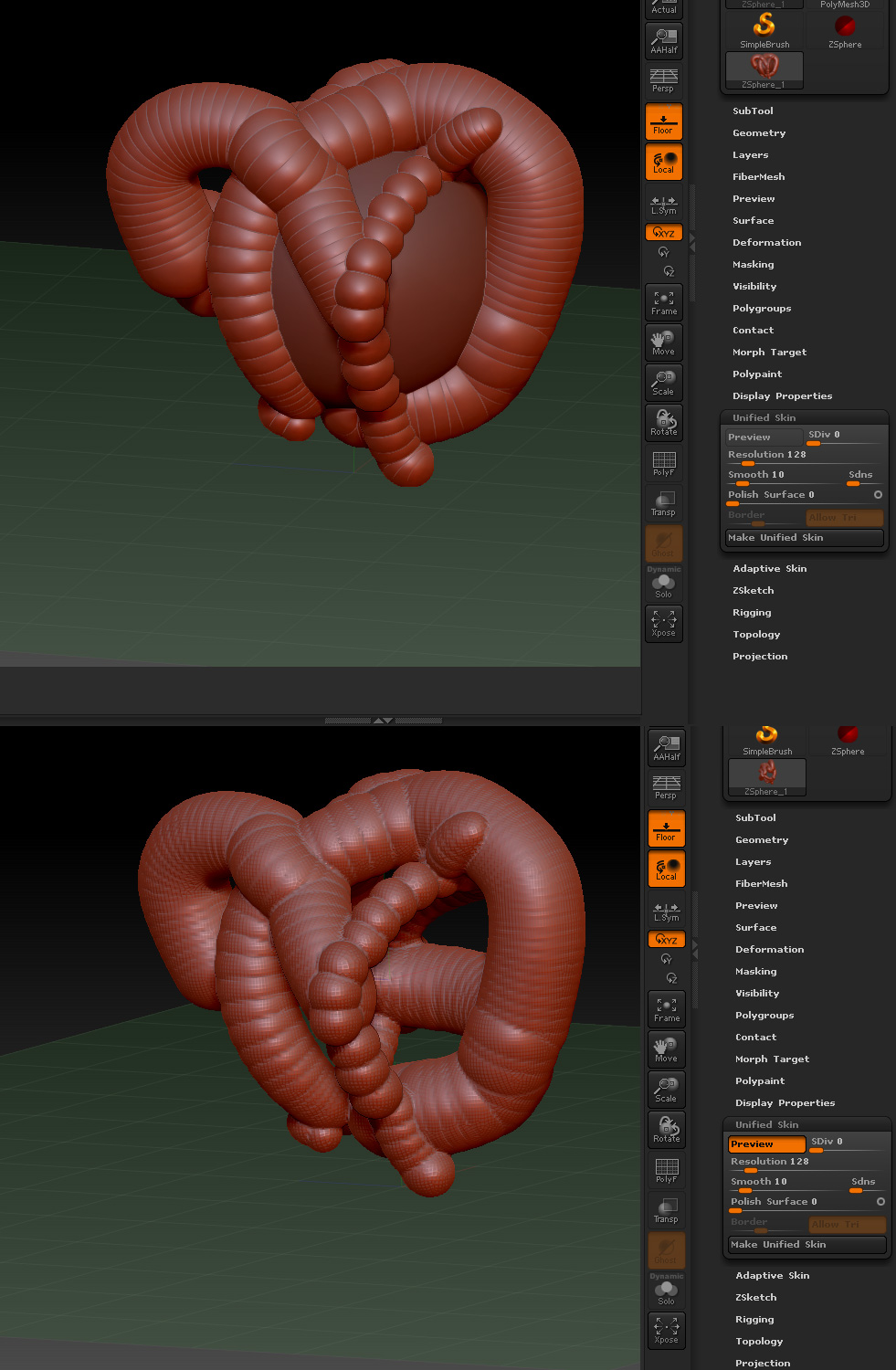
Basically, I created a zsphere, then Shift + A to go into zsketch mode, then painted on top of it (upper image).
However, when I press A to preview Unified Skin, the zsphere which I created doesn’t get included as part of the unified skin, and only the zsketch stuff I added on top are visible.
Is there a way to retain the zsphere when I make a Unified Skin?
Tks!
Nik
Open your subtool pallette and you can append what you need to work(or insert). Options also in Adaptive panel are worth noting. Armatures give you a good means of blocking in a mesh in a more controllable form.
This may be helpful. http://www.zbrushcentral.com/showthread.php?186293-a-simple-plugin-Deep-Trim&highlight=Deep%26amp%3BTrim
Tks Doug, but that doesn’t exactly solve the question. 
I mean, what if I’ve a series of zspheres that is more complex in shape, and I zsketch on top of it, and everytime I make a Unified Skin, all the zspheres disappear and only the zsketch bits are left.
I wonder why Unified Skin doesn’t function like Adaptive Skin, whereby you click A and all the zspheres are merged into 1 skin instead of turning invisible.
Tks!
Nik
just add some zsketch to the sphere and smooth them til the actual cover that surface.
You can also use adaptive skin rather than unified skin (which does include the sphere…but it only tries to maintain the zsketch.
Tks beta!