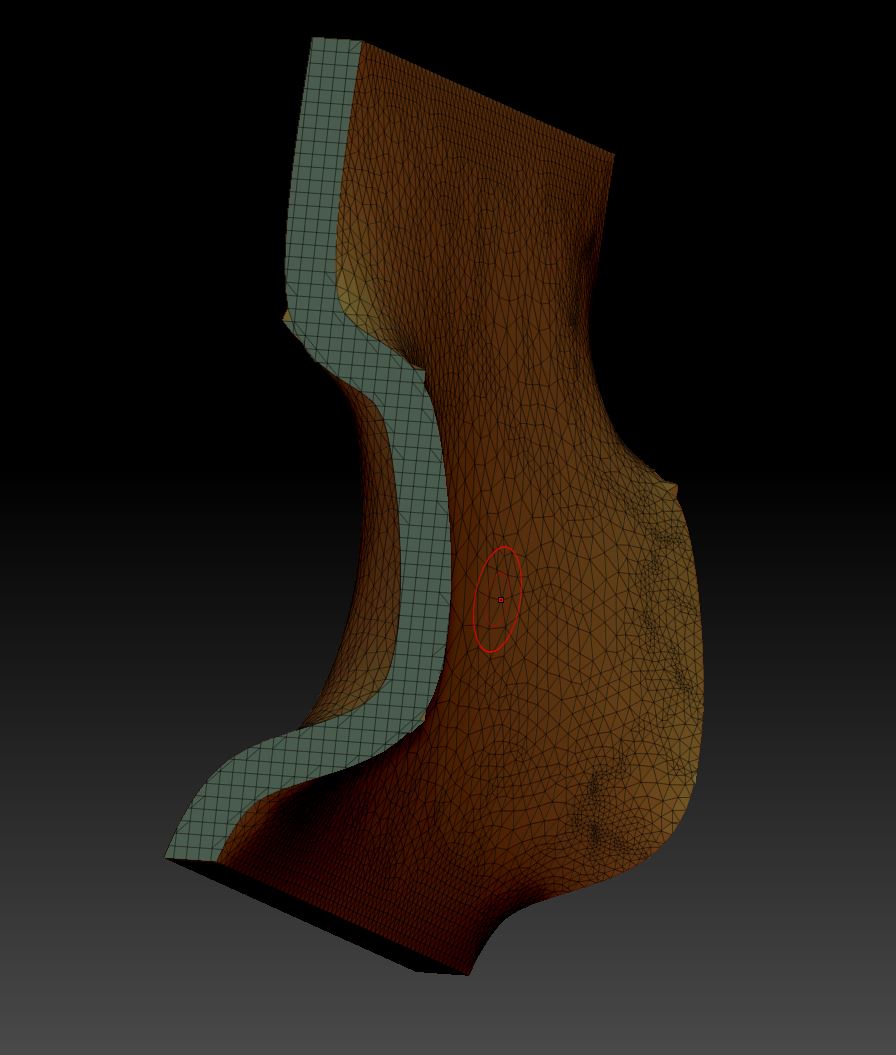
Hi, I’m new to ZBrush and I’m trying to figure out the default behaviour of some of the tools. Maybe I missed something in the documentation.
Is the trim curve tool supposed to create a twist like this through the geometry (see image - I was using the trim curve on a polycube). When I use the trim curve brush with an orthographic camera aligned on the X & Z axes, it seems to create a twist along Y axis. The behaviour seems connected to the strength of the anchor points.
- Is this the default behaviour and is there a way to control it/ work around it (how can I use a curve to cut perpendicularly through the front surface)?
- By pressing ALT, I can add anchor points but the weighting seems to increase based on the distance from the last anchor point. For me it seems difficult to get a simple smooth S-curve.
- Is there a way to control the strength of the anchor points (i.e. using the brush size/ focal shift, etc.)?
- Anyone know what the mathematical model is behind the anchor points (i.e. what is the math behind the type of splines, - are these bezier curves, etc.)? I’m having a hard time visualizing the way curves are supposed to behave.
Thanks.
Attachments