ZBrushCentral

Transpose Master questions (answered)

Hi.

I’m trying to get the hang of this tool but it seems I can’t even get past the first bits of loading up a model and calling the tool to try it out…

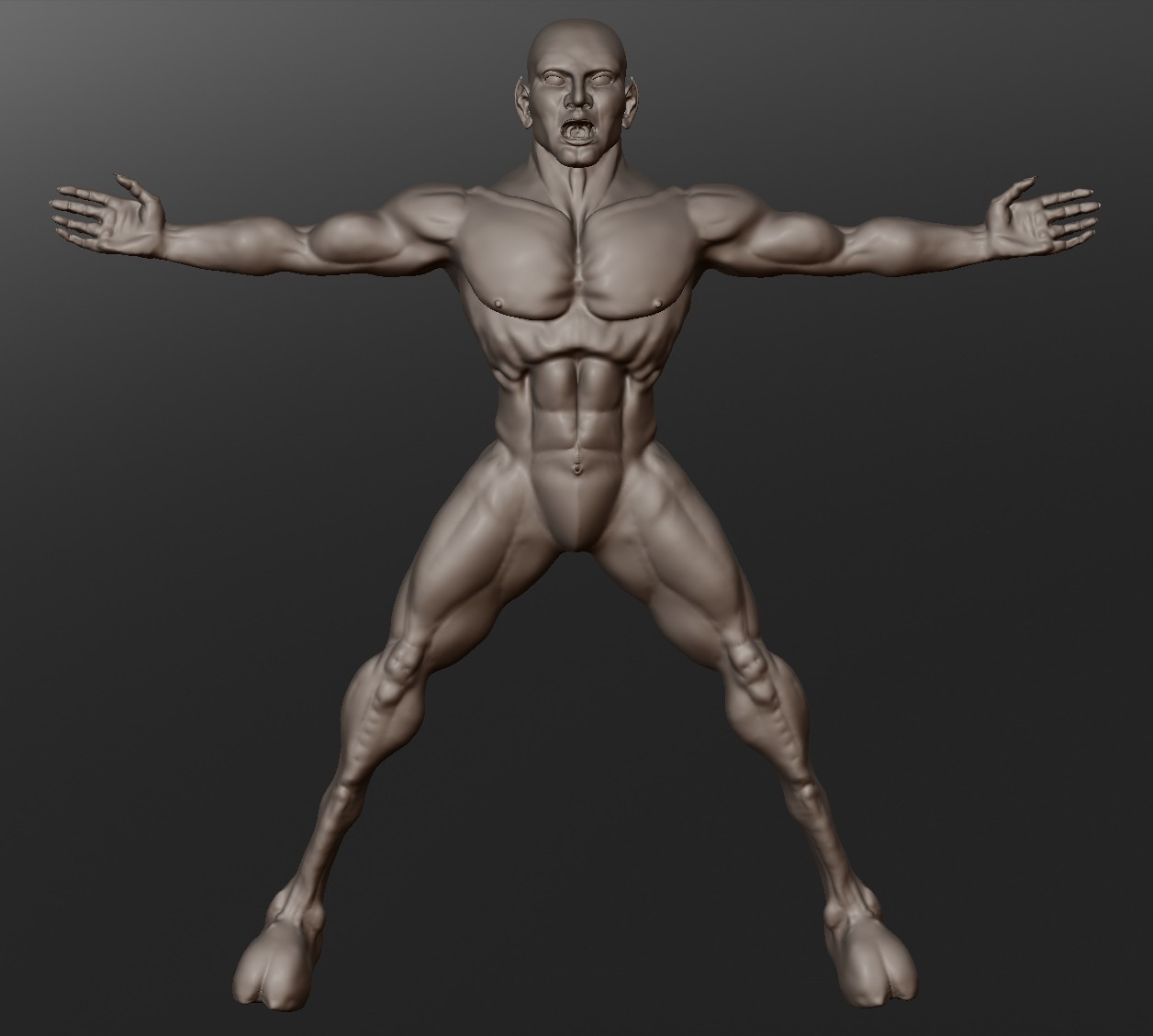
I have a model that needs rigging… he was exported as a obj from Sculptris as low poly as I dared but I keep getting an error message from TM every time I click on the TPose Mesh button… I tried importing the Obj from TPose - SubT button… nothing… there just isn’t any info I can find on it that’s relevant for what I need… using a premade model that’s included in ZB 4 works fine but I don’t want to use a premade model, I want to use my model.

Is there things I need to do to the obj before ZB 4 version of TM will work with it or what?

Bit frustrated here. Most of the threads I found don’t include tuts or vids for it, only a very brief bit on how to load up the plugin and a premade model… which is of no use to me…

Thanks for the help… links, vids or advice appreciated

So no help here?? No beginners vids or tutorials to set up a obj figure to use with Transpose… gotta be someone that gives a darn out there… :confused:

Howdy,

Your tool does have multiple subtools, right?
If it doesn’t, you wouldn’t need to use subtool master…

Have you tried saving the model through zBrush?
It may need to be a ,ztl file, as opposed to your .obj

Have you read the stuff here: http://www.pixologic.com/docs/index.php/Transpose_Master

err, that last should have read “transpose master” not “subtool master”.

If it’s all one piece, just use the tronspose tool, and masking to pose the figure.

Ah, some help… thanks kindly… so sub tool master is needed first and then the transpose will work with my figure??

Oh and another question… you wouldnt’ by any chance know if there is a way to normalize this figure into regular polygons rather than this tesselated export from Sculptris ?? I loaded up the figure in DAZ Studio to see about rigging it there and it looks very strange… the form is correct but

  1. it came it way to large and DS didn’t bring up the import dialog to resize it to a “Poser” sized figure size.
  2. the tesselated seems to be ignored by the rigging system or I’m not doing something right, which very well may be the case! :lol:

Just trying to get a work flow established if I’m going to include Sculptris in the mix… really love what I can do in the program but getting obj exported is something I hope that the deem as important in future releases… a) keep as is b) convert to regular poly’s … yadda yadda yadda…

Thanks again! :slight_smile:

PS: here is what the figure looks like:

Attachments

ScreenHunter_01 Nov. 08 15.26.jpg

RAMWolff,

Transpose Master is designed for use with a model that has subtools. For posing a single mesh you can use the Transpose action line directly - just press W, E or R and draw out the line.

HTH,

Thanks very much for the help, much appreciated! :smiley: