ZBrushCentral

Transpose Master Deformation

I’ve looked around for possible answers and couldnt find anything. Im having a problem with unwanted deformation of some of my subtools after I have posed my design.

I was wondering if anyone else came across this issue and knew what to do to fix it. I would be grateful for any input. :slight_smile:

Can you post a picture of the issue? It would help if you followed the instructions here:
http://www.zbrushcentral.com/announcement.php?f=101

Thanks,

Ok thankyou ^^

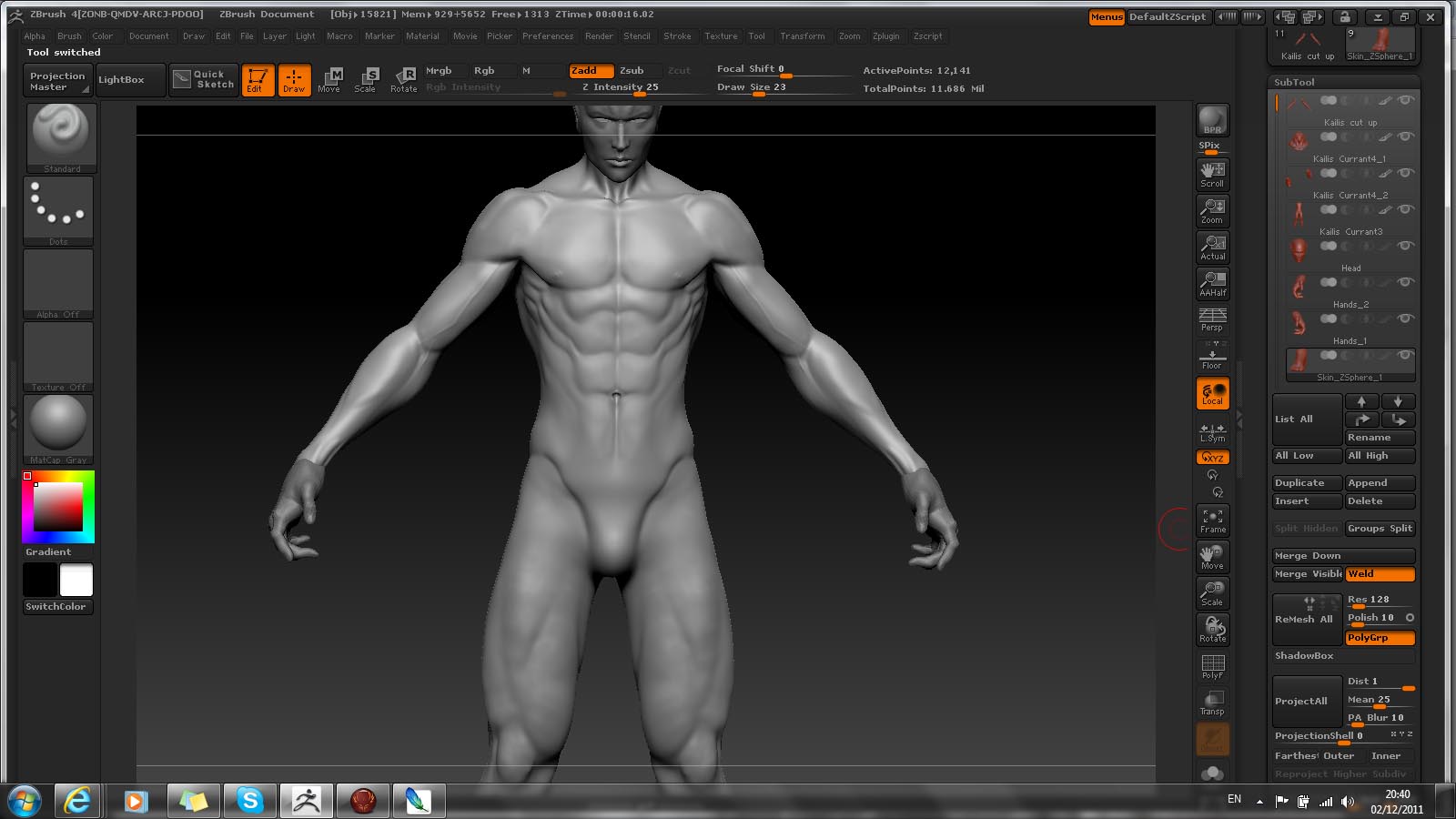
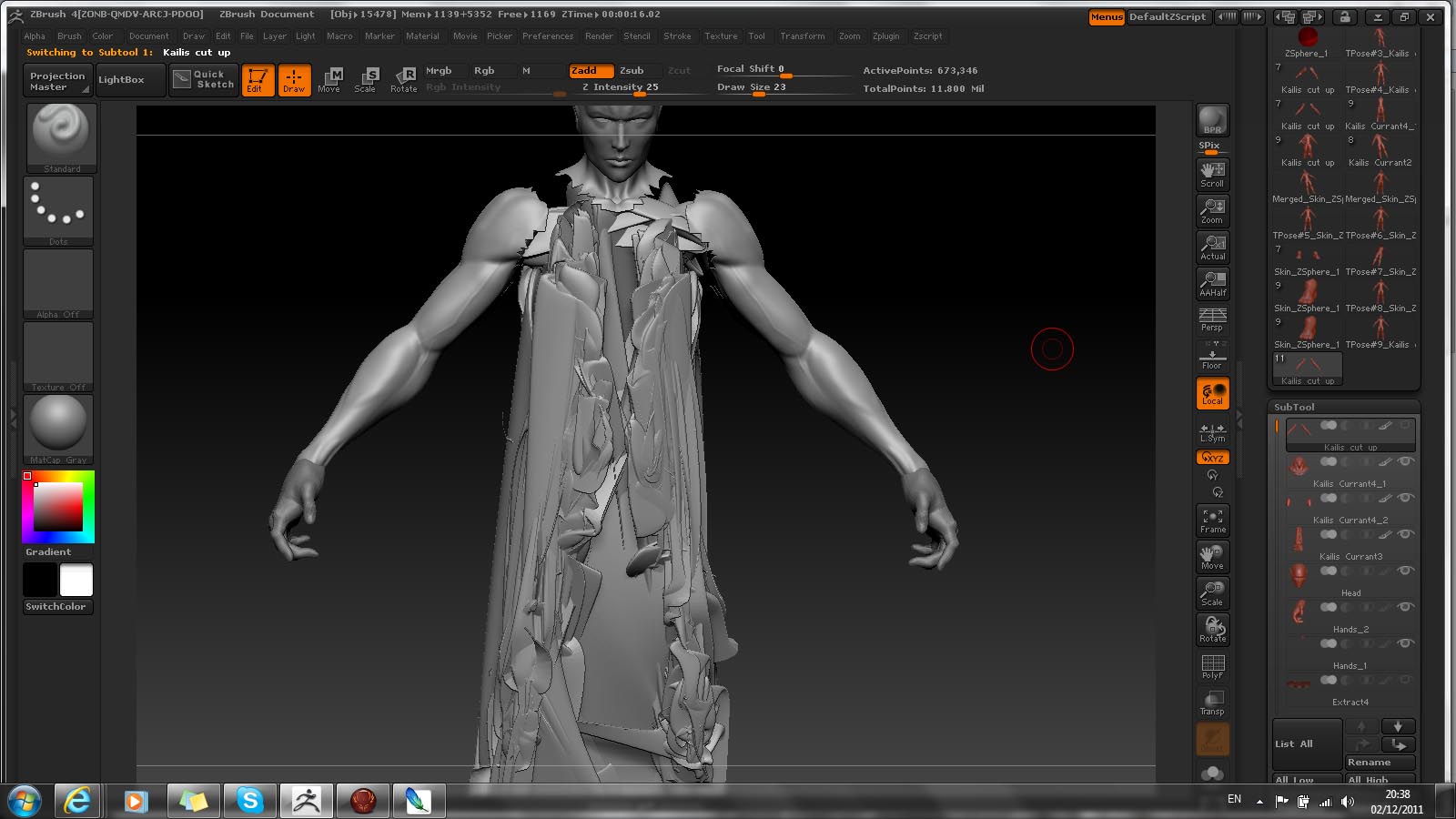
Im new to the site but will post the before and after. My system is a Dell Alienware. Im unsure of the exact specifications. However it is new and can handle alot. I sculpted the head, hands and feet as seperate subtools, and so was looking to cut apart the body and retopologize the peices in order to add more detail to it overall. This is the issue I run into when I try to merge the Subtools or use Transpose Master.

Attachments

before.jpg

after.jpg

I could be wrong but you might have a stray vertices off in space? At least that has been my problem when a mesh gets mangled in transpose.

As Muddpitt says (thanks Muddpitt :slight_smile: ), this can sometimes be the result of stray vertices. If you press ‘F’ with just one subtool visible that can sometimes show the problem because the subtool will go very small.

You can also test to see if there are problems with the mesh by using the Tool>Geometry>Check Mesh button.

Yes, I found someone online with the same problem. They were told to check each subtool with the check mesh button. This seemed to work for me as I then ran it through transpose master and it didnt deform. ^^

Now my only issues are learning a little more about how to keep my higher and lower subdivisions after trying to retopologize.

Anyway thankyou very much guys, and thankyou Marcus ^^