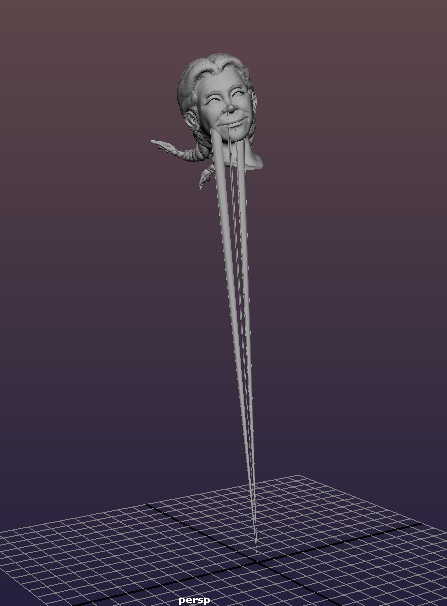
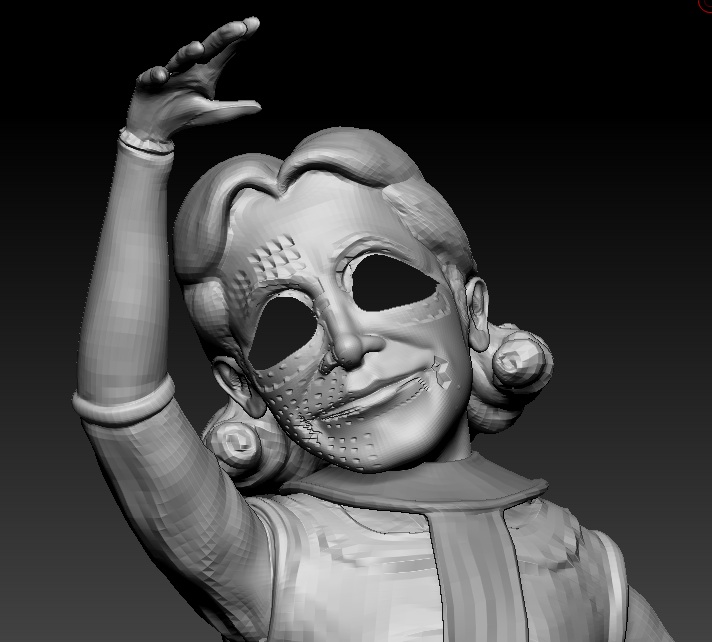
I hadn’t really used transpose master until recently but I found it really useful for the most part. Unfortunately, it seems to have partially corrupted my files. Both of the characters that I posed had an issue where there seemed to be immobile vertices so that when I tried to move them, little spikes were left behind. My other mesh developed a strange hole in his eye which grows when I’m going up and down the sub divisions as if I were dividing without crease on. I just tried to smooth the region out and more faces disappeared (I think they are disappearing, not just expanding) and it crashed. I can use the move tool to move the same points around though. Yet another issue I had shortly after using transpose master was that I couldn’t reveal the part of my mesh that was hidden without zbrush crashing, though it didn’t crash until I tried to look at the newly revealed faces. I spent hours trying to export and import parts in the right order only to find that the mesh I thought was clean (right after exiting transpose master) was also partly corrupted. If I make a custom group over part of this mesh, then change sub divisions, it crashes. Strangely, if I group the entire thing or leave it with its existing polygroups it does fine. I tried to export the entire thing in multiple pieces and discovered some mystery faces in Maya, deleted them, and put the whole thing back together with weld on. I thought it worked until I tried to reload the file and found that these exported/imported tools were crashing the program too.
I have 70 or so iterations to my save files so the poly count is not the problem (about 6million for both characters that this happened to). I’m using zbrush on my mac. Can anyone offer any suggestions?
Attachments