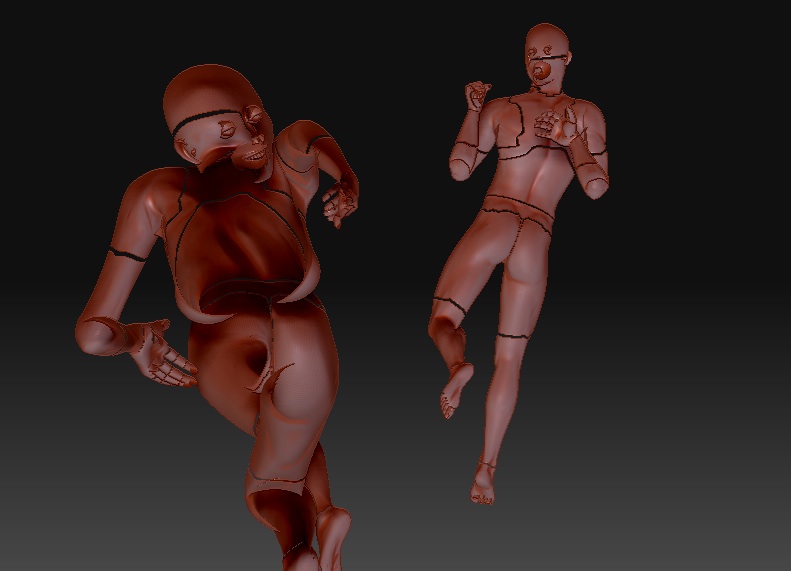
I’m a little new to Zbrush; I picked it back up after a few years because I have a webcomic I want to produce in CGI. I also use Poser, which I’m using to inject human models into Zbrush to edit them until I get a handle on building them. I tried importing a pair as an .OBJ file, both in a pre-posed position. My problem is, when they imported, this happened:
http://img707.imageshack.us/img707/5489/screenshot20100219at751.png

And I have no idea what went wrong, how it happened or what to do about it. None of the un-posed models I had imported did this. Is there something wrong with the models in Poser? Something in the .OBJ file to make them translucent? Is there a way to turn up the solidity of my models?
I’m using Zbrush V 3.12 on a Mac. I also need the answer in the simplest of terms, plooz. I’m not literate in this program at ALL.
Thanks.
Attachments