ZBrushCentral

Transparency and retopo

I did a search on the forums and saw a few ‘solutions’ for this issue but it’s not helping much.

When I am retopologizing the mesh, the backside retopo lines are showing through the mesh and its’ very difficult to see what I’m doing and it’s wanting to select zsphere points on the opposite side which obviously I don’t want. The solutions I found said to put the frontside transp to .95 and the backside to .01 or something. It makes the backside retopo hard to see which is good but then my retopo on the front sinks into the mesh and half of it is covered. I also saw to try and use a dark blue color but that helps very little to see what I’m doiong.

Is Pixologic going to fix this issue in a future update? Or has someone else found a workaround?
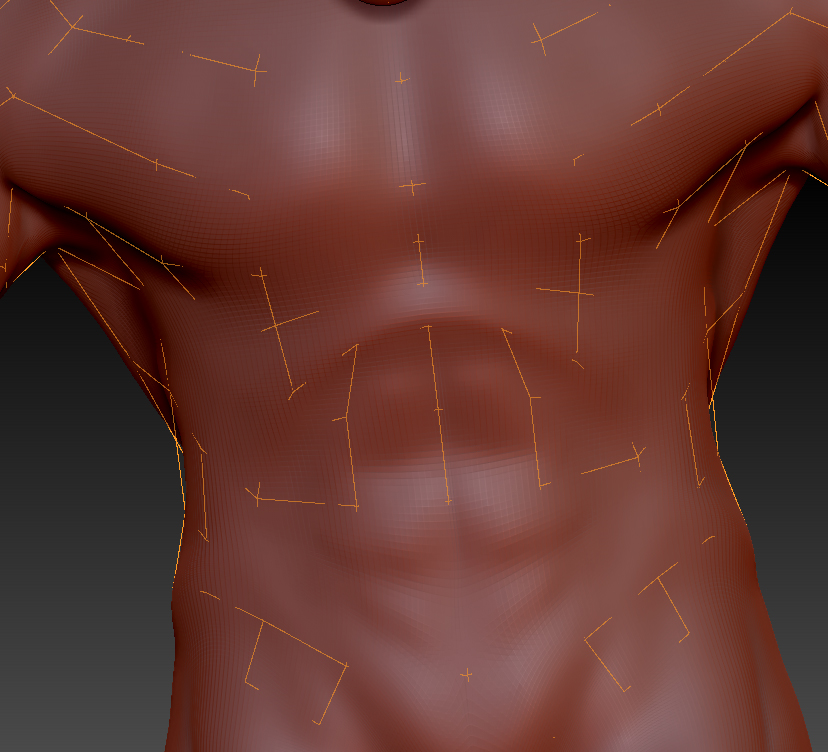
By the way, here’s the problem before messing with the transparency.

Attachments

lines.jpg

A work around solution is to load a zsphere as a subtool. Append a zsphere in the subtool palette (scale down if you like). Make sure the zsphere is selected and go into the topology subpalette of the tools palette and press “edit topology”. Retopologize. For some reason retopologizing in this manner doesn’t have the same problem of see thru back topology lines.

The only “downside” is the projection button at the bottom of the tools palette doesn’t work, but that’s not much of a problem. Just reproject the adaptive skin via the subtool menu when you are finished retopologizing to get the details.

Also, I find it helps to use either a grey material or even fill the object with blue to contrast with the orange topology lines.

Ok thanks, I will give that a try.