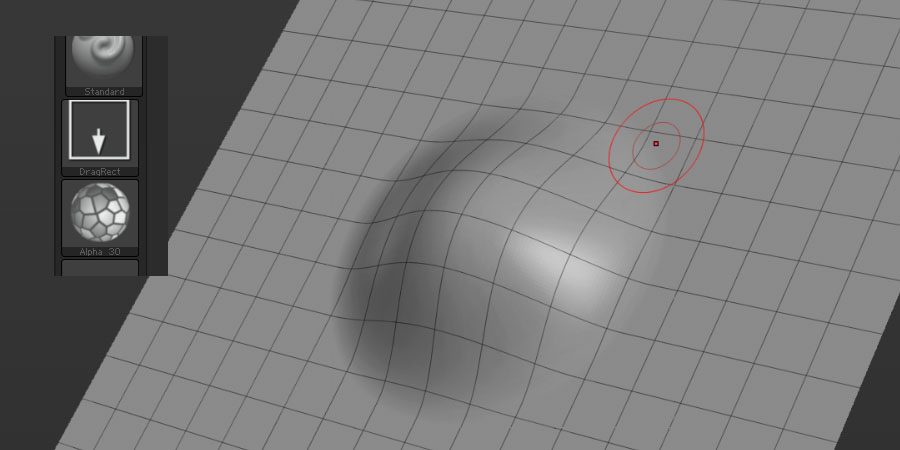
ZBrushCentral

transform->modifiers->y

theres something wonky with my transform->modifiers->y

Using this to sculpt on a plane as a height field, without disturbing the x/z coordinates to preserve the nice square edges. Works ok with a bog-standard standard brush, but try to use alpha and dragrect stroke? no way! it does some wierd behaviour. Mostly looks like a brush with no alpha, but occasionally on different heights some kind of alpha-looking information appears, but it is not as one would expect. Try it! I’d like to know I’m not crazy. :wink:

It would be lovely to sculpt some planes into nice tiling texture bases, but with this bug-like behaviour it gets a bit messy and workaround-y, so I thought I would post up in case anyone else has noticed this or pixologic happen to see this and know of this bug/need more details and can add it to their internal bug list. It seems a shame that it is part-working like that when it is a golden feature! :slight_smile:

Fingers crossed!

cw

Which version of ZBrush are you using?

3.5, the latest one.

If anyone has a few minutes spare and would be willing to see if this reproduces for them I would be ever-grateful.

Try to use alphas to sculpt after setting the transform->modifiers->y or any other single axis.

Many thanks,

cw

come on lovelies - I will beg if necessary! :smiley:

Hi

I am not seeing any artifacts although I am not sure what I am looking for (picture please :)).

With only one transform axis modifier enabled the alpha seems to be disregarded. With the DragRect stroke I get the same results with Transform > Modifiers > Z and an alpha as I do with Transform > Modifiers > XYZ and no alpha.

I would suggest you model with Transform > Modifiers > XYZ enabled but store a morph target at the highest subdivision level before you start modeling (store another morph target if you subdivide further). As often as you want you can apply a Tool > Morph Target > Morph at 100 with the morph modifier set to the relevant axis. This will morph the XY position of the vertices back to the original square shape but leave the Z axis position (for example).

I wrote a rather lengthy post about creating tileable textures through sculpting and/or drawing on the canvas. You might find something useful. The post is >> here << and the full thread is >> here <<.

Hope that helps.

thanks TVeyes, those are exactly right, i will post a pic of the way the alpha shows through strangely in a sec.

Thanks for the threads, I shall digest them, but it feels like a but so I wanted to pop it on here in the hope that some pixologic folks can check if it is expected behaviour or not. It really was unexpected to me and I hgope it is a bug which could maybe be fixed?

Many thanks for your assistance! I will post pics shortly…

so as described, alpha doesnt show up with axis constrained to 1 and so-on

[zbrush_dragrect_bug_1.jpg](javascript:zb_insimg(‘186592’,‘zbrush_dragrect_bug_2.jpg’,1,0))
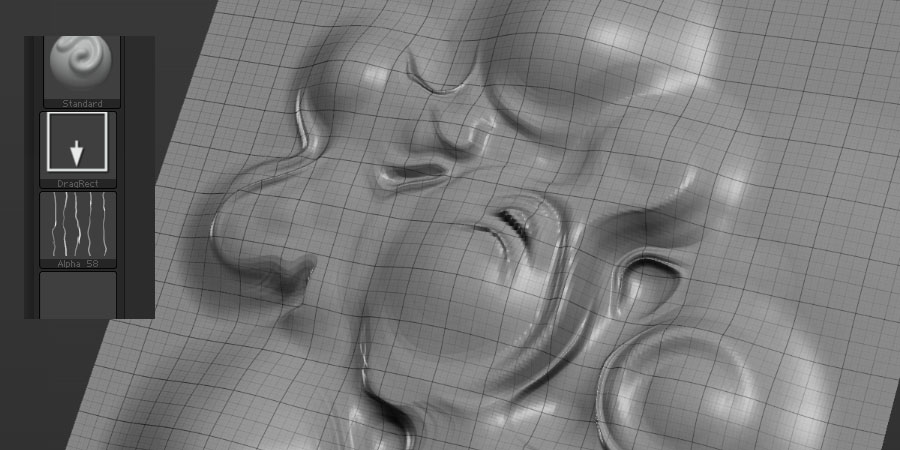
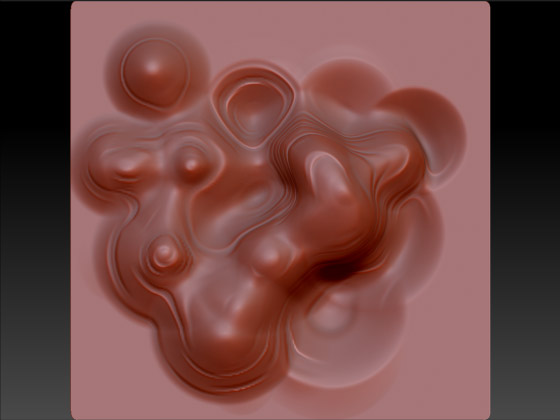
Have a play if you get a chance, I really feel it is a bug - I’d love someone from pixo to prove me wrong! :slight_smile:

Now off to find a workaround. Or try mudbox trial.

Cheers folks!

Attachments

zbrush_dragrect_bug_2.jpg

Yes, I see what you mean. I tried adding some elevation and indentation to a standard plane3d and afterwards used the standard brush, alpha 58/64, the DragRect stroke and Transform > Modifiers restricted to Z.

[attach=186616]Stepped-alpha-with-z-axis-restriction.jpg[/attach]

Seems to work like the PlanarCutThin brush. Pretty neat effect, not sure I would like it fixed :wink:

As you saw in the other thread, using brushes with alphas and restricting the deformation to 1 or 2 axis does not seem to function properly. Your best bet is to avoid alphas when restricting modeling to 1 or 2 axis, or, avoid using axis restrictions and model as you would. Finish up the model by applying the morph trick to some or all of the model. IMO a valid workaround.

But yes, I would like to see alphas and axis restrictions living together in perfect harmony.

Attachments

Stepped-alpha-with-z-axis-restriction.jpg

Heh heh, part of me agrees, but a bigger part of me says - If I want the planar cut brushes I can use them on purpose, why doesn’t this feature work properly!

I shall nobly workaround until a better option is forthcoming. Is there any official method to report bugs to pixologic or is it only through the beta program that this is possible?

If you have not already done so you should register on the Pixologic Support page. That way you will be notified of zbrush updates and can submit support requests.

yep i’m registered, i’d forgotten about that avenue - I popped a ticket up for it.

Fingers crossed! :smiley:

the ticket changed to ‘escalated’ whatever that means - fingers crossed!