ZBrushCentral

Totally new to Zbrush but having one major problem...

I’m having a problem.

When I subdivide my meshes, if I lower the resolution, then go back to a higher resolution everything is rather angrily distorted.
I’ve had a look around the forums and haven’t noticed a similar problem.

Any assistance or advice with this problem would be HUGELY appreciated.

Thanks in advance.

Retro

Attachments
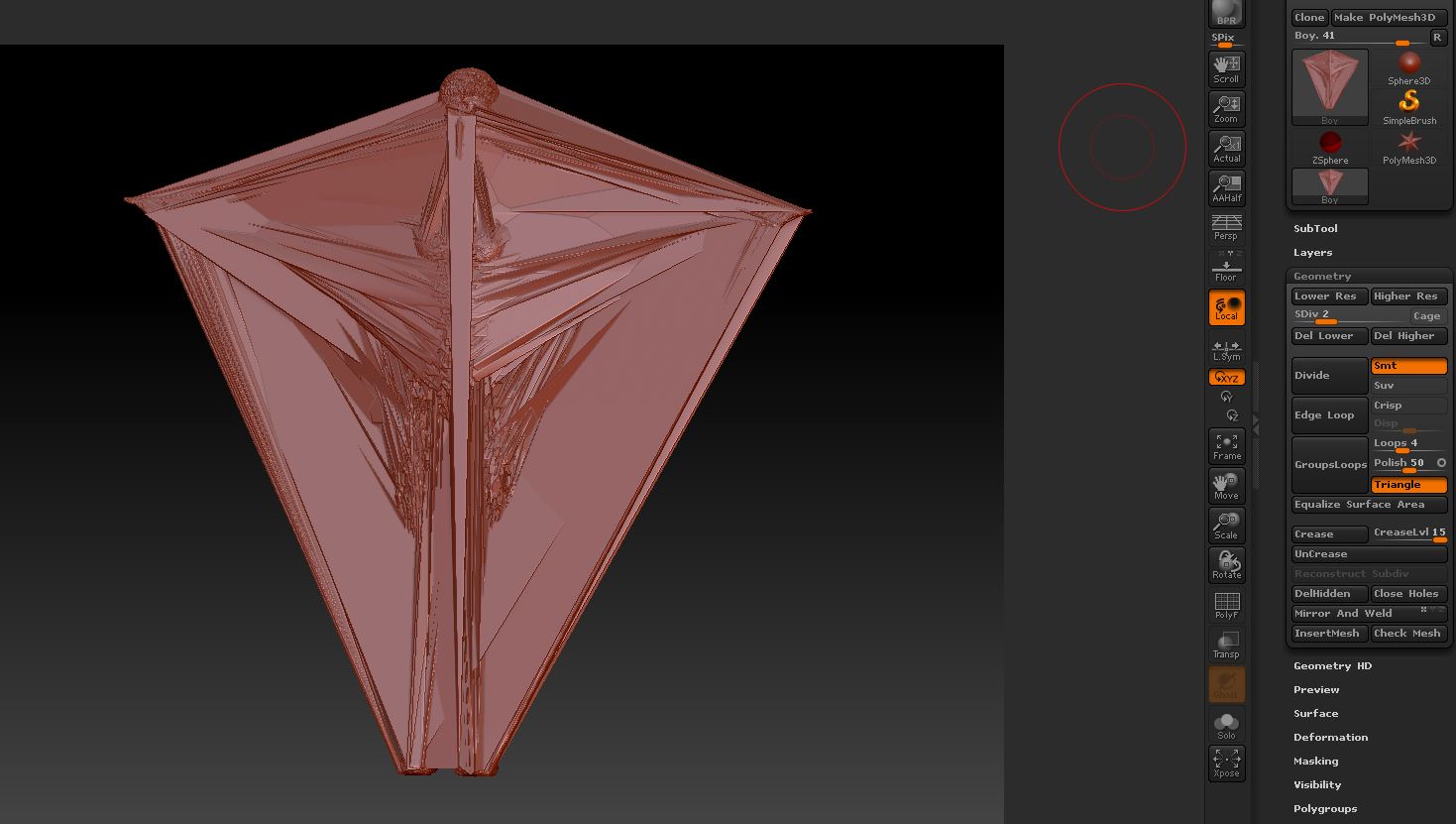
Capture.JPG

That’s weird … I have no idea why that is happening …

Can you show an image of the mesh before subdividing it?

Of course.


This is the image before subdividing.

Retro

I also wasn´t able to reproduce your error; but i believe that it might have to do something with the geometry that you brought inside zbrush;

i guess you imported this as an obj; are you shure the geometry is clean? if you send me the obj i can take a look

i can imagine how irritating this is for you!

m

MichaelMaehring posted : i believe that it might have to do something with the geometry that you brought inside zbrush

I have been thinking that also …

I also have been thinking that there might be some projection or something going on …
Does the tool have subtools?
I’ve seen in the past that with projection a mesh can get screwy like that … ?

-clear masks 1st
or
-dynamesh ur model

zb gets along with but hates imports

i don´t agree with that; as long as the mesh is clean there shouldn´t be any problems with importing obj´s - in contrary there is a lot of workflows that use importing and exporting obj´s

but the thread-starter seems to have solved the problem anyway :wink: