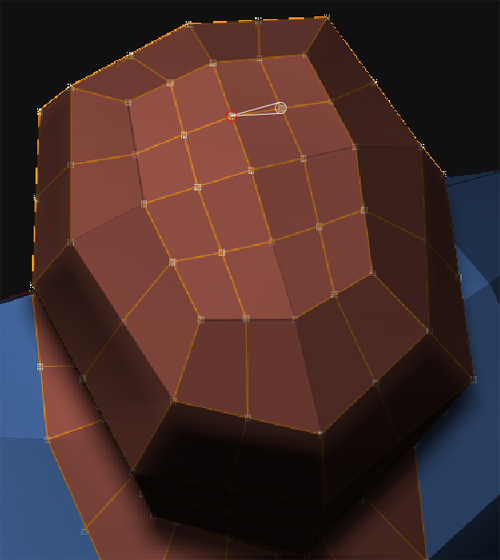
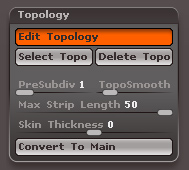
I was studying the “Birth Tutorial” in your Wiki about Zbrush (very complete guide), and it arrived the time to do the retopology to create the final mesh (a fine exercise), but with my own custom model. To tell the truth, is the first time I retopologize using a Subdiv2 template model to create a more complex mesh, so basically I don’t know what’s going on or what I’m doing wrong. Think the images will explain my problem better:
[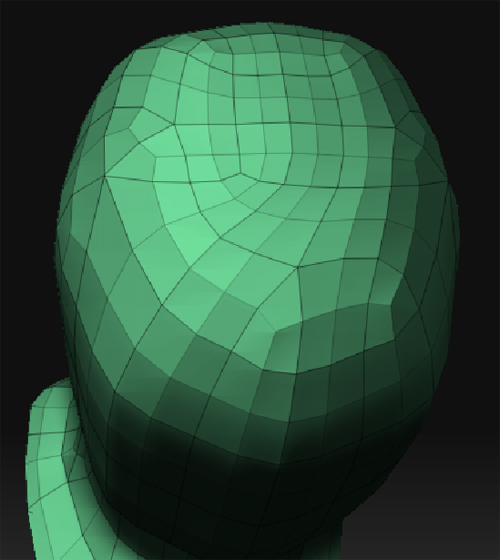 ]
]
Everything is completely symmetric, but I realized that sometimes when I “split” an edge to make the quads, the cursor (using 1px size) snaps on a vertex or another “edge” on the other side of the grid, making a connection in between both across the model, and making these pinches to occur. My question was if there is a way to prevent my cursor to snap on the grid behind, because I don’t know how I can prevent this without making the cursor to automatically connect with stuff behind the mesh (I tried moving it, resizing, zooming, rotating, but it still keeps connecting the hidden edges and vertexes on the other side of the grid - this problem making itself more obvious when reaching the vertical axis of symmetry or when I reach to a more highest divided grid).
Any ideas so I can keep on practicing retopology? Oo
Attachments