ZBrushCentral

Topology problem

I have another question.

Ingraso to Rigging, I press “Select Mesh”
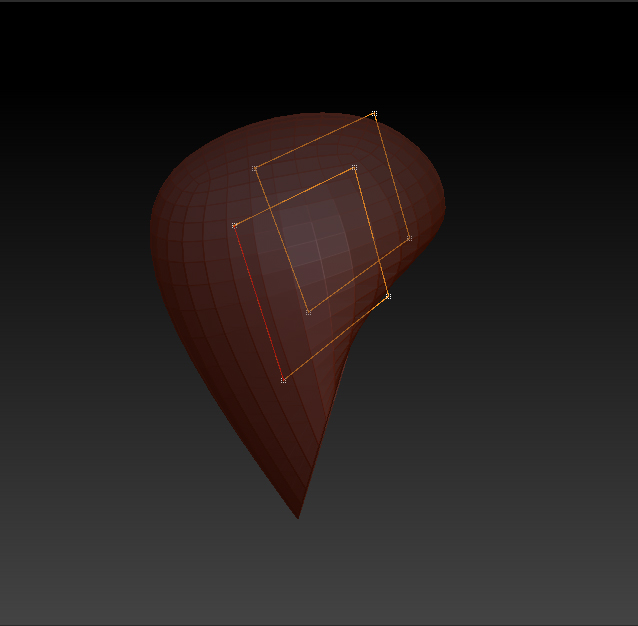
I click on “Topology”, then “Edit topology”, but when doing the topology, and I click on symmetry, lines and I stand trying to cause chaos topolizar or create objects in my model.
I’m doing wrong? :evil:

Attachments
Rigging.jpg

what is the question?

When I click on symmetry, and start topology. lines are back. In the example image lines are back, and this causes discomfort.
Excuse my poor English. If anyone knows Spanish and helps me to translate this would be great.:wink:

Español.
Cuando hago clic en simetria, y comienzo a topology. se ven las lineas de la parte posterior. En la imagen de ejemplo se ven las lineas de la parte posterior, y esto causa molestia.

If you mean to say that the mesh is too transparent then do the following:

Preferences > Draw > Front Opacity 0.95, Back Opacity 0.01

The lines are not seen. That is, the lines are lost, and if I put the values you told me the lines are faint and the problem persists. Another option? :wink:

Sorry to say, but that is probably the best way at the moment. There is another option that you can try though. > Joseph Drust Appended ZSphere Method.

:d

Thanks, zber2, for your time and your help will keep trying until it succeeds. Thank you very much again. :smiley: