Yes, it depends on how you made the dress. If the plane is a separate polygroup it will be easy to get rid of - turn on polyframes (Shift+F) to see. If the plane not a separate polygroup then you could try Tool>Polygroups>Auto Groups. This will make the plane into a separate polygroup if it is a separate object from the dress. Then you can:
- Shift+Ctrl+click on the plane. This will hide everything else.
- Shift+Ctrl+click on the plane again. This will reverse the visibility so the plane is hidden.
- Press Tool>Geometry>Modify Topology>Del Hidden. This will delete the plane.
If the plane is not a separate polygroup or a separate object then it will be more difficult to get rid of. You may be able to use masking to isolate it - you can use Backface masking to help with that but remember you need to hold Ctrl while turning it on. You’ll need to experiment with what works best for the model.
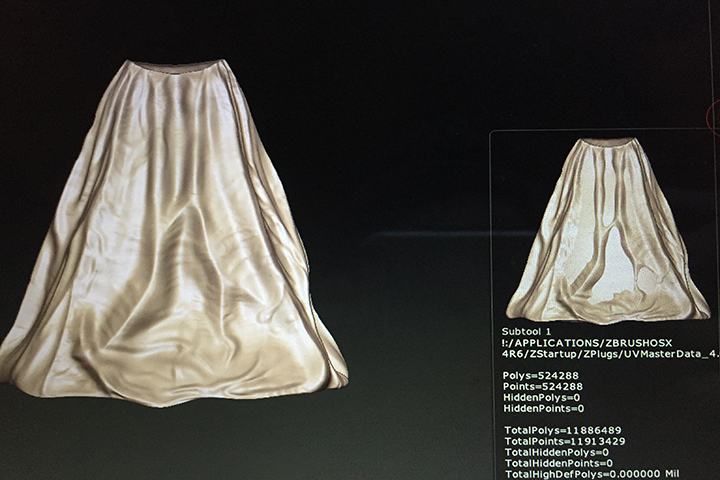
 . Ive duplicated it and attempted all of this as well. Ill keep trying things to fix it but If you all have any other suggestions that would be wonderful. Thanks again!!!
 Showing us the wire (PolyF) might be helpful. You could reduce your polycount with DecimationMaster or and remesh it. You do have to watch the backface masking

 Heres the topology issues. I grouped by front facing so you could see it. Ill try the decimation master!