ZBrushCentral

Tool turns into a "flat" display mode

Hi there,
every once in a while it happens, that a tool I am working on, turns into a “flat” display mode on me.
It always happens after I was working with projection master on it. After exiting the projection master,
the too turns “flat” in the tools menue and in the tools preview it gets displayed correct still, but I
can not make it display the texture.
BPR renderer turns the tool black. Initialising ZB does not help, neither does restart. Even when I export
the tool as a OBJ, and reimport it, it is not changing a thing …
Anybody else has that problem happen?
Thanks
Heiner

Attachments
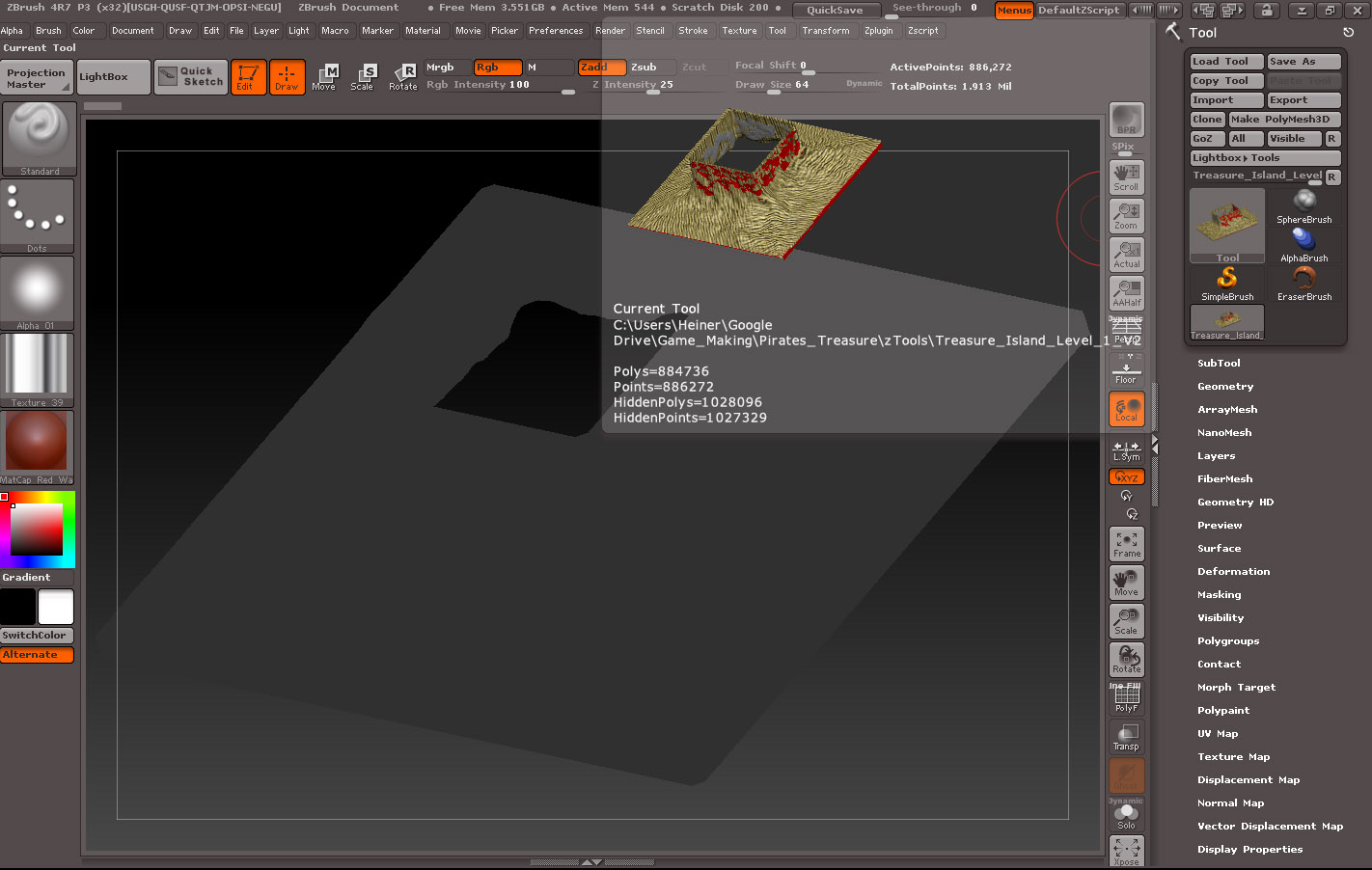
zB_Problem.jpg

Try this:

  1. Turn off Edit.
  2. Make sure ZIntensity and RGB Intensity are at 100.
  3. Turn Edit back on.

Hi Marcus and all,

I just found out, that I was asking about that problem before already, I am sorry that I bought it up again.
However, i found the thread and it contains not only Marcus recent answer (thanks for that Marcus) but a bit more
info on the problem as well. So, if you are interested, the thread is here:
http://www.zbrushcentral.com/showthread.php?178014-Object-in-viewport-appears-as-if-filled-with-flat-colour-but-it-is-basic-material&highlight=Heiner

Best regards,
Heiner