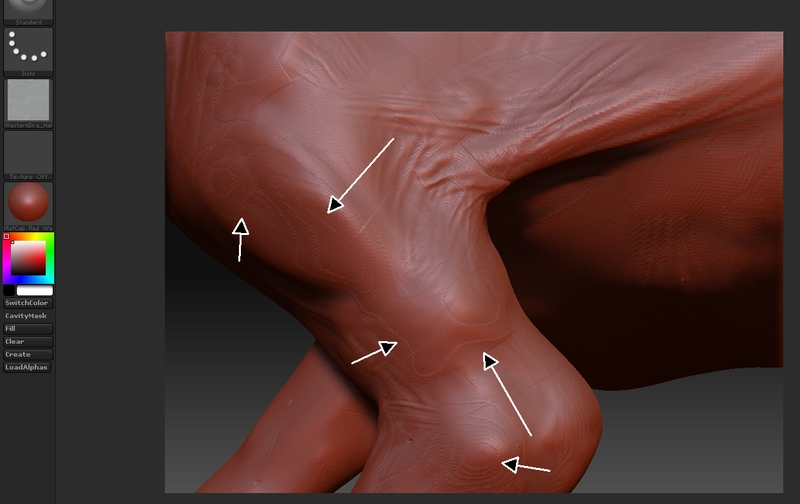
.tif issues are casuing massive headcahes for me. I am sure there are alot of people out there like because of how restricted this .tif process is. I understand that Zbrush is very picky about .tif files(maybe something to do with headers). But for god`s sake Zbrush can not even import the tif file Zbrush itself created. I just exported a .tif file using multi disp exporter and I cannot import it back. So I am left with .psd option. Here are my results. This is bad!
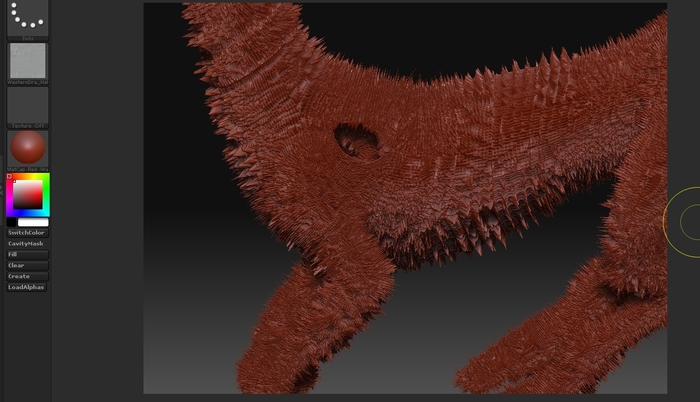 ]
]

There’s a very good reason why ZBrush can’t read these TIFF files that you export from it: ZBrush can’t use the 32-bit format. The alpha palette is limited to 16-bit grayscale files.
ZBrush can export 32-bit maps via MD3, but those files never actually enter the ZBrush interface. Their data is held in memory and output directly to file.
ZBrush itself doesn’t worry about being able to read these files because it’s already got something better: the original model. This is always more accurate than a map that has been generated from it, and ZBrush is capable of handling these models in real-time. The only reason displacement maps even come into the picture is so that OTHER apps can use what you created in ZBrush.
Converting a 32-bit map into a 16-bit image is always going to give inaccurate results. This is because the extra data in a 32-bit map is highly specialized and Photoshop just doesn’t know what to do with it. If you have a situation where you’re going to be needing to bring the ZBrush-created map back into ZBrush, you should plan ahead and create a 16-bit map instead of a 32-bit map. That way you’ll be able to get it back into ZBrush in a format that ZBrush can actually use, without any data loss inherent in downsampling.
Aurick the .tif file from md3 was actually 16bit not 32 bit. That was my main struggle with it. That is why I converted 16bit .tif to 16 bit psd. And As you see above the result turned my work into furry creature.