|Hi Everyone,
|
Hya ZBer!!!
Since I got ZBrush I have had trouble with the Deformation Pallet, especially perspective gravity, size, offset, and a few others with varying degrees of instability.
Its now spread to relax (and possibly others) but is different, relax now does what the the transpose tools do a lot, destroy the mesh.
Perspective has always caused an instant crash, the others do weird things where they seem to undo themselves and then crash if used more than once, for example I can only use size once (if I’m lucky) or ZBrush crashes.
This spans everything from ZBrush 4.0 to 4R4 P2 and has now increased.
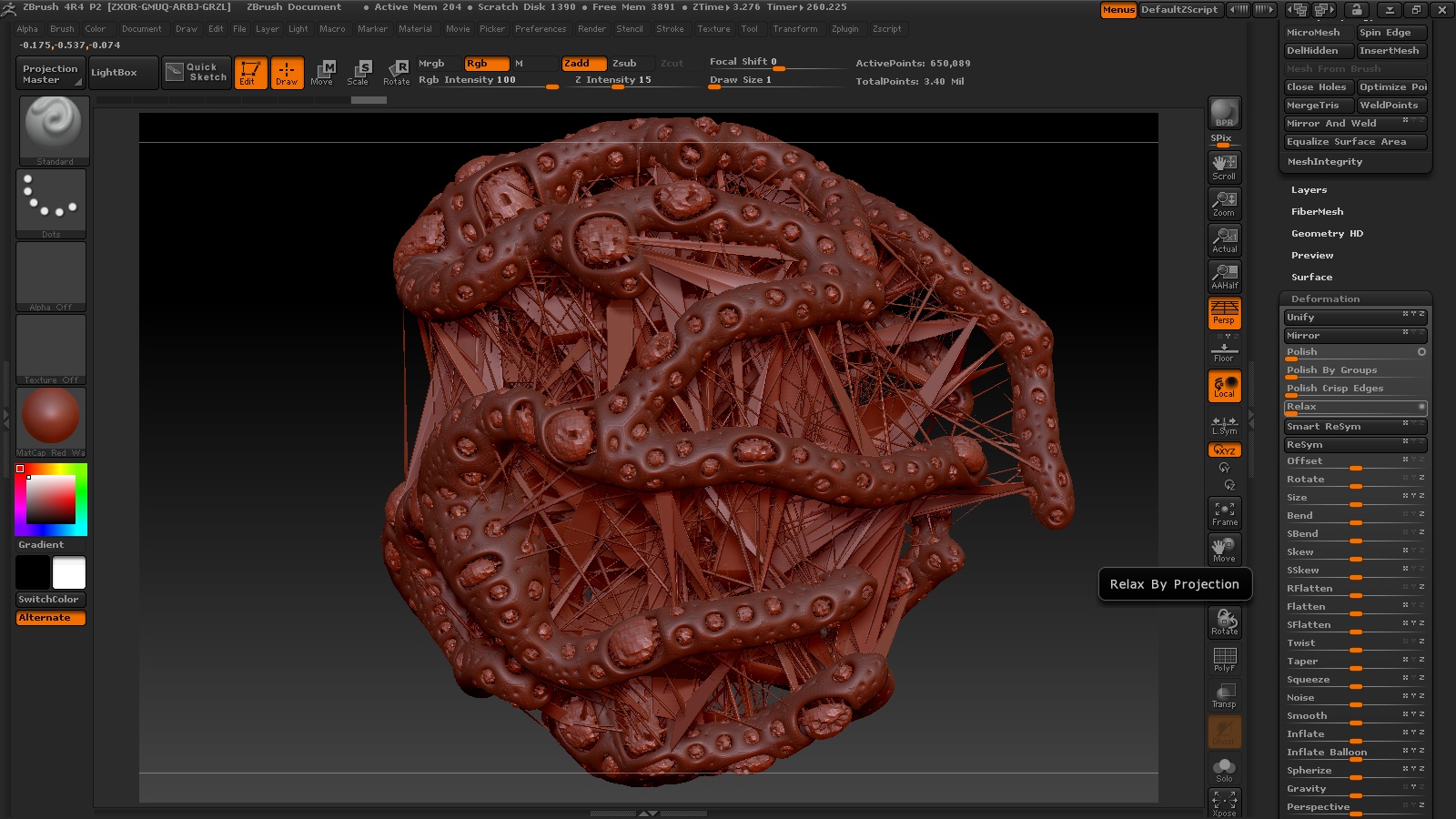
The thing with relax is the weirdest (and new), it sometimes does that thing where instances (thousands of them) of the object I’m working on drop to the canvas and continue doing so even when the mouse button is not down, it just goes haywire. (this has happened with the mouse and wacom tablet).
Then once all the crap that got dropped is cleared I get something like this as a resulting mesh:|
|Obviously its the jagged spiky bit that is the problem…
|
There is no mask, no hidden stuff or anything like that (I checked) but there are some other subtools which are not visible and this brings two things to mind:
I have seen objects do this after having others projected at them.
Relax uses projection to maintain the original shape (or something like that).
This does sort of look like a projection gone wrong or like the transpose tools misbehaving.
Anyhow, there you have it…
I hope this is useful in some way.
EDIT: I just tested something and its more annoying than I thought, merely clicking on the slider to get the text box to type in activated the tool in many cases, I noticed this before but realized that I could prove it by using my trackpad to place the cursor and then click without moving the mouse. I thought being forced to put down the wacom tablet and switch to the mouse was irritating this is even worse! I HATE TRACKPADS! GRIN!!!
Cheers,
Mealea|
Attachments