Im trying to texture a head, and i dont know what im doing wrong, but i try to draw a texture using just rgb in edit mode, as well as using projection master, but my texture always come out so pixelated it dosent resemble what i drew. I made my resolution high, 2048,3072 same thing, proble still persists. My mesh has like 50,000 polys, but then im also thinking: what difference should any of that make if guys can paint 256x256 texture maps on <1000 poly characters and the textures still come out crystal clear, for that resoluton of course. I hope somebody can let me kno what it is im doing wrong. thanks
When you paint in edit mode with RGB turned on, you dont paint with the resolution of your texture but you paint your polygons.
So in edit mode, the way your painting comes out depends on the polycount of your mesh. The more polys you have to paint onto, the better the quality of your paintstrokes.
If you want to paint with the resolution of your texturemap you have to go into projection master mode and paint there ( texture must be activated)
ive did it your way Grugi as i said i had done b4 and here is the result, after trying again:
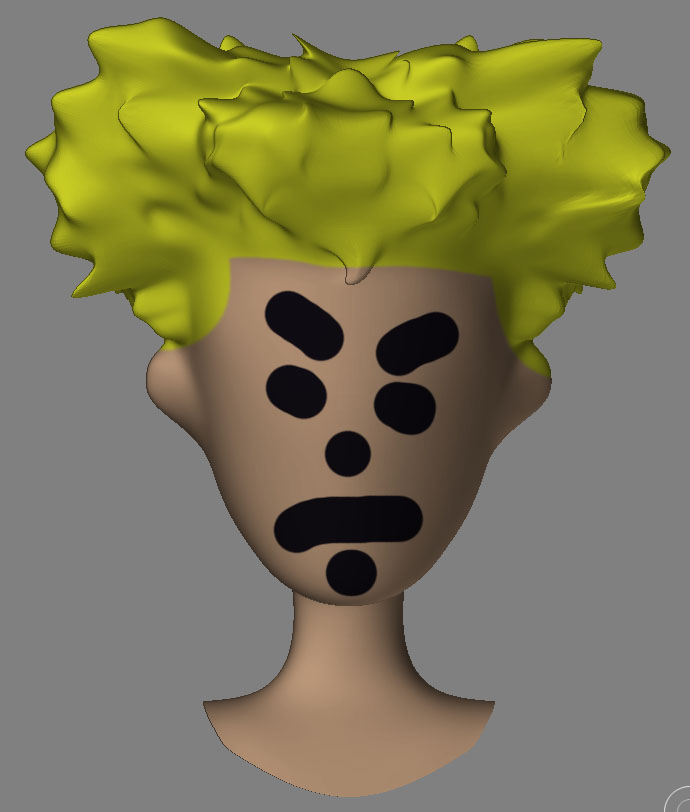
after being picked up. The texture is 2048x2048…what gives?
Attachments
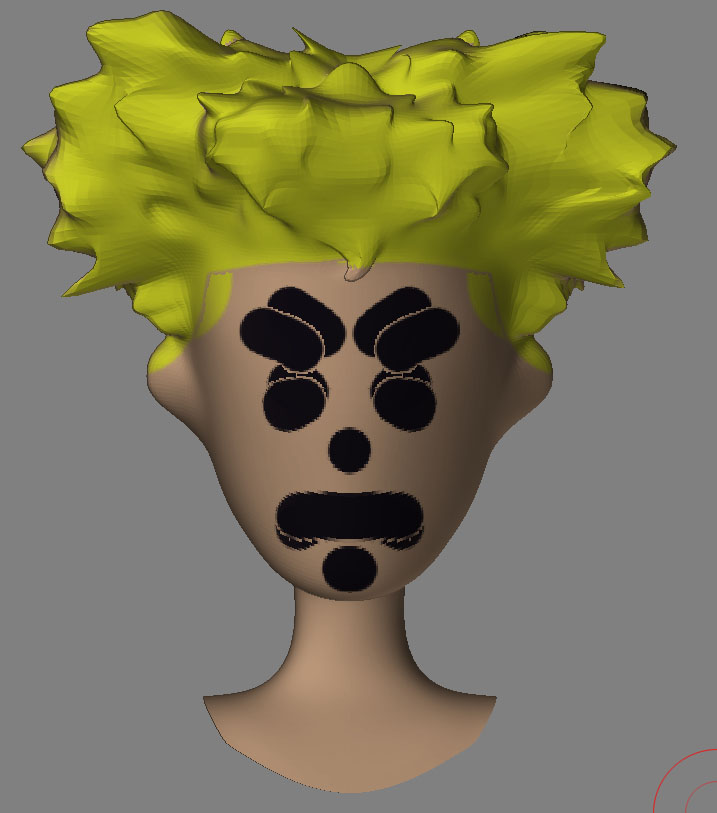
if you are using auv or guvtiles you must go to lowest subd…create a texture in sizes divisible by two…512x512, 2048 by 2048 first…this is important to do first…then and only then while that blank new texture is loaded go to tools:textures and choose auv or guv tiles.
now it will be mapped to the resolution of the texture you wish to use. and should work perfectly.
hopefully that solves the problem.
aminuts, u sir were absolutetly correct. Thanks for solving this major problem 4 me. Appreciate it.
 glad I could help!
There’s another factor at play, too.
When your model is dropped on the canvas, it’s smoothed.
When it’s picked up, it’s not smoothed.
This affects the way that the texture wraps onto the surface. Try turning off Quick 3D Edit and setting Tool>Display Properties>DSmooth to 1. The surface will then be smoothed any time you’re not interacting with the model, and the texture should wrap fine.