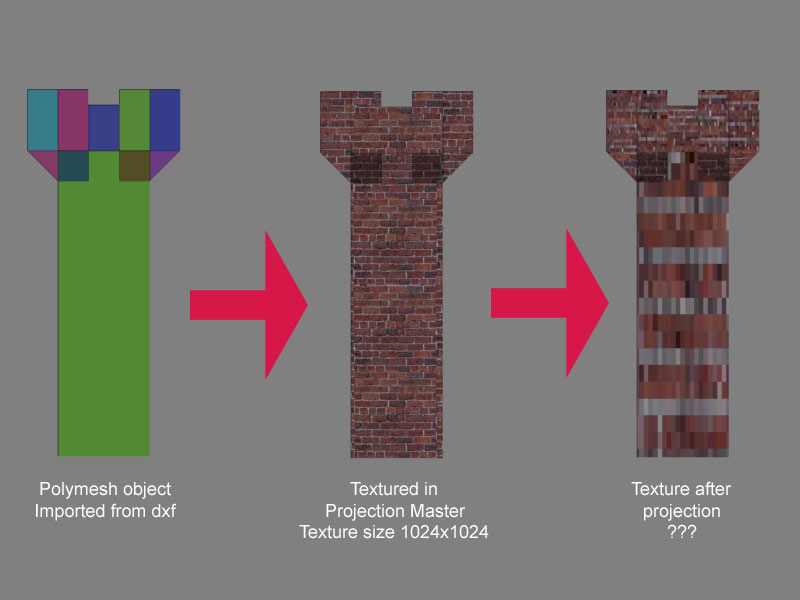
The problem is your UV mapping, and there’s no easy way around it. It’s caused by the fact that you have a polygon that is HUGE compared to the others. That polygon is not getting enough of the texture space compared to the rest of the model, and so anything that’s painted on it gets badly pixelated.
The solution in ZBrush would be to set Tool>Texture>AUV Ratio to 30 and then apply the AUVTiles mapping. This will allow the large polygon to receive 30 times the texture area that the smaller ones get. If you’re just painting texture (no bump or displacement map) this is a viable option. Alternatively, you’ll need to lay the UV’s out manually using a program like UV Mapper. That way you can ensure that the larger polygons get enough texture space.
Or, of course, you could rework the model a bit to break up the large polygons into a size that’s closer to the rest of the figure. You could even do it in ZBrush using the Edge Loop feature. After the polygons have been given a more even distribution of sizes you can apply AUVTiles or GUVTiles with the default ratio setting.