ZBrushCentral

Texturing problem (spotlight)

I’m new to texturing with ZBrush, this is the first time I’m using the spotlight for texturing.

My base texture is a psd file with a basic scale pattern. I want to use that to texture a mermaid tail.
The problem is that each time I rotate the model, the scales don’t align anymore - see screenshot.

Am I doing something wrong?
Is there a way to get a perfect scale pattern all round the tail?

Attachments
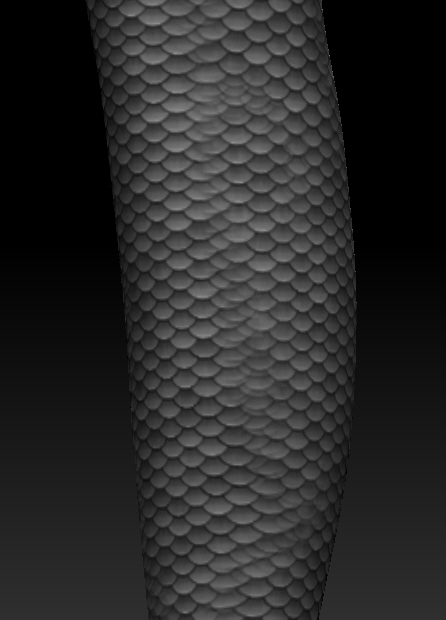
mertail.jpg

ZBrush 3.5r …??? You’re a few versions behind.

That footer information must be obsolete because Spotlight didn’t make it till 4R2 I believe…

J

The tail is tapered, makes it harder to do, but it should be possible. You may have to change your methodology. U/V’s are involved, are you using a tillable texture?

Oooops, sorry, that info in the signature was indeed outdated. Updated now. I’m using ZB 4R6.

Yes, the tail is UVmapped, there is only one seam along the length and painting over it is not the problem.
The texture is tileable.

Was it mapped in ZBrush? What mapping method? You’re trying to wrap squares around a funnel, it’s not going to work as you can see from the method used/results.

It was mapped with UVLayout. In what way is ZB-mapping different?
Is there a better method to do this?

http://www.zbrushcentral.com/showthread.php?179270-Continuous-pattern-on-cylinder-Answered
If I find more, I will add to thread.