hi, please when i export my textures in cinema 4d this is the resault.?? anybody have a idea…please help me
Attachments
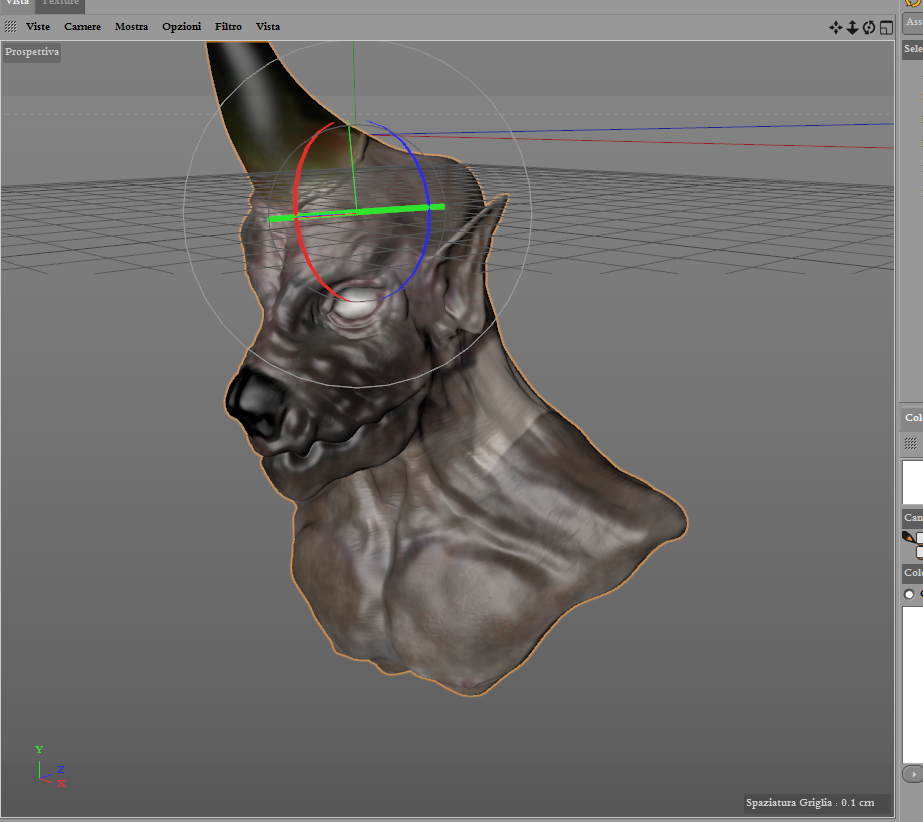
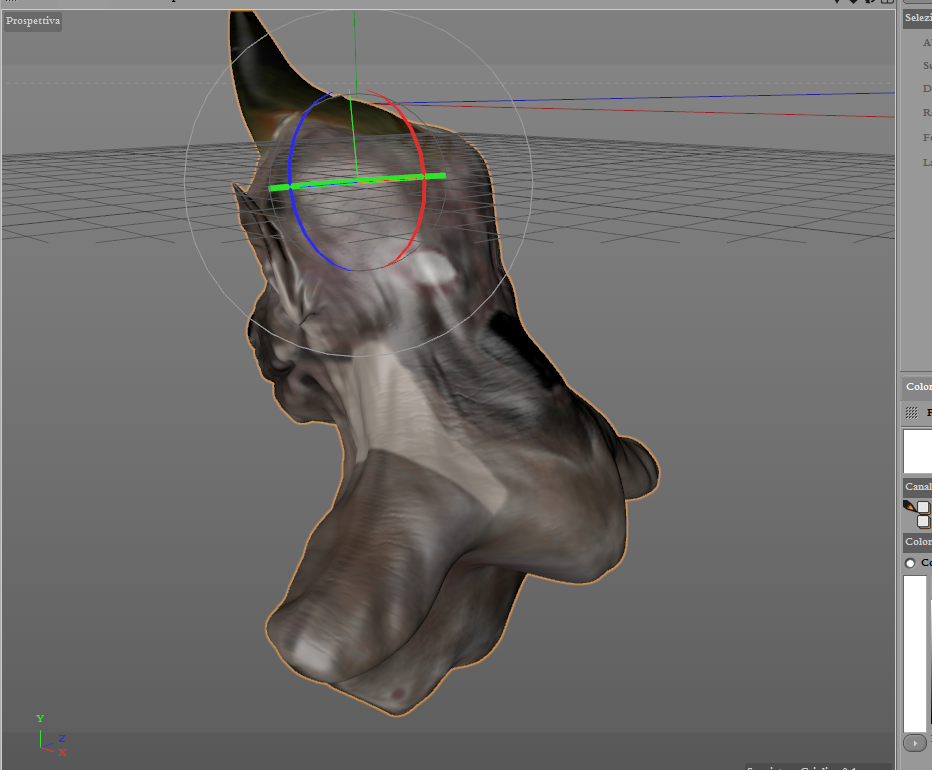
hi, please when i export my textures in cinema 4d this is the resault.?? anybody have a idea…please help me
You may need to flip the texture vertically before exporting it from Zbrush. This can be done using the Flip V button in the texture palette.
http://docs.pixologic.com/reference-guide/texture/

is the same result after i have flip v the textures…
what do your UVs look like on your mesh, what does it look like inside of Zbrush?
you are right…in zbrush i have the same problem…
but i use uvmaster and when i wrap the mesh i have even an error…(THIS EVERY TIME AND EVERY MESH THAT I MADE= UVMASTER HAVE EVEN THE SAME ERROR…)
then i follow this workfow:
-export the mesh
-create a uv map (planar)
-create a textures from polypaint
-export the map (or use map exporter plugin)
when i applied the textures in zbrush is the same error that after it result in cinema4d…
help…please
exscuse for my bad english…
You said you’re using planar UVs, You can’t use planar UVs on a non planar object.
Again, what do your UVs look like?

this is my uvmap (morphed)…
Yeah, that is the problem. You need to unwrap you mesh properly. You can find a ton of tutorials online for how to use UVMaster.
Ok i used uvmaster…but everyeye time that i want wrap i have an error ( my model has 1.25 million of poligons, aftermat clone 500.000…is to much?)
i never can use uvmaster in my workflow be cause everytime i have an error…i think at this point that uvmaster works only with low poly mesh (yes i make even the clone)
the original mesh to work with uvmaster how much poligons do must haveat maximum?
If your model has millions of vertices and you don’t have any lower subdivision levels, you may want to consider retopology.
I follow your indication but i have even this problem…zremesher crash everytime…perhaps my mesh has problems? It is corrupted or has triangles or…but i cant use zremesher…only decimati on master!!
If ZRemesher crashes you may have a corrupt mesh. Duplicate the mesh, Dynamesh it and then try ZRemesher again.