hi guys i explan in pic below there pls guide me tq. i am using zbrush 4r2
Attachments
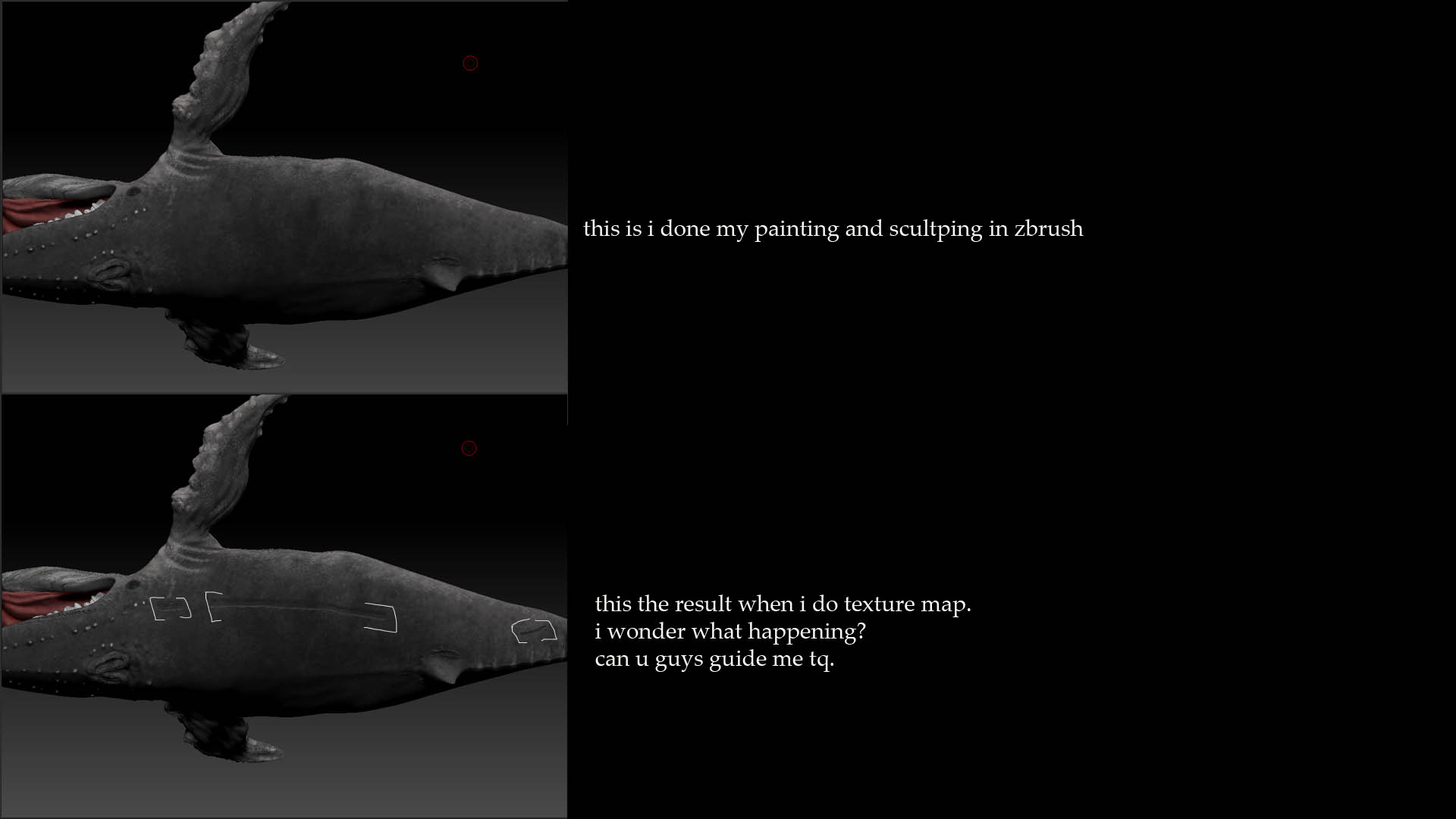
hi guys i explan in pic below there pls guide me tq. i am using zbrush 4r2
what do your UV’s look like?
soli for late being cause working, here is my uv texture
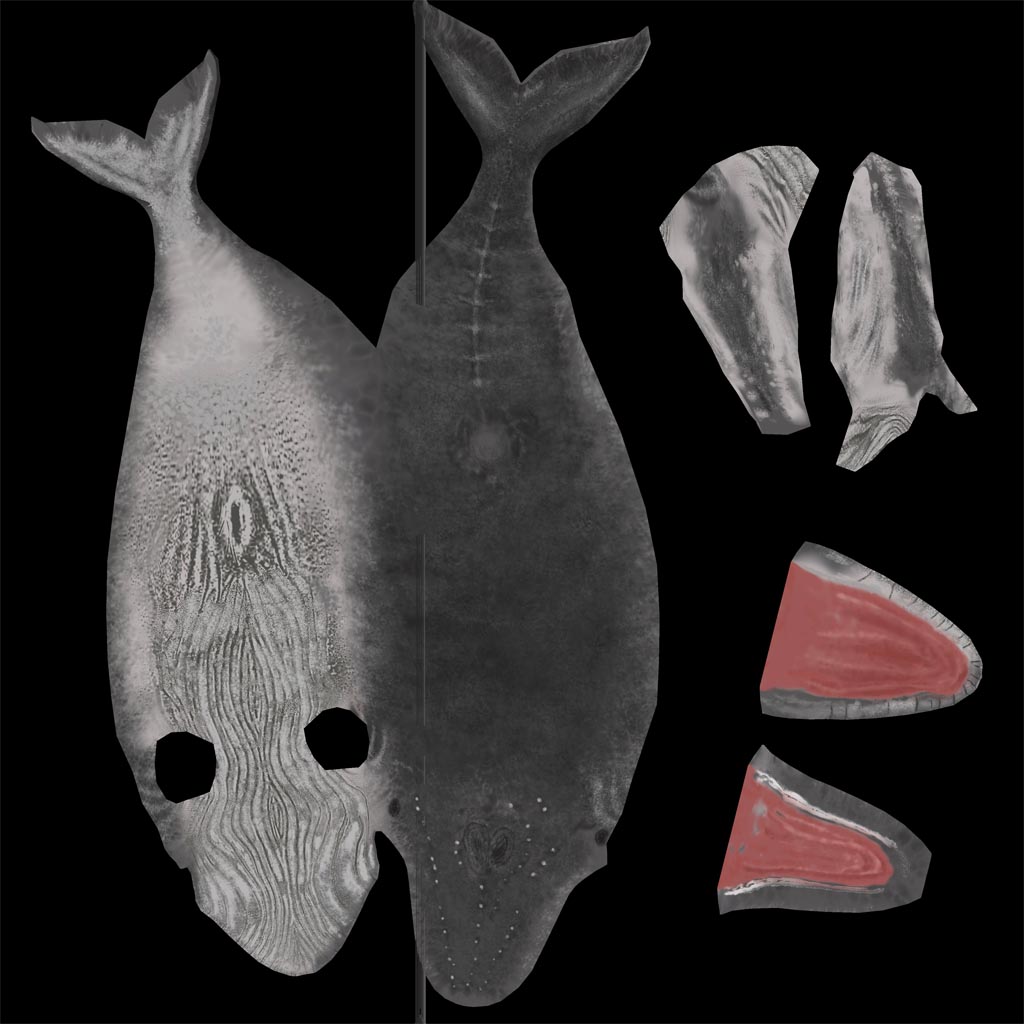
here is my ori uv din have any overlapping or streching…
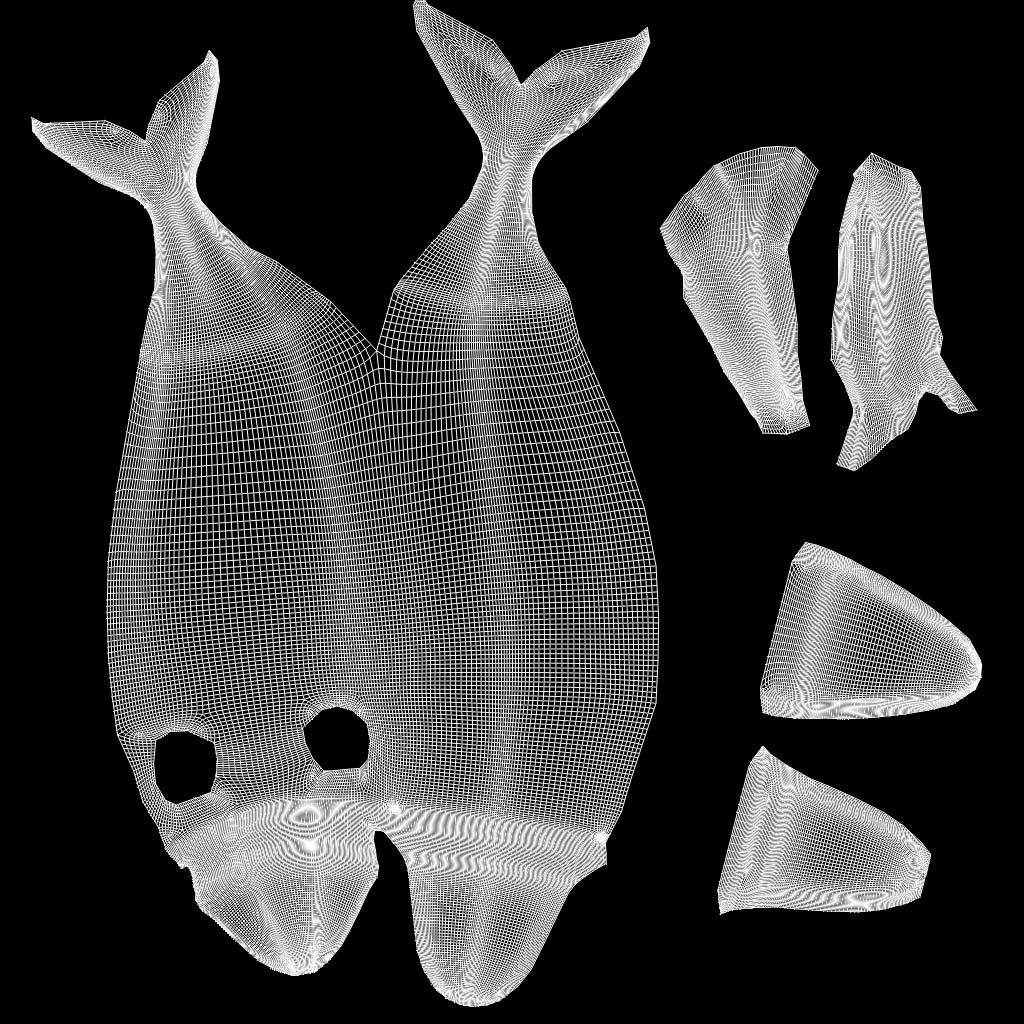
your UVs are too close to your 1 in Y.
The seam overpaint in Zbrush gets confused and anything that is closer than (4 pixels) by default will get that weird tear you have going vertically across your texture. Just scale down your UVs a bit and you should be all good.
hi beta channel, what meaning of UVs are too close to your 1 in Y and zbrush closer than 4 pixel. soli i get confuse abt this.can u explain to me. tq in million
just scale your UVs down a little bit so they aren’t so close to the border of your UVs…know as 0-1 or rather 0,0:1,1 if you’re into that math thing.
do u means for 1 square box of uv is 0,1?
yes. think back to math class
x = left and right
y = up and down
z = forward and back
u = left and right
v = up and down
w = forward and back
0,0:1:1 is the active region for UVs to function within.
:Dsoli my math fail… pls have a look at pic there.tq
