ZBrushCentral

Texture Map probs

Hi all.

I am having some problems with displacement maps. In the image, the ‘seams’ or lines are unwanted. They show up in the texture file as ghost lines of the AUV tiles but darker or lighter than the surrounding values. Admittedly, I am using a Displacement map in a bump channel but this should not matter…? Right…?

Any help gratefully received.

Attachments
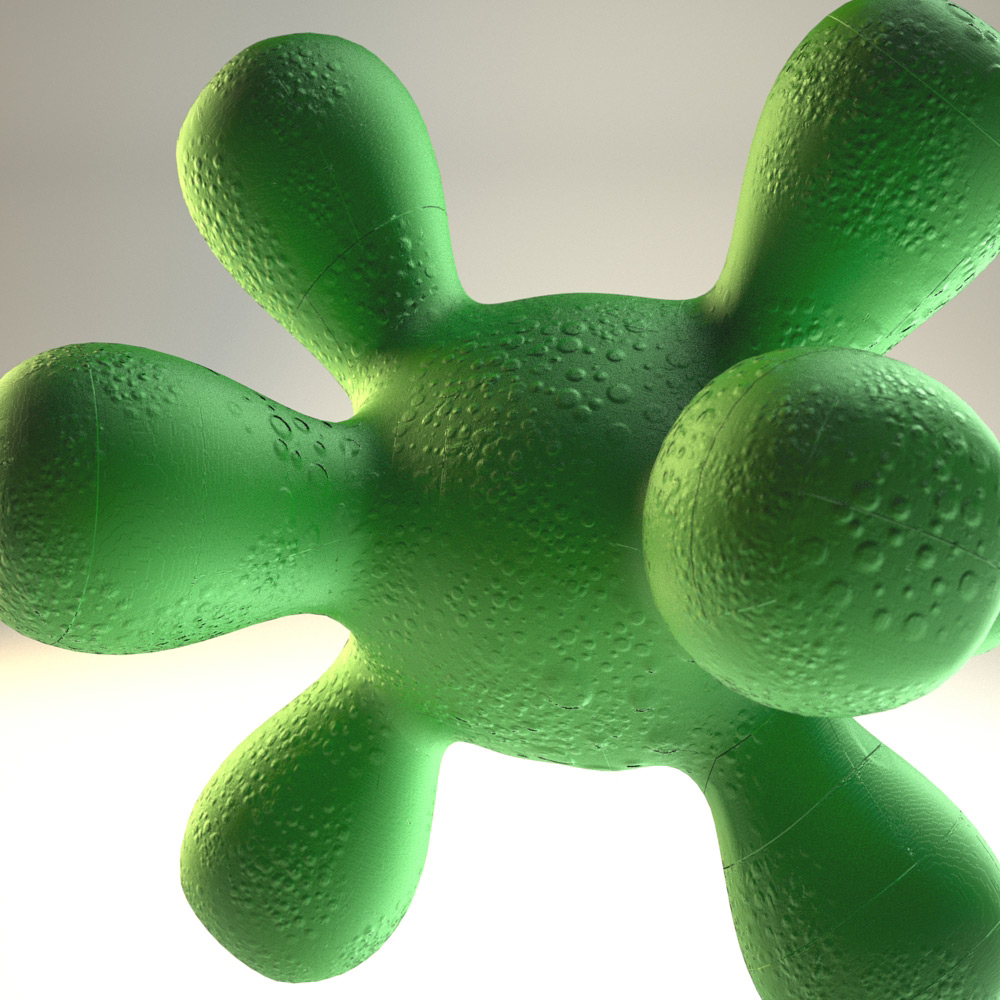
uvprobs.jpg

I’ve had this problem too. It seems to be a known bug.

Don’t use AUV or GUV. You have to work old school—model your base mesh in another program, create your UV map in that program as well. That should help.

I’m running 3.12 on the Mac and creating my own UV fixes that problem, but I still get “buckshot.” Random dark and light pixels scattered on my displacement map. ZBrush is having some dark days right now, I hope it gets fixed soon.

Make sure that you don’t have any texture filtering (such as antialiasing or MIP-mapping) active in the renderer. Those will pull data in from outside the UV’s, creating seams.

Good point about the mip-map. Thanks for your help guys.