ZBrushCentral

texture map issue

Hello everyone I have a big problem that it seems to appear to every texture map that I creat from Zbrush!!!
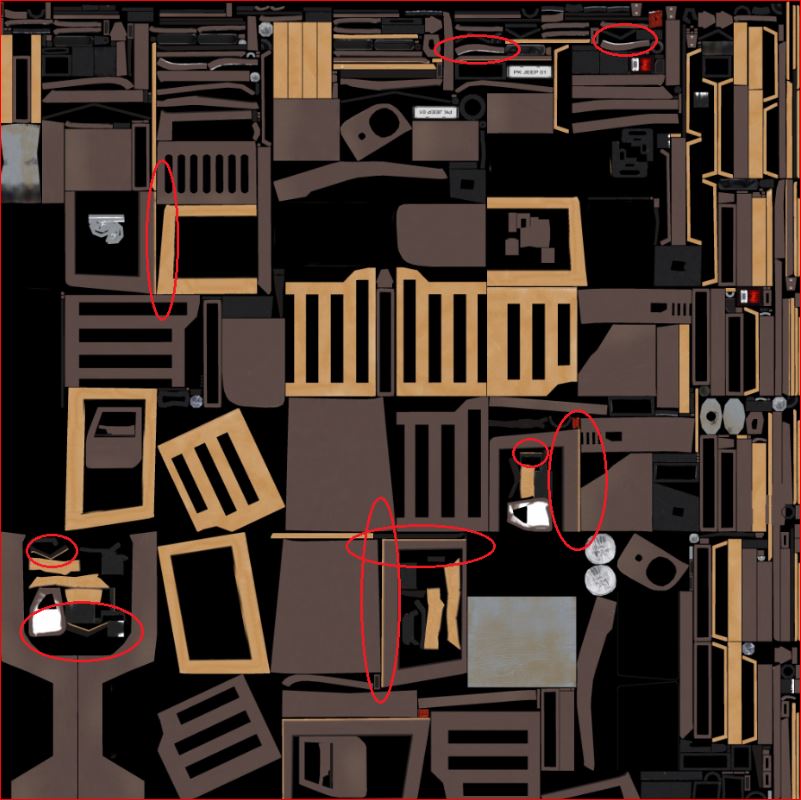
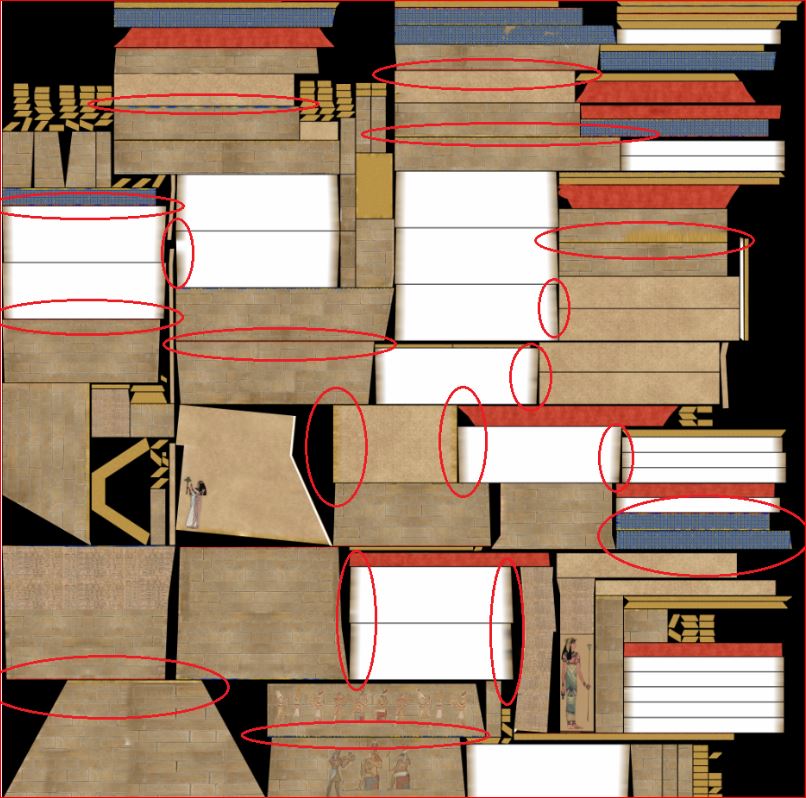
I import my already uv mapped low poly model from Blender (20-30k) to zbrush and I divide it until 300-500k polys and then I select HD geometry until (let’s say) 350milion polys.Then I start texturing and in the end the result is like in the images…The paint is going from the one part into the other…what I m doing wrong?

Attachments
1.JPG

2.JPG

Not sure if that is your case but I have noticed that if the UVs are very low poly they can lose precision in edges and geometry in Zbrush. Perhaps because the UVs relax and being so low poly can not fit exactly. Doing the UVs in a higher subdivided version helps. But this is my guess and I’m not sure is your case. In any case I don’t think that Zbrush is ideal for that type of hard surface polypaint texturing. A bitmap texturing program would work better.

Yeah I see what you mean but how it helps when I make the uv in a higher subdivided version and use it for a low poly model?Yeah until now I texture them with Zbrush and then I use Photoshop for the details.

I agree with you and that is the reason why I think Zbrush is not ideal for that. In general hard surfaces very low poly subdivided lack of precision in UVs, unless somebody else has a better workflow that I would appreciate to listen. There are some programs as substance painter that look more focused in that.

what about 3D-Coat?

I don’t know 3d coat but I think the most industry standard programs for texturing are Substance painter for games, Mari for films and Mudbox for simple generic stuff. I know all of them and each one is good but certainly I would not use substance painter for films or Mari for games. Mudbox is quite simple and flexible to use even doesn’t have all the features of the others.
In any case all of them are better for this than Zbrush. Zbrush is only OK for organic panting (with limitations) but not hard surfaces unless they are cartoon.

I recently purchased 3D Coat specifically for it’s painting tools. It’s great for painting low poly models, and it’s a lot like Photoshop with it’s layer system and blending modes. I also have the Quixel Suite which is also great for working on low poly models, and it runs inside Photoshop.

What one you prefer? Previous versions of Quixel suite were so buggy that were unusable.

awesome! I heard really good things about 3D Coat, I will give it a try :cool:

Altea, I’m still learning all the in’s and out’s of both Quixel and 3D Coat, so I can’t say which one I prefer over the other. If I had to choose one right now, I think I would choose Quixel, but that may be because I have used it more and I’m a little more familiar with how it works. I need to give 3D Coat a proper test run though before I can really say which one I like better, but I think they are both strong programs.

As for Quixel being buggy, I have not experienced any problems with it. I finished building a model last night in Modo that I’m planning on texturing in Quixel, and then again in 3D Coat. That way I will have an apples to apples comparison.

Arianos, I would definitely recommend you download the trial version of 3D Coat and watch some of the training videos on their site or on their YouTube channel.