ZBrushCentral

Texture causing holes in the Geometry? Help!

Been texturing all day and then all of a sudden holes appear in the geometry when the texture is on…

[why_you_bastard.jpg]
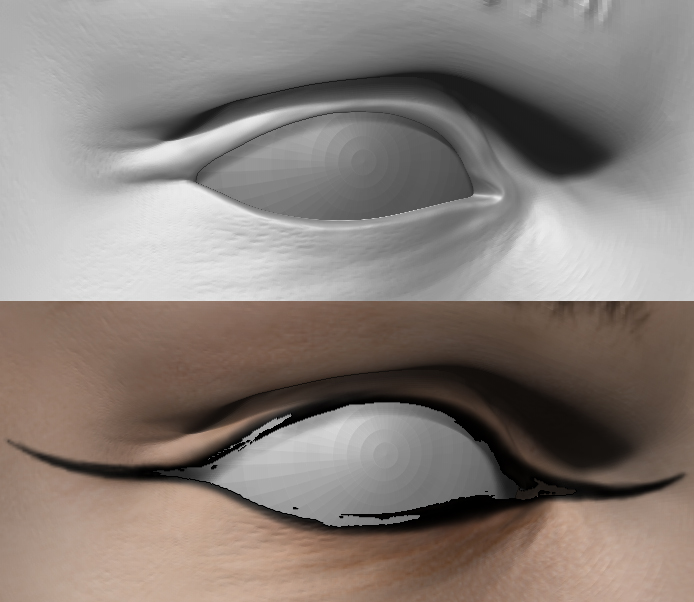
I tried saving a different version of the texture, that didn’t help, and setting the display to double doesnt help either…

Is there something I have missed?

I’m far from a Zbrush expert, but you don’t by any chance have the “Transparent” option turned on in “Texture Map” under the “Tool” menu? That’ll make solid black transparent.

after double checking, sadly no…

Pure black will be read by ZBrush as transparent. By pure, I mean 0,0,0. A value of even 0,0,1 will be read like normal and will look just as black to your eyes.