Is there a way to export a higher bit depth than 8bit after painting a texture? When I render the image in Softimage, I get horrible banding.
What is your document size? Spix might help>> http://docs.pixologic.com/reference-guide/render/bpr-renderpass/
But isn’t that for rendering inside of Zbrush? I’m talking about painting textures inside of Zbrush and exporting them to be used in other rendering software.
Again, how large is your document? How are you currently rendering and saving the image?
When I export the image from the Zbrush texture section after cloning the image, there’s no option for any kind of bit depth. Thanks for the help BTW.
It shouldn’t matter how large my document is. I’m painting a texture on a 3d object. The size of the image is determined by the setting in the UV section.
Ok then, how large is your image? What format are you saving to?
I don’t believe zbrush puts out 16bit diffuse textures, only displacement if I remember correctly. Can you show an image of the banding you’re getting as well as your flats and UVs?
Here’s the pic rendered from Softimage as a backdrop. It doesn’t look too bad here, but when I start color correcting in After Effects it starts to fall apart without the deeper bit level.
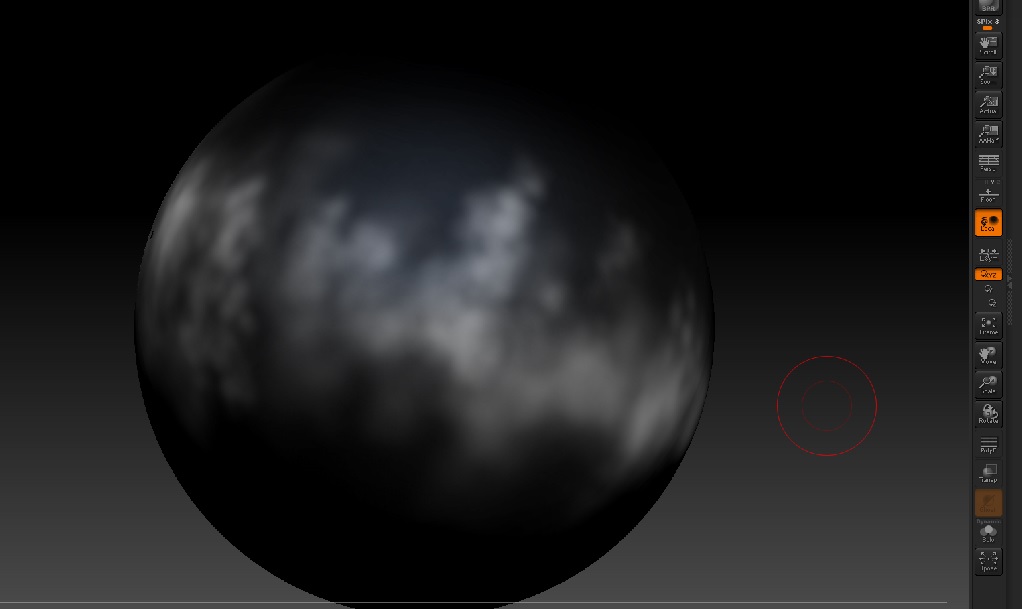
…and the sphere object I’m painting on in the Zbrush interface. The map is a PUV tile at 4096 by 4096. But resolution shouldn’t be affecting the bands in the gradients.
Attachments

What format are you saving or exporting as?
PNG. But it looks the same if I use PSD or whatever format. It has 8bit banding. I need this to have a nice smooth, gradient with trillions of colors, not millions. In After Effects, it falls apart during color correction.
I think what I might end up doing is creating seamless texture in After Effects as a 32bit image, then wrap it around the sphere in Softimage. Zbrush painting this is not working out. But thanks for the help, and if any of you guys think of something, let me know.