ZBrushCentral

texture auv and maya issue

hi,

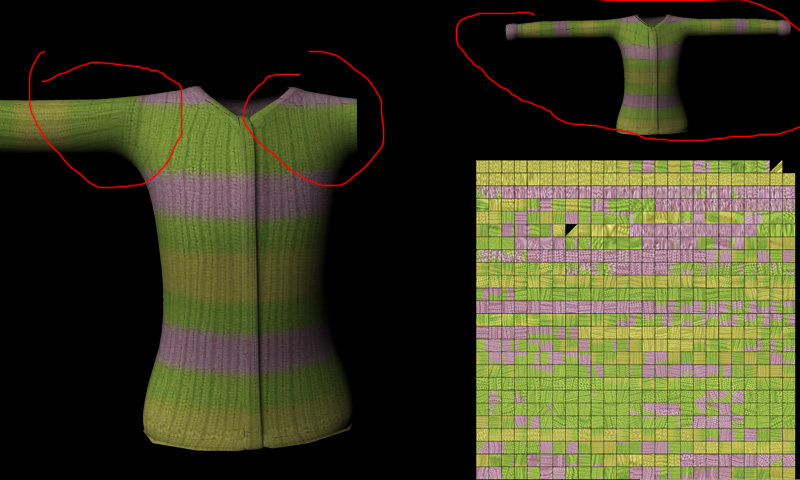
if i export a 3k(3072*3072) texture from my mesh and import it to maya, i get a issue in the renderview. if i zoom in, i have no problems, but if i zoom out and render, then i can see the geometry from my object shines trought the texture. it looks like in the picture below, don´t know what iam doing wrong.
help please :wink:

Attachments

mistake.jpg

Have you tried to extend uv seams?, you’ll find the option in the Tool>Texture menu.
Try too to do a render with Mental Ray, Maya Software & Maya Render (in the Maya visor with High Render Quality active). So you can check if is texture problem or renderer problem

thx for your help, if tried fix seams but the problem still exist…only if i export this texture in 2k quality, all looks ok.
don´t know if this important, but in the picture you can see, that the 3k texturemap has many black frames around the uvs…
I have tested it on mental ray and maya software, the problem is still the same.

the problem is that you’re exporting out a map that isn’t a power of 2.
1024, 2048, 4096. If you need it to be 3k, then make the map a 4k and shrink it post. Zbrush handles all textures best in powers of 2