ZBrushCentral

Technical question: How transfer only a particular Mesh parts between to meshes

Hi everybody,
I have two questions:
1.
I am just wondering which is the best way, to replace a part of a sculpted mesh, because I have sometimes that situation, that I just want to replace a part (when I have two versions).

I made just for example two spheres, which are exactly on the same place. I have pushed back a part of one sphere in that area, where I want to have the part of the other sphere.

How can I transfer exactly that part from the other sphere?
I’m working in Dynamesh.

I also tried to apply a transparent shader for to be able to look through,
by using the materail GelShaderA and pulling down transparency,
but there is no transparency showing up in my viewport.

Thanks for help!

This is the sphere with that part I want to replace (already pulled in in dynamesh)
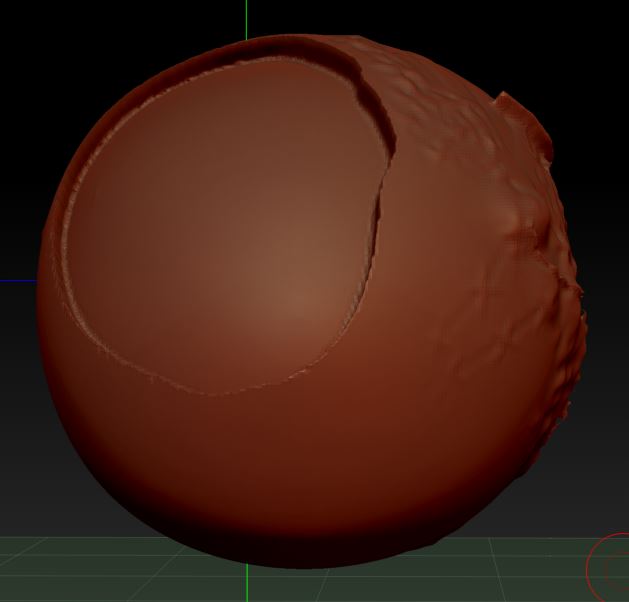
dynamesh hidden part.jpg

This is my test sphere with the part taken from, but I can’t figure out, how to mask it.
(I tried Screenshot and transparent shader, but screenshot didn’t help and transparant shader wasn’t transparent so far)
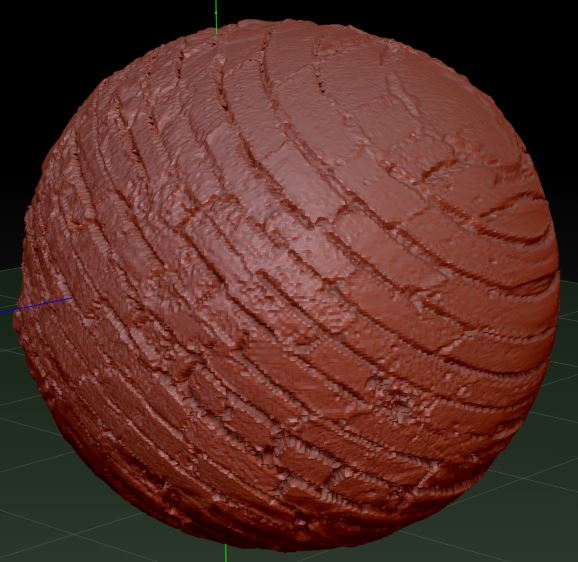
Sphere as source ZBrush.jpg

http://docs.pixologic.com/zbrushcore/reference-guide/transform/(Transparency)
You can duplicate and merge, project, sometimes trial and error leads to great discoveries.

If both the spheres occupy the same worldspace, you can use projection to transfer detail:

http://docs.pixologic.com/user-guide/3d-modeling/topology/zremesher/transferring-detail/

Mask any portions you don’t want to be affected.

Thanks… I did it at least with using the stencil and polygroups:

  • Polygroup from the area which was pushed in (which should become replaced)
  • Isolate that area and create Alpha “Grab Doc” to get an Alpha for Stencil
  • load Alpha into Stencil (with "stretch"enabled to fit document)
  • paint polypaint color through that stencil on the source mesh (it seems the only way to get that exact area)
  • source mesh: polygroup from polypaint
  • at least hide unneeded areas (with that existing polygroups, delete hidden, merge down)
  • in dynamesh (all the time) recalculate it

Long process, but it worked. Just the edges were not perfect.
I am still looking for a tool to repair edges or fill small gaps. inflate brush is sometimes ok.