ZBrushCentral

Tar 21 Wip and problem with mergeing with dynamesh

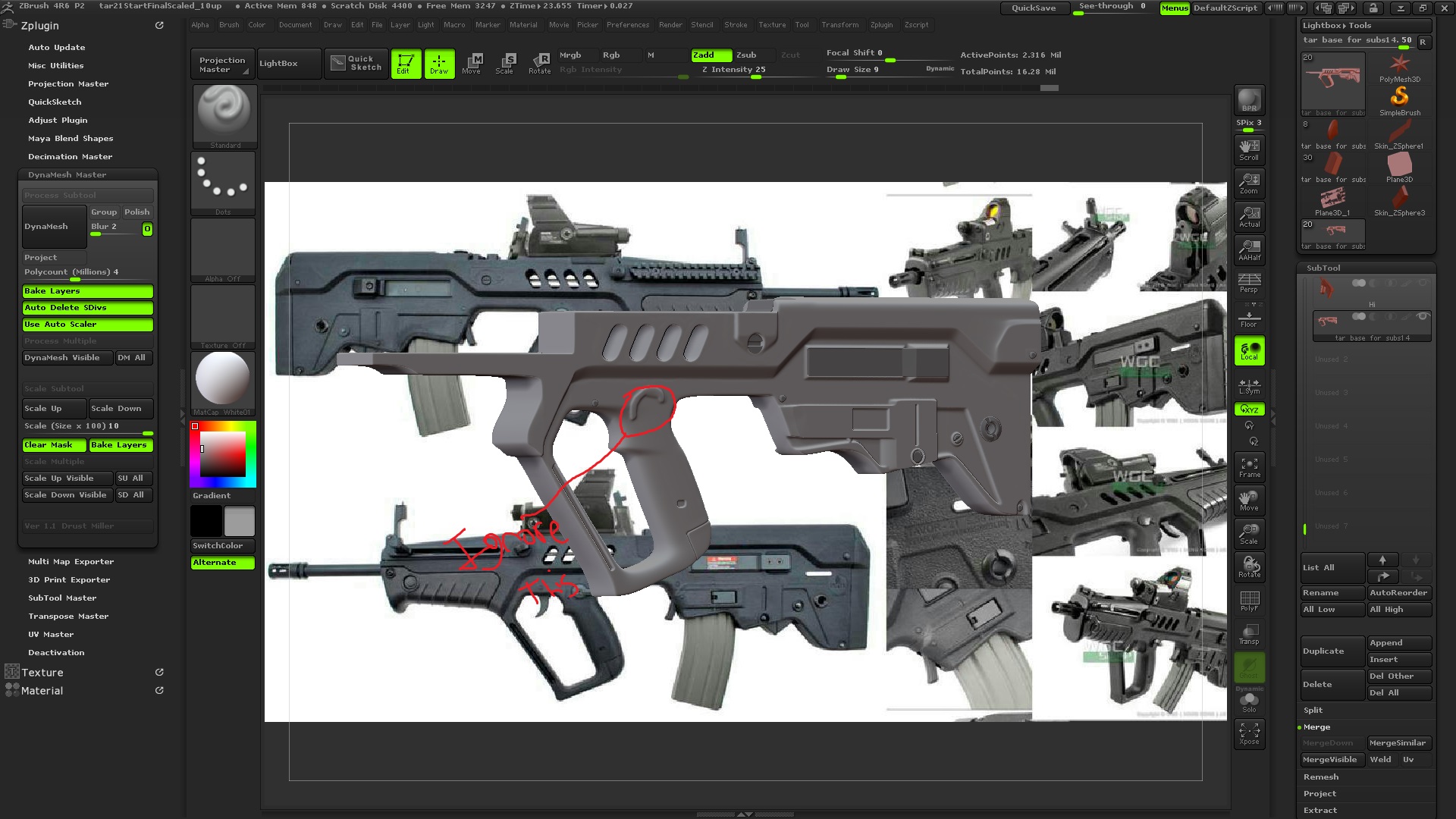
I’m working on a IWI Tar 21 for my portfolio. I’m trying to merge a part and add it with dynamesh and I am not getting the results im looking for. It gets kind of muddy after i dynamesh it. I saw on the zbrush summit where Red Storm uses the plug in DynaMesh Master to get a high resolution when they cut and add parts to their guns, but mine seem to stay around 2.316 Mil Active point range ( I have mine set around 4 Mil in the plug in though). can someone tell me how to fix this problem?

Attachments
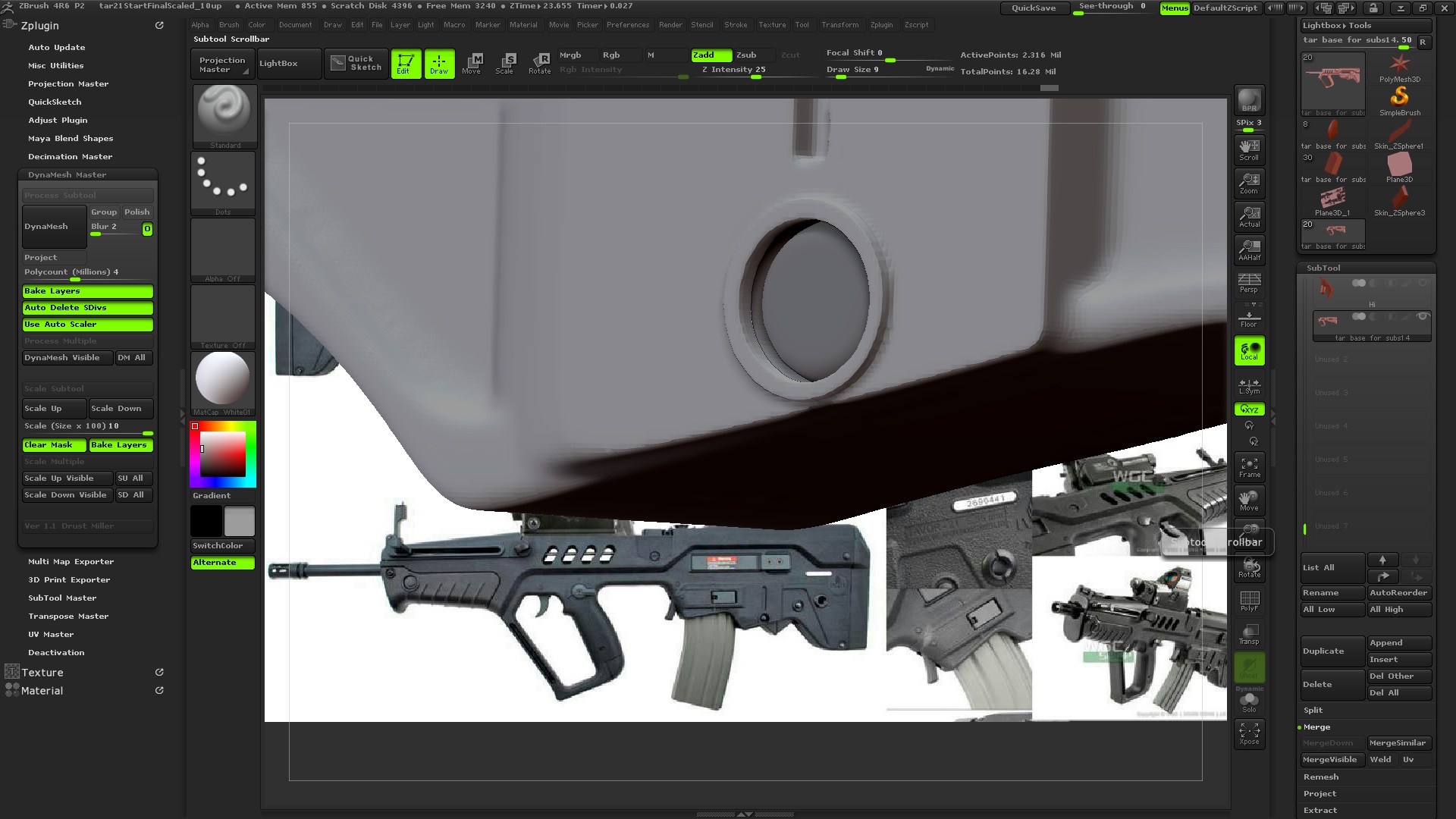
problem.jpg

overall.jpg

I see the same faceting in that soft form to the right of the dynamesh operation. I think at least part of the issue is the overall poly density of the base geometry. When you do a dynamesh operation, zbrush will look at the higher density mesh (I think) and make the new mesh match it. You might get better results if you subdivide the base mesh before the dynamesh operation. You can also turn on polish in the dynamesh menu. If you are unfamiliar with the polish feature, it basically finds edges and cavities and cleans them up. Please post an update if you have more questions.

Isaac

thanks ill give it a try.

In Dynamesh Master, I usually have blur set to 0 or 1, Polish off, and turn on Project.

Not sure if that’s what’s causing your trouble.

You can also selectively reproject specific areas using masking (they did this a LOT in the summit videos).

I experience a similar limit with the DynaMesh, and this isn’t just the Dynamesh Master script, but the Dynamesh process itself. It seems to peak out after a certain spread of point density is reached. And it doesn’t seem to be affected by scaling either.
You may want to try the approach Red Storm did in the demonstration and copy specific phases of the model dynameshed to revert the egdes by masking the ones you want to affect, and projecting the other model’s detail of the edges on the surface.