ZBrushCentral

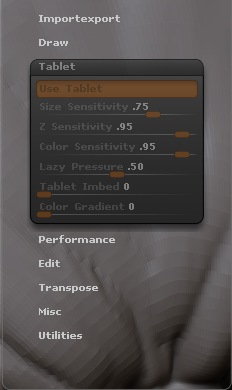
Tablet option in preferences is greyed out? (img attached)

I started a new model a few nights ago and thought something felt weird when i was sculpting. i had to adjust my pressure for my brushes way low because no matter what i pressed with my tablet it was always WAY to much pressure. then today i checked the preferences and the tablet option is greyed out. anyone know how i enable this? i’m using intuos 3 tablet if that helps.

Attachments
2008-10-25_162253.jpg

that’s strange.does ur tablet works well in other apps? maybe like photoshop
make sure that u install that completely :wink:

You need to use the pen itself to access the settings. If you try to use the mouse, they’ll be grayed out.

If the pen doesn’t have access to the settings, then it’s time to update your tablet drivers through the manufacturer website.