I thought experience using tablet with ZBrush would be different or I just can not setup it correctly.
Please take a look at the image… the lowest pressure produces still thick bulge, and the hardest is still not brush size. Also the stroke corners are too exaggerated.
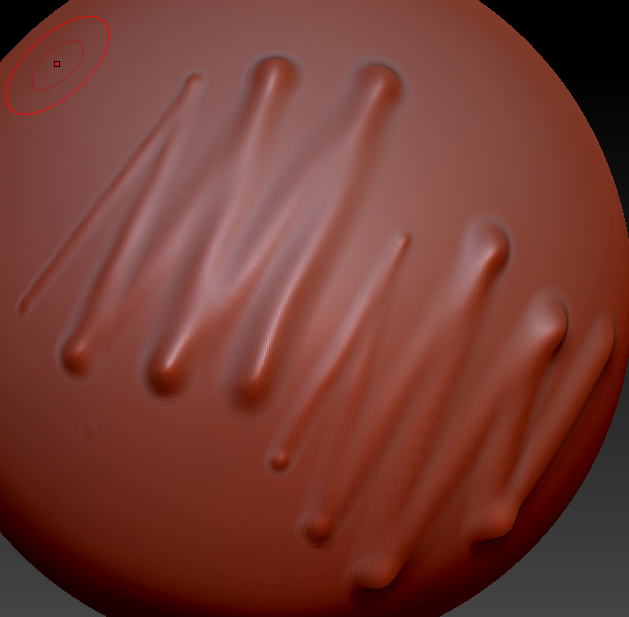
Upper line is at size and Z sensitivity at max and lower is on size and Z at 0
Also I see it as array of balls and not as smooth stroke (BTW: do you use brush as “dots” or “stroke”)
The wacom tablet settings slider is in the middle… moving it in other direction produces even less stroke thickness range.
Tablet samples are at 133 as the device has.
I am using wacom bamboo which has 512 levels… and according to logic, more than that would make sense only if your brush size is more than 512 units.
I did read here that people are satisfied with wacom bamboo so are my expectations high or the settings are very wrong?
