Hi all,
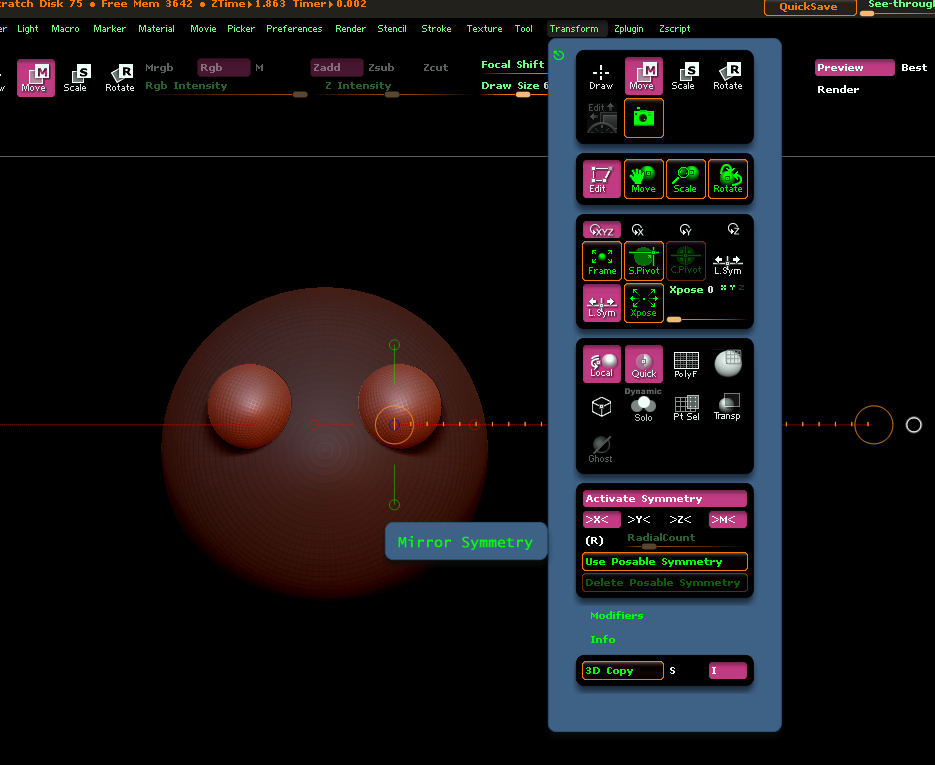
so the problem I’m seeing is this. I can use the brushes with Symmetry set and it will work fine. But when I try to use Transpose to Move/Rotate/Scale, rather than the Transpose line/action being mirrored across the axis, the line has the same vector. For example, I mask out the eye socket area to move the eyes closer together, but instead, both eye sockets move in the same direction in unison.
I’ve tried ‘ReSym’ and ‘Smart ReSym’, but even though ZBrush reports symmetry has been found, the Transpose remains uncooperative.
Any ideas what could be causing this?
Thanks for reading.