ZBrushCentral

symmetry problem

Hi, everyone, I’m new to ZBrushCentral, I’m having a problem with my symmetry. when the x symmentry is set, one side is slightly offset and not mirroring exactly the same. Could anyone tell me if there is a way to fix this? Thanks in advance!!!

Attachments
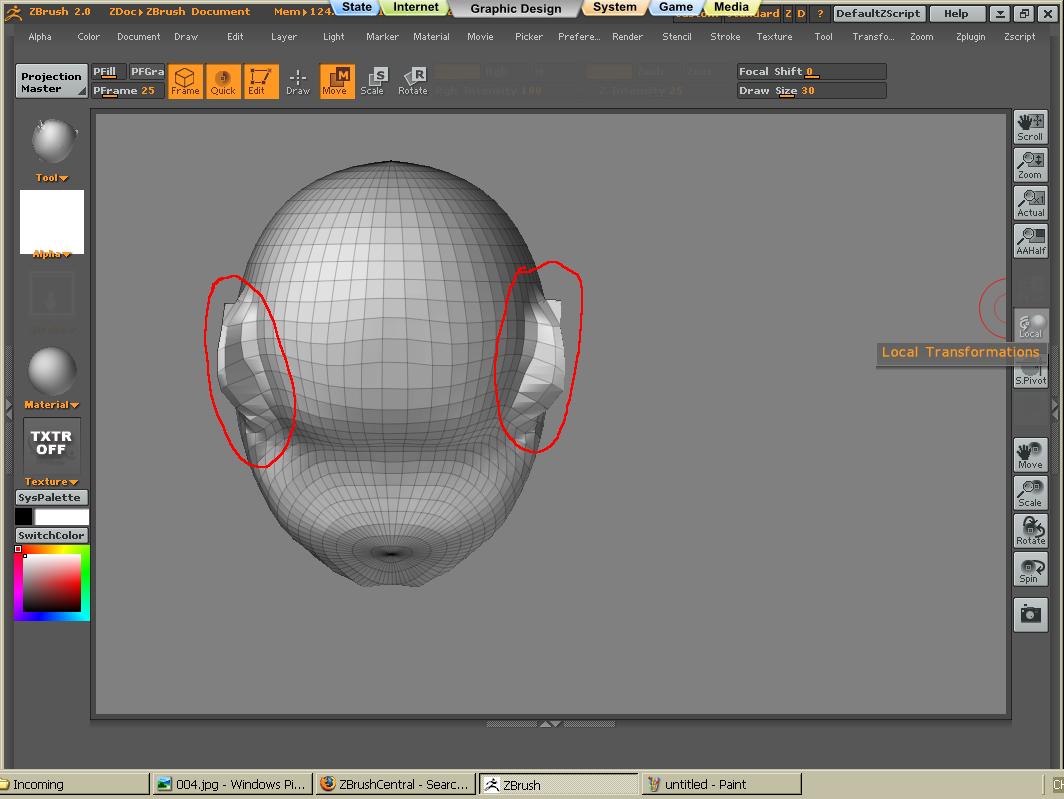
symmetry.JPG

Where is your pivot? is it at the exact center of your object?

You can hit Shift + P to center your pivot.

Thank you for replying, E!
Yes, I did center my object, and it seems one side is still slightly offset. :confused: Is there might be something else I did wrong? Thank you!
Um, is your entire object unhidden and unmask?

Was your object perfectly symmetrical in both shape and topology to begin with?

Um, is your entire object unhidden and unmask?

Was your object perfectly symmetrical in both shape and topology to begin with?
Yes, my entire object is unhidden and unmasked.
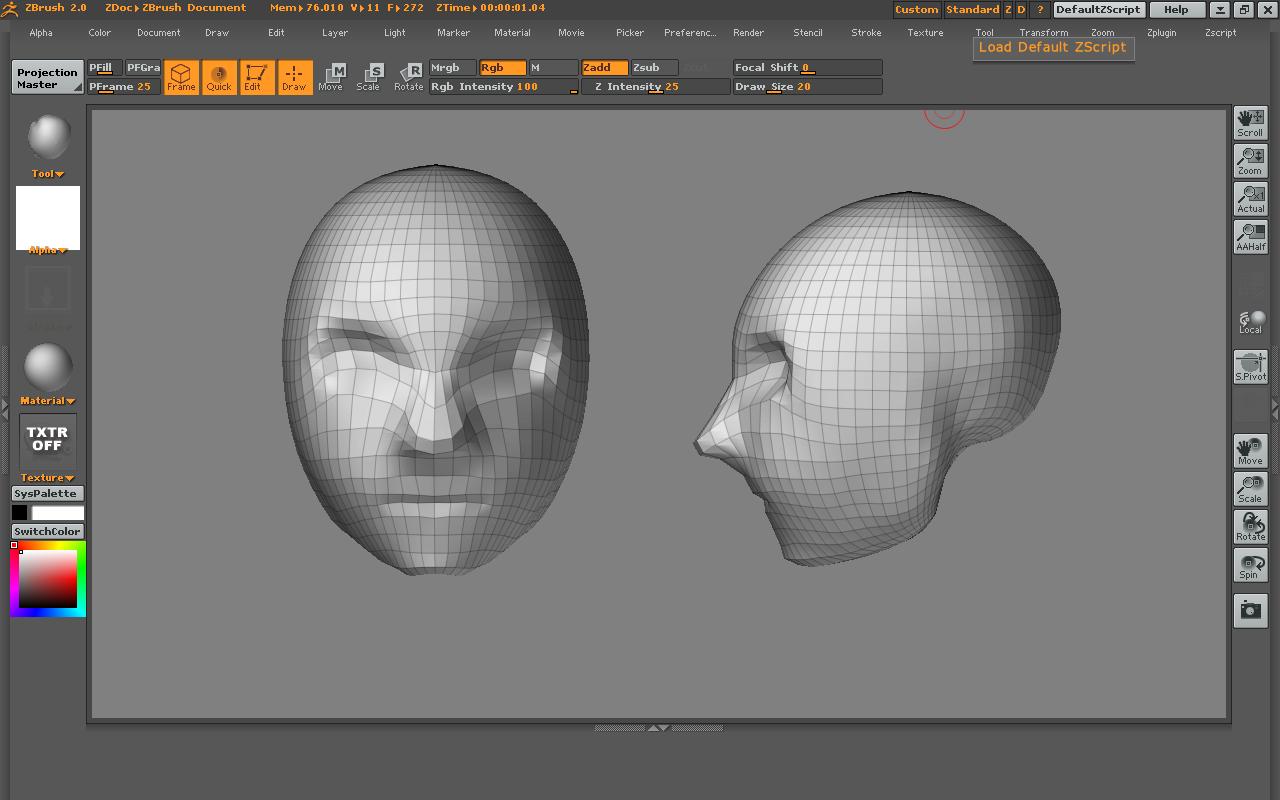
I’m not sure if it is perfectly symmetrical, I’m trying to make a human head, and I set the x mirroring on from the beginning.(Sorry, I don’t know if I made this clear or not)
Thanks again!

Here is a screen shot of it

Attachments

2nd.JPG

You could try masking half of your object and then running smart resym under tool - deformation. That should fix it so that from that point on you can use the standard x symmetry

Thank you, If I masking half of the object, let’s say I’m making ears, how do I get the same ear on to the another side of the object(in this case the human head), is there a copy and paste sort of thing?( sorry, I’m a beginer, the questions may sound very stupid :smiley: )
Thanks for the patient!

That’s how smart resym works. It will automatically mirror the side that you have masked onto the other side. Play around with it. Or do a search on this forum about it. Also if you hold down “ctrl” over any feature in zbrush it will tell you more about that feature

Thank you E for help! I’m working on it! :+1: