ZBrushCentral

Symmetry problem with zspheres. I need help.

Hello, I’m having problems while trying to create a base geometry using zspheres. I’m using all symmetry features to draw a animal type character but whatever I do, one side becomes slightly different than other side when I press A to see the preview. This little difference later creates problems while making detail sculpting on the model. Where am I doing wrong?? Thanks you very much for any help…

(I attach a picture how the model becomes slightly asymetric when modeling with zspheres).

Attachments
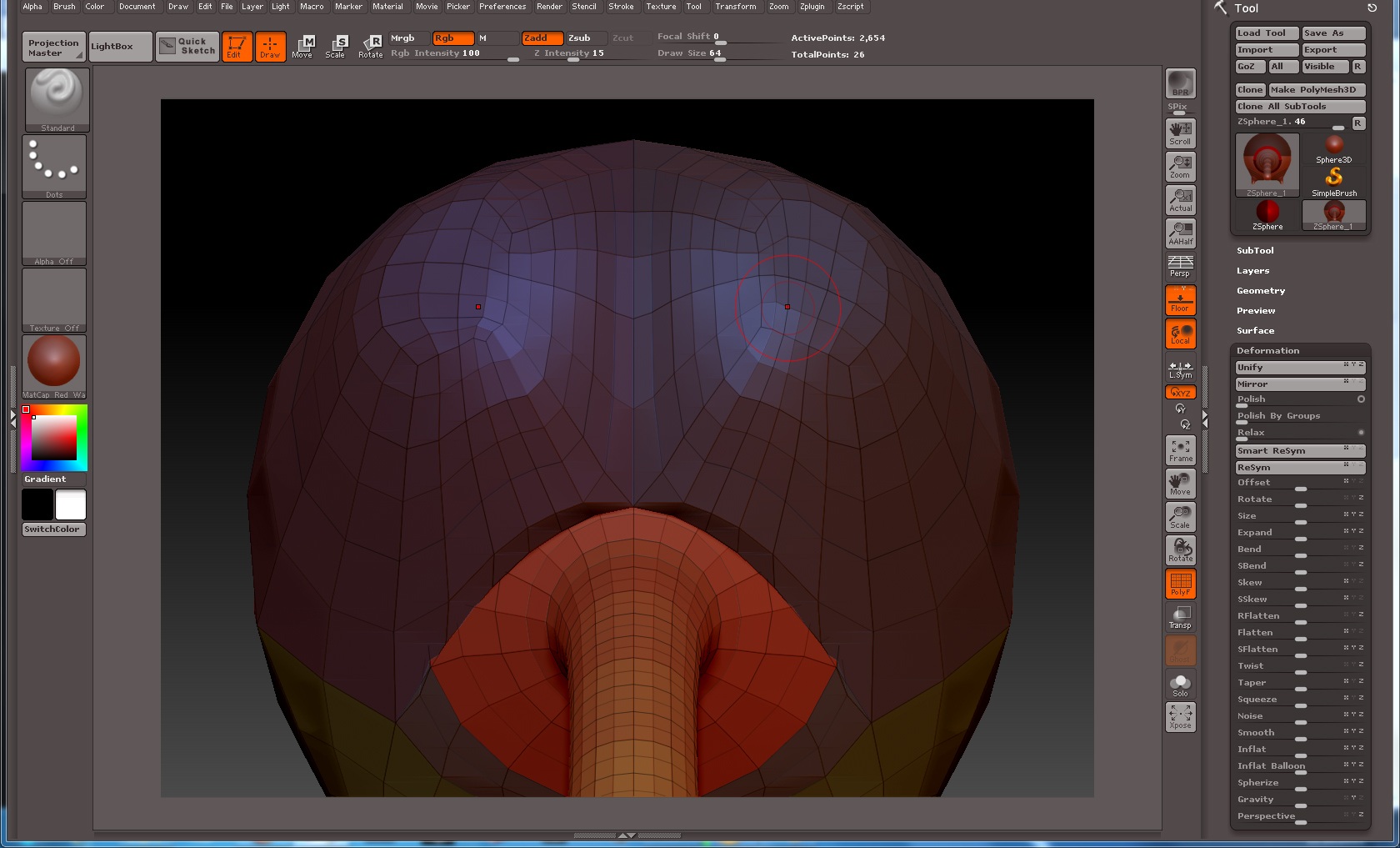
asymetric mesh-1.jpg

While the form is symmetrical, some minor asymmetrical variations can occur in the topology during the skinning process.

This is simple to fix with Mirror and Weld in the geometry palette, once you have generated your skin.

Thank you I’ll try this command…

Something else you can also do is mask the half of the model you like then go to Tool > Deformation and click Smart ReSym.

Smart resym is great for resymetrizing form, but wont actually rewrite topology, and asymetrical topology can actually confuse it. The only way to mirror actual topology on a single mesh, which is I believe his problem in this case, is Mirror and Weld.

Yeah I tried masking and smart resym before and it is just ruining the model. Doesn’t work properly.
I’ll try this mirror and weld. But still don’t know why such a asymmetry is happening while I’m sure the model is correctly on the pivot. May be a bug of zbrush?

Yes, you’re absolutely right. Mirror and Weld is much better. Thanks.

It’s just a limitation of the auto-skinning process (which is what you are previewing during the zsphere process). But it’s not important. I wouldn’t worry about it. That’s why we have mirror and weld. The whole point of free form mesh generation is to not have to worry overmuch about mesh topology. When you’re done working with zspheres, generate your skin, select the skin tool in the tool menu, and hit “Mirror and Weld”. The default setting should be fine for most cases of simple X symmetry. Problem fixed.