Hello,
I made this structure in Maya and exported it to Zbrush.
The symmetry tool wont work normally.
You have any solutions for kick it right?
Or some other way to mirror sculpted geometry to the other??
Thanks alot!
Hello,
I made this structure in Maya and exported it to Zbrush.
The symmetry tool wont work normally.
You have any solutions for kick it right?
Or some other way to mirror sculpted geometry to the other??
Thanks alot!
What happens if (while the whole mesh is visible) you click Transform>S.Pivot? If that fixes the symmetry issue, then the most likely answer is that your export settings from Maya caused the model to export using world coordinates rather than local coordinates.
S.Pivot tells ZBrush to use the center of the visible mesh as the pivot point for the model. This will fix non-rotational issues with symmetry.
Hello!
Thanks for fast reply!
If i center the pivot in Maya pivot point is on the upper left corner because of the position of tail of the object (witch turns left side , like in picture). I moved pivot point to center of the object and exported it, but still zbrush gives same result. I also doublechecked the export settings and they were correct. Zbrush wont give symmetrycal symmetry according body of the creature.
I took only the head of the creature then the symmetry works fine in zbrush, but it lacks the important body!;
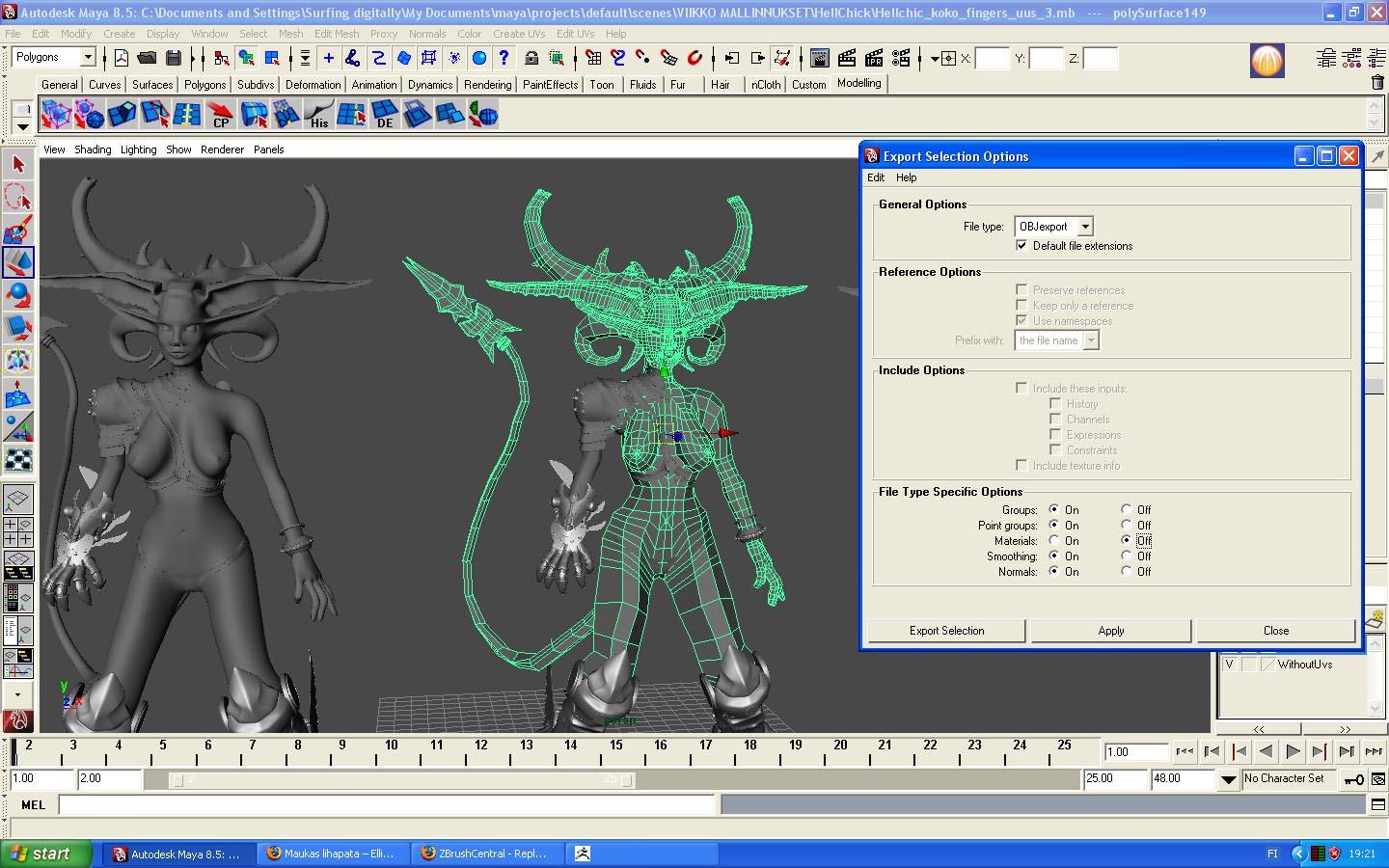
hi Stole the tail of your model is not symmetric to the rest of the model
it needs to be! posed behind- bring to zb then sculpted then reposed.
You can also hide the tail, since that’s not symmetrical, and then press the S.Pivot button. As long as the visible portion of the mesh is symmetrical, the S.Pivot button will give you symmetrical sculpting. On everything except the tail, anyway. 
You might also try Poseable Symmetry (in the Transform palette). This analyzes the mesh, including the parts that are already posed. If you don’t get good results right away, try it again after hiding the tail and setting the pivot point.
