Is there any setting to get the polys symmetrical when drawing a curve? I get get always asymmetrical disortions of the polygons whatever setting I try. I draw the curve on a flat plane, the same result with snap on and off.
Attachments
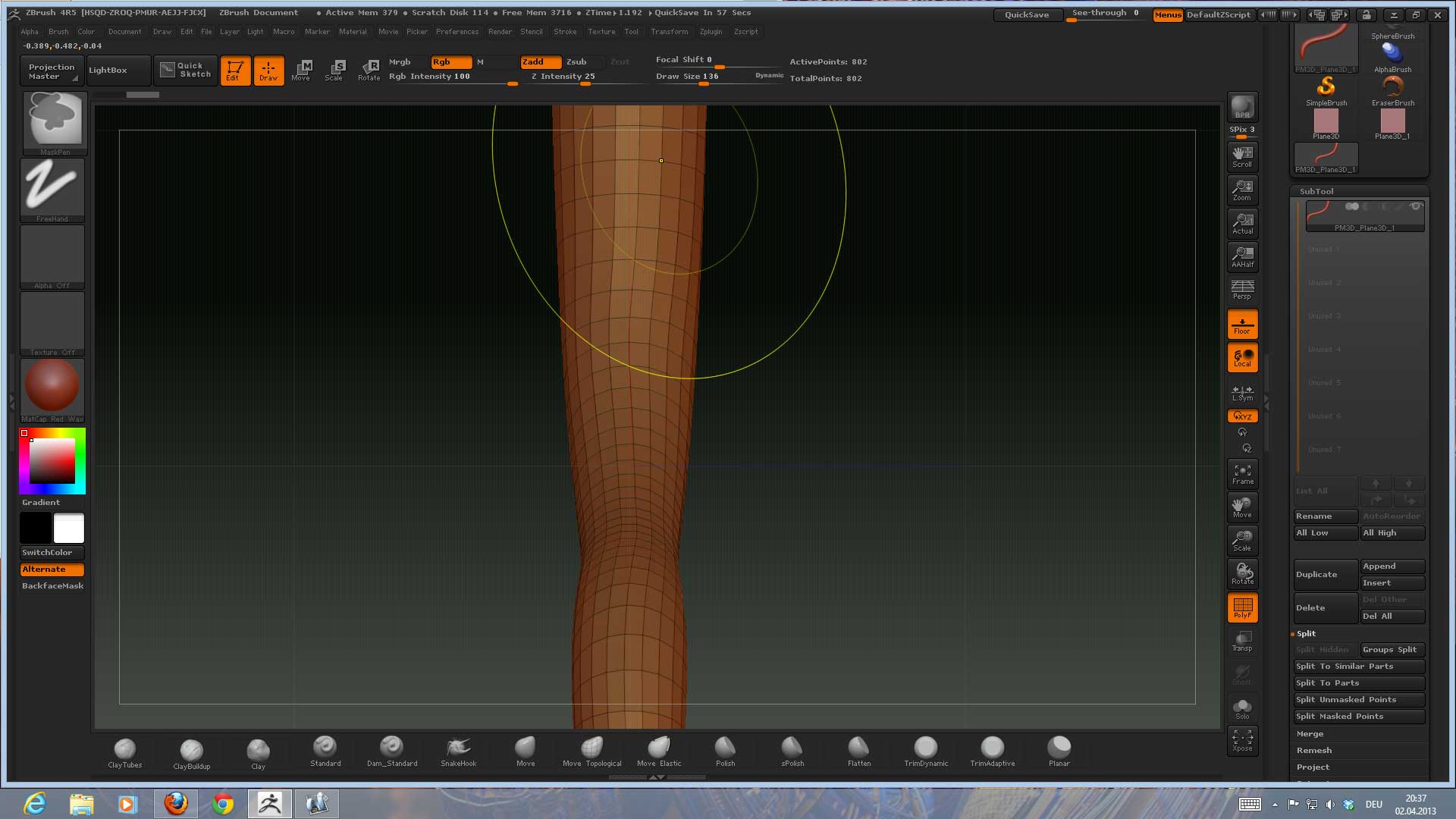
Is there any setting to get the polys symmetrical when drawing a curve? I get get always asymmetrical disortions of the polygons whatever setting I try. I draw the curve on a flat plane, the same result with snap on and off.
Try ‘Brush>Modifiers>Curve Res’ slider.
edit: I presume by “asymmetrical” you mean elongated polygons?
No, I mean the offset of the horizontal alignment of the polys.
When I create my own curve brush I don´t get that disortion it appears only with the standard Zbrush curve brush.
