Hey everyone,
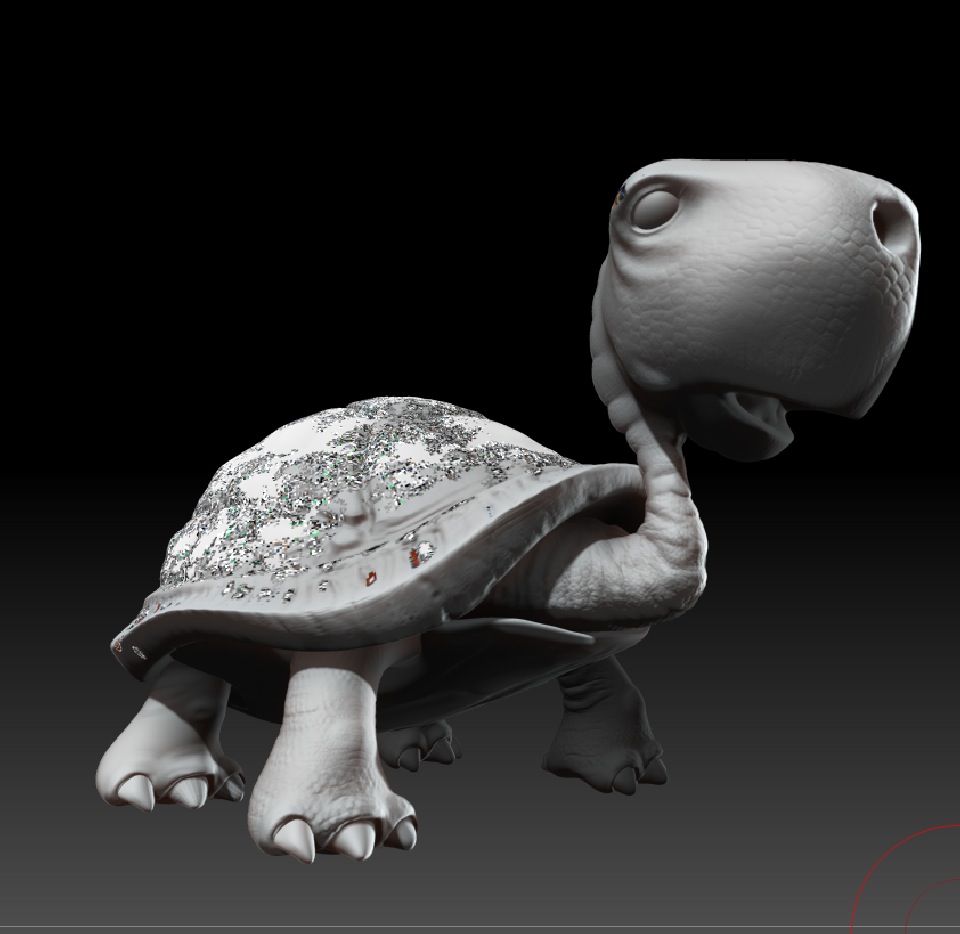
I’m having problem with subtools that have HD geometry. Everytime I switch to a subtool that has HD geo, and press A (Sculpt HD), the material for this subtool gets all messed up (see screenshot below). I can then simply “Fill Object” the subtool to put it back to normal… but it’s a bit of a pain in the … since I have to cover the whole mesh. The problem arise each and every time a switch from a subtool to another.
I know for sure it is not something specific to this particular project… I’ve seen it in the past too. I also know it’s not only a problem with the viewport… it gets all messed up when rendered in BPR too.
Am I missing something ?
Thanks a lot folks.
Jonathan
Attachments