ZBrushCentral

switch to lower subdivision level ???

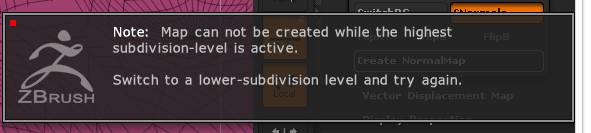
hello, i want to create a normal map for my 3d mesh. I have the UV map but when il click on create normal map i have this message each time with all mesh i have try

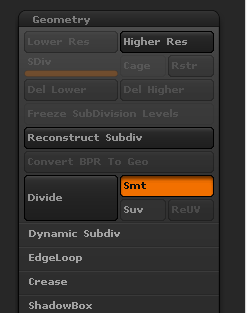
and my geometry properties are :

What i must do to switch to a lower subdivision level ? i become mad :frowning:

Thank you.

Attachments

screenshot_Wed_Jul_08_18.16.04.png

screenshot_Thu_Jul_09_08.14.18.png

If you are trying to use UV master it is better to work in a clone with his clone menu.

even i work on clone with UV master i have the same message. i try to create normal map with a basic sphere and i always the same thing impossible to create the normal map zbrush want i switch to lower subdivision level i don’t understand…

You can’t create a normal map if your model only has only one subdivision level. The whole point of a normal map is to simulate high res detail on a low res model. When ZBrush creates the normal map it looks at the highest subdivision level and compares it with the lowest level. The resulting map represents the differences. If there aren’t two or more levels there’s nothing to compare and ZBrush can’t create the map.

So a typical workflow would be:

  1. Create the lowest level mesh, often called the ‘base mesh’.
  2. Divide the model several times so that high resolution detail can be added.
  3. Go to the lowest level, assign UVs and then generate normal and/or displacement maps.
  4. Export the lowest level mesh and maps for use in the rendering program.
1 Like

I have try your method and that work :slight_smile:
Thank you very very much !!