ZBrushCentral

Surrealistic Floral Designs! Need Assistance

Hello everyone;

Im expected to design some surrealistic flowers for a class project. But Im stuck at some points while using Zbrush:( I would be glad if someone lead me to the right way and share some experiences.

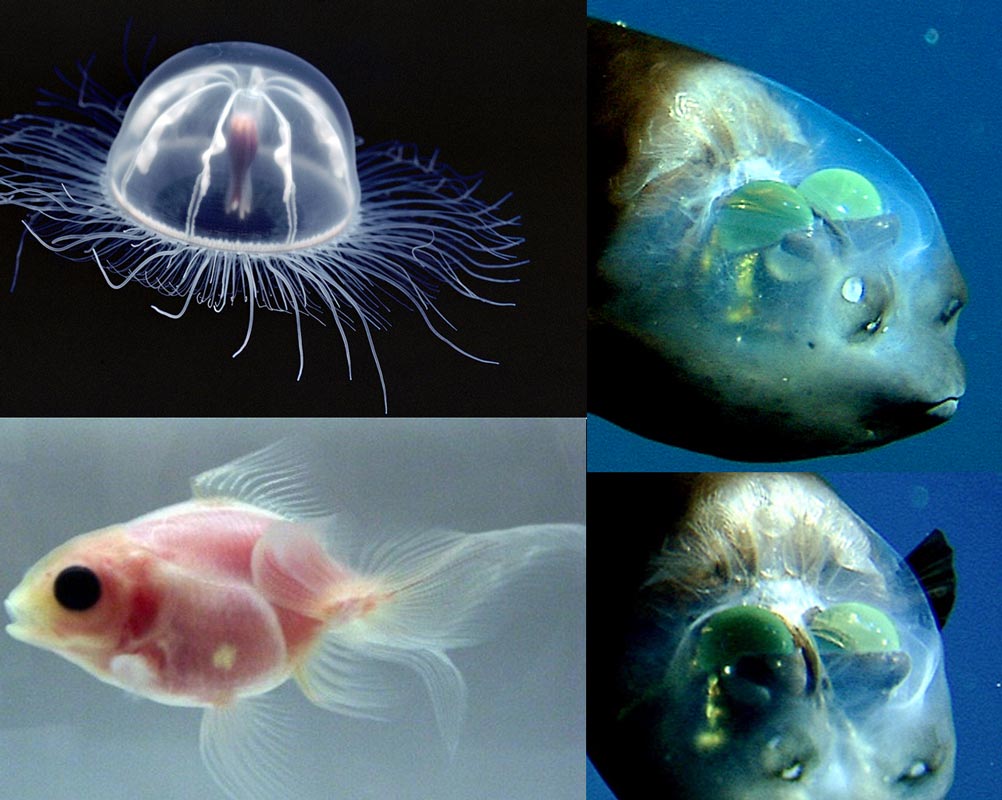
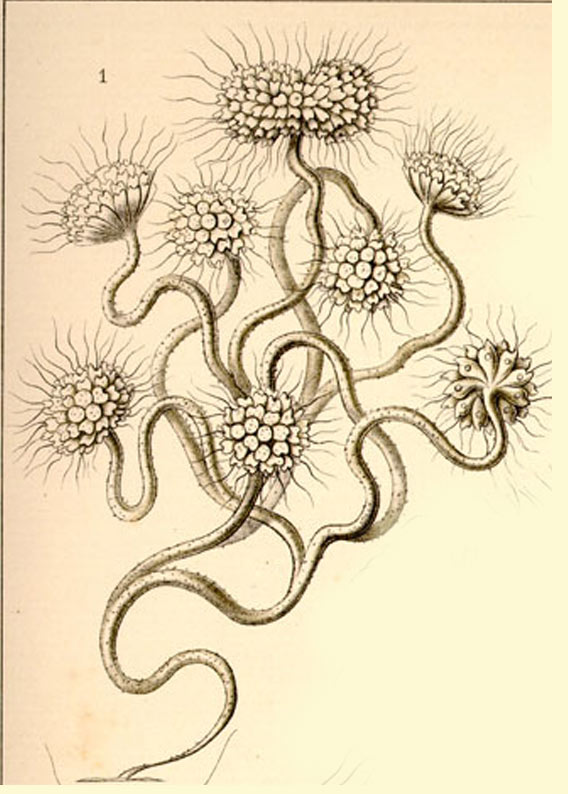
How I can obtain transparency in a zbrush mesh? I need it for both to be able to work with my design properly and to include it to the final render. Below u can see some examples to make clear what i want, first one can give u an idea about the transparent flower designs and the second one with the fishes is how I wanted transparency looks like in the final render.
The flowers will be simply animated in maya, they will float with the air.

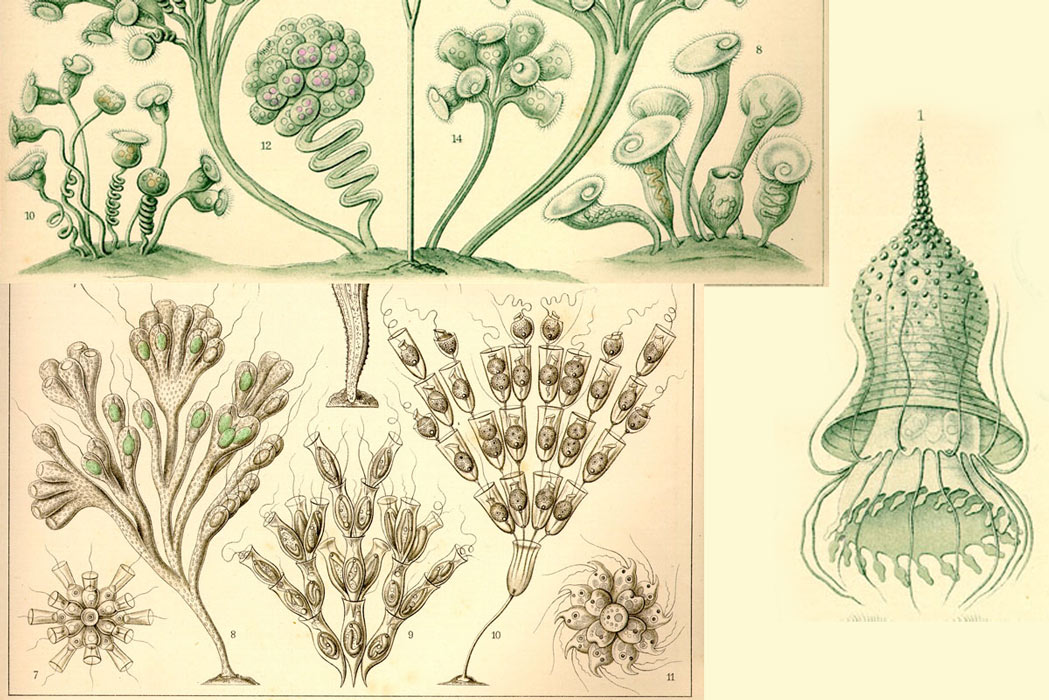
As my second problem (see 3rd image) how I can duplicate one branch of the flower with its head to be able to move them along and give diffrent gestures to each branch. I couldnt find this trick in the tutorials.

Im using Zbrush R3, i would be extremely thankful if someone suggest me the rightworkflow :):slight_smile:

I will keep informing u about the progress and upload my new designs.
Thank you all in advance!

Attachments
transparent_flowers.jpg

transparencyl.jpg

zflower.jpg

Transparency rendering in zbrush is handled via layers during Best Render.
If your material has a transparency effect applied to it (material modifer transparency) it will not show it’s transparency until you place it on a layer (not a 3d layer but a traditional layer) above something else.

If you search “zbrush transparency” on google or even on this board, you’ll get a ton of tutorials with images and step by steps, more effective than going over that all again. But my first paragraph here explains in basics what you need. Transparent subtool, on a layer above what you want to “see through” the transparent to. For instance if the shell is transparent, then you want to see inside the shell, the shell needs to be on a layer above whatever is inside the shell for the best renderer to display it’s transparency.

Now. Duplicating a branch can be done several ways, probably the easiest is to make the branch one mesh by combining the subtools that make up the branch, then use Subtool Master to duplicate it or simply clone it using “clone” Then you can append the duplicate or clone to your first branch and then transpose it or use the move brush and masking to make it look different than the other branches. Repeat the process by appending the clone then deforming it. When done you can merge all those subtools into one mesh.

If you get stuck on anything post here and I’ll link videos to all those processes as its’ much easier to learn with visual aids, but I’d have to dig them up if you need them.

Hey Thank you for your reply. But im afraid I still couldnt resolve the problem.

http://www.zbrushcentral.com/showthread.php?t=42881&page=1&pp=15&highlight=transparency
I basicly understood what you ve said. But here are some of my concerns:

  • I want to use this transparent material as a texture. Because the final output will be rendered in Opengl. And I dont know if there would be some complications to see a transparent flower in the final render engine (opengl)

  • In the tutorial it says that I should have a bacground to see the transparency. What I intend to achieve is to see -lets say- the branches of a flower through each other; Basicly like in Avatar flowers.

So Im worried about that all those tutorials intend to achieve the transparency for a still image. But I want mine to be able to be used in a render engine.

Also lets say that there transparent branch and I would like to see transparent veins inside of it.
Am I asking to much :smiley:

Btw Here is an flower example of mine.

I would be eternally thankful if u have an idea on how to do it :slight_smile:

So to make it clear I did a transparency test
transparency-test.jpg

So the problems is much more clear over here. The transparent mesh suppose to be a branches of a flower. And I positioned so I can see one branch trough another. But in the final render Zbrush saw it as an 2D object and put a transparency all over the 2.5d drawing. So it looks like a flat 2.5d drawing (which isnt!)

So any idea how i can fix this. It is probably i used 2.5d layer but not a 3d one. But as you said I cant have transparency other than this way.
Any idea :slight_smile: ?

Anyone no idea :frowning: ??

hi,
i found this. Haven’t tested this so i dont know if it helps you. But maybe it does… :slight_smile:
http://www.zbrushcentral.com/showthread.php?t=46545
good luck