Hiya 2 issues in one day ah that’s zbrush…
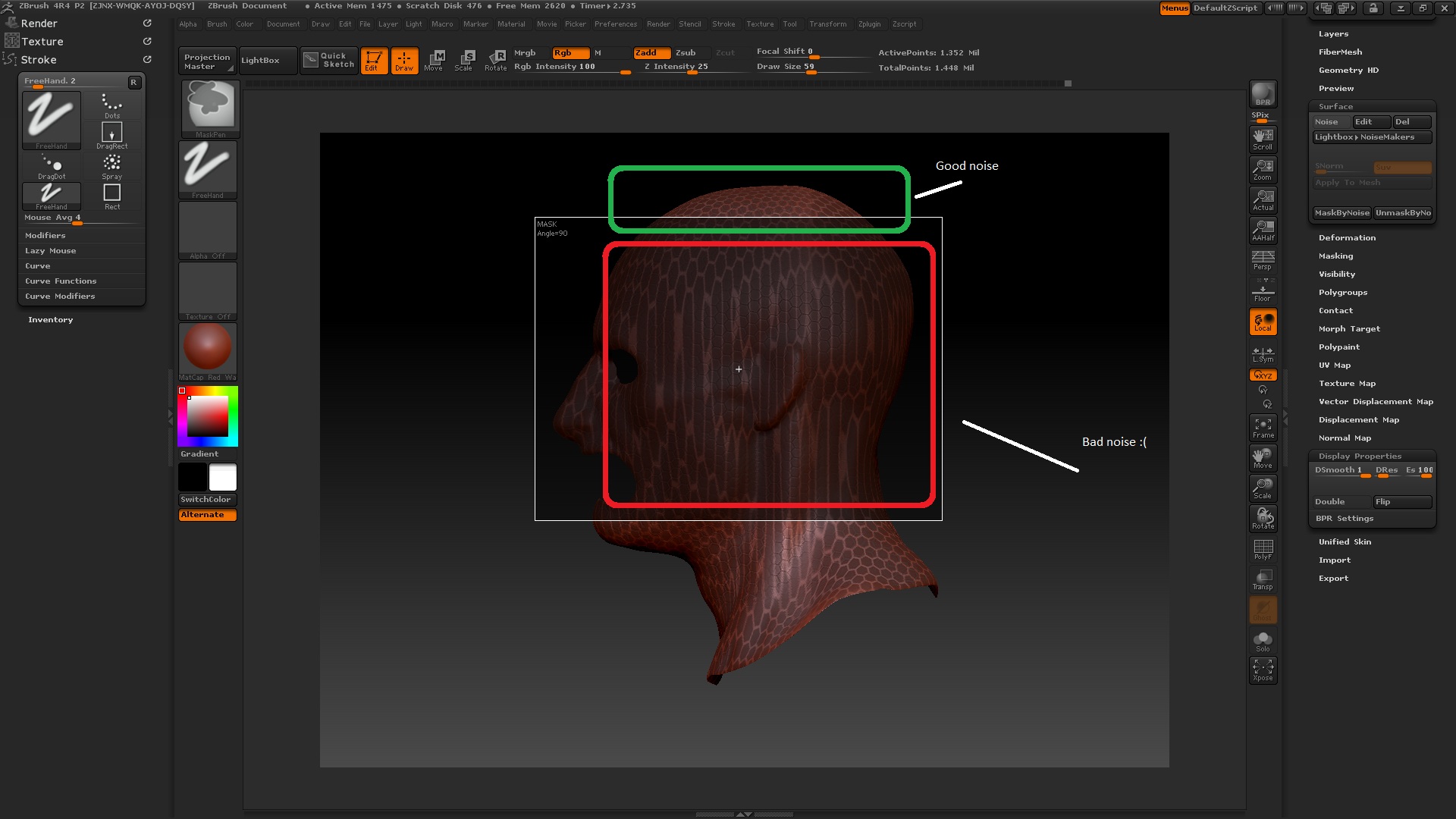
right so this is different to me other problem. this is surface noise and how to avoid stretching when applying noise to an entire model??? heres a screen grab:
Attachments
Hiya 2 issues in one day ah that’s zbrush…
right so this is different to me other problem. this is surface noise and how to avoid stretching when applying noise to an entire model??? heres a screen grab:
A different approach may be necessary 
It looks like you are using 3d Noise. You should try using UV Noise. Did you Unwrap this model’s Uvs and enabled “UV” in the Noisemaker window?
Thanks for your replies, I am indeed using 3d Noise so i now understand that it has a projection direction for the alpha for the noise thus the stretching occurs. Gonna try out UV noise application.
thanks
JC