ZBrushCentral

Surface distortion help Zbrush 3.1 Now with pic *Updated 7-17*

Zbrush 3.1
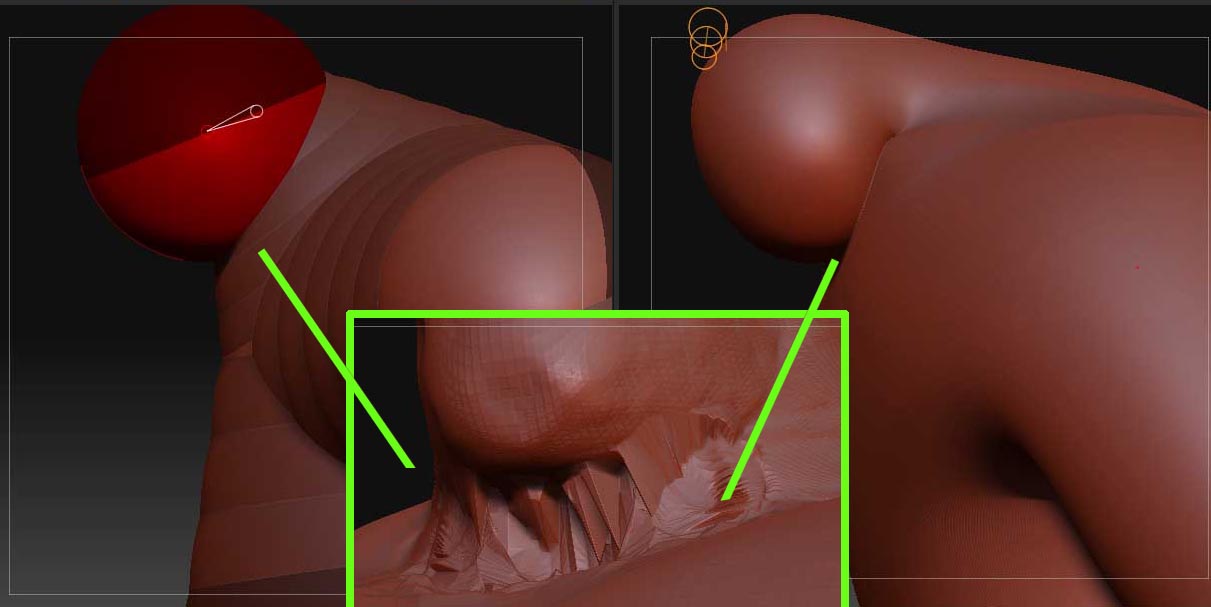
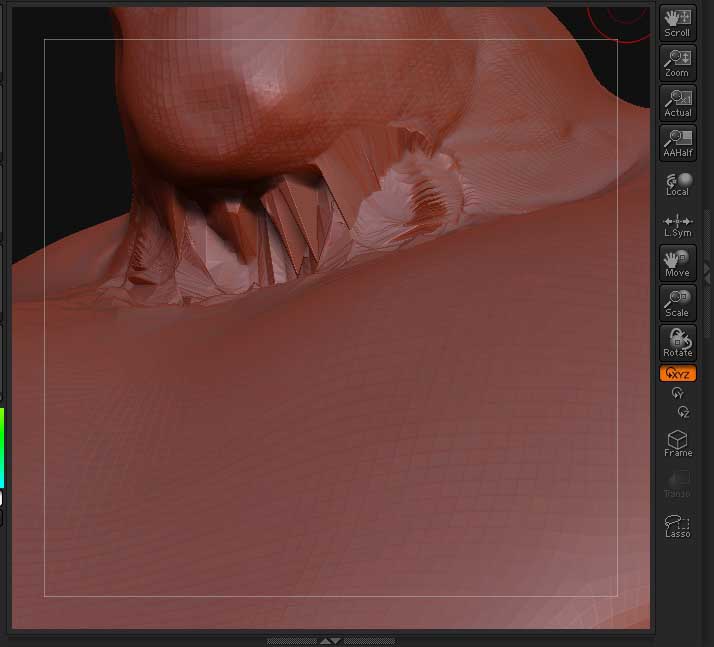
I’m getting a weird area on my meshes that I cant smooth out or cover, it looks like seem or fold and when I go to smooth the area it gets distorted and spiky.Is there a way to solve this problem, any help would be appreciated. thanks
zprz.jpg

Attachments

zproblem copy.jpg

Is it an area on the mesh where 5 polys come together in a star? If so, try using the Flatten brush instead of smooth.

If you continue to have trouble, we’ll need to see pictures.

here is a pic ,The flatten brush helps a little but not much.Is there any way to actually fix a problem area on a mesh?zproblem copy.jpg

It looks like what happened is the polygons on the inside of the mouth have been “exploded”. (looks like a neckline to me, correct me if I am wrong)
It happens to me alot when re-topoligizing a model, and it can propogate through all subdivsion levels if you don’t catch it…common on fingers, toes, eye sockeets and mouths. Play with projection strength and projection distance when projecting details onto a re-topo’d mesh. (If that’s what you did when the problems popped up)
—What you have to do is move the points back to their original locations.
There may be better ways of doing this, but here’s a few things to try:
*Turn off double-sided display, flip normals until you see the problem area, and try grabbing and dragging the verts back into place, or use the smooth brush. I also read recently that the move tools can also be used, that I haven’t tried, but may work better.
did you import a new mesh on top of the old one? or did you try retopologising an old mesh and this happened after the projection?

it’s hard to tell the solution without knowing how you got to this stage…

First of all thanks for the help I really appreciate it,I’m really new to this stuff.What I did was create a body with zsperes and made it a skin and as you can see in the pic it created a seem and when I sculpted on it,that is when it distorted.Is there a way to fix this?

any ideas,thanks in advance.

Hmm…this may have to do with the meshing options in the adaptive skin mode, and how you placed your z=spheres.
Is it possible to upload your file so I can take a look at it?