ZBrushCentral

Super Pixelated Model

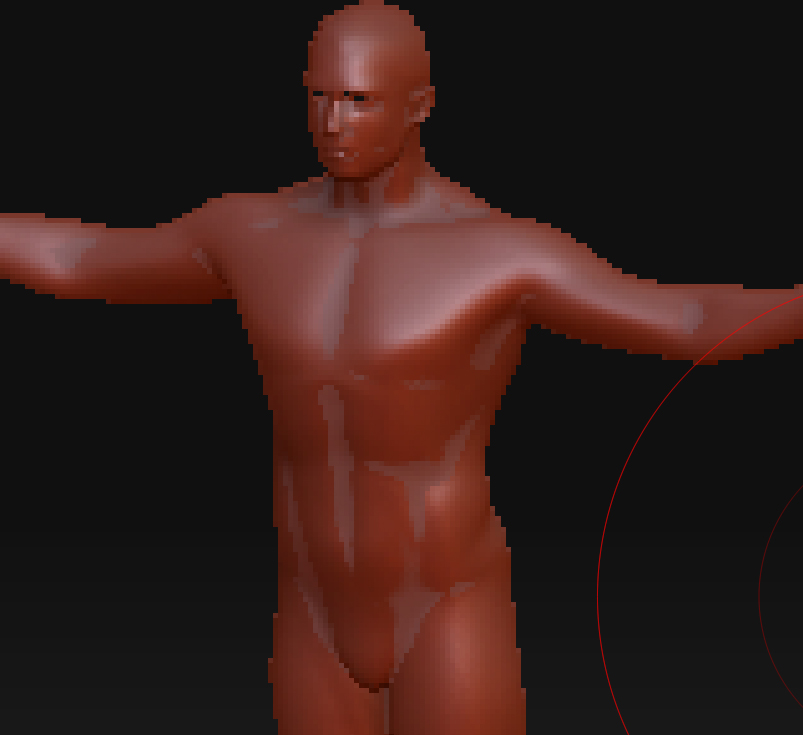
I’m very new to Zbrush. I’m learning it at school, but I just downloaded it for my own use at home. When I opened up a model, I upped the geometry and zoomed in. It’s really pixelated. It was so smooth in class, and I know my computer at home has better specs than those, so what am I doing wrong? Am I in the wrong mode or something?

Thanks in advance! :slight_smile:

Attachments

pic.jpg

There’s a difference between scaling the model and zooming the canvas. You’re zooming the canvas, which is just like zooming in Photoshop. You get pixelation.

What you want is to scale the model. When in Edit mode, look to the right of the canvas. The top part of the Shelf has the controls for zooming the canvas. The bottom part activates when a model is in Edit mode, and has the controls for scaling the model (along with moving and rotating).

You can also learn the keyboard shortcuts, found in the online documentation. Check out my signature.