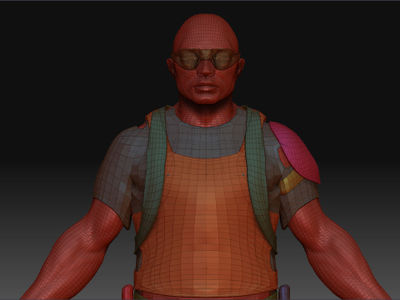
Hi guys. Since my last queries, I’ve been attempting to tackle a proper character model of my own. Unfortunately I’ve hit a snag that I cannot find an answer to. It’s one that’s likely been addressed before on these forums. Perhaps I haven’t searched for the right keywords when looking for a solution.
Explanation
My issue is to do with subtools. I know that when you import a object with numerous elements from another package, in this case 3DMax, Zbrush splits them up into various individual, different coloured subtools. This was my first attempt at a character though, so I wanted to construct a base mesh first. I did and I imported the low detailed mesh into Zbrush and drew in some details at subdivision level 5. I then built my other elements around this shape in Max. One such element was a cloak and hood that goes over the head. I imported it into Zbrush separately in a fresh document and started to sculpt in the details on subdivision 5.
http://www.rpg-palace.com/inquisitor/1.png
http://www.rpg-palace.com/inquisitor/2.png
The Problem
I now want to get these two objects onto the same document/tool as subtools like how this appears…
…so that I can see how my sculpted cloak fits around the body. I followed http://www.pixologic.com/docs/index.php/Working_with_Multiple_Objects for instructions:
- Select the Tool: Polymesh tool. This is a star shaped polygon object.
- Import the new part. Press Tool: Import and navigate to the part you want to add to the model. This will bring it in as a separate model for now.
- Equalize the levels of resolution. Divide the new part so that it has the same number of resolution levels as the existing mesh.
- Re-select your original model from the Tool palette.
- Add the new part to the existing model. Press Tool: Geometry: InsertMesh and choose the new part from the pop-up window.
At times I couldn’t get it to work, but on the few times it did, I had this result!
http://www.rpg-palace.com/inquisitor/3.png
The cloak is twice the size of the man, and I can’t figure out why. The FAQ never prepared me for this problem and I cannot understand why it has occured. At no point during the sculpting of of the cloak did I willingly scale the object (I used the scale button, but that’s just affects the canvas, right?). Do any of you know why this has occured and how I can avoid the bizarre scale difference? When I first load up my base mesh and draw it onto the canvas, is there something special I need to do to make sure it’s the “right size”?
Things to note are:
- If I export both of these objects as OBJs and then import them into Max, they’re both suitably scaled, although out of position.
- I can scale with the transpose tool, but I don’t consider it an ideal solution, that just seems like a bad fix.
Can anybody share any insight on why the cloak is so big? Any help would be appreciated. Also, is it bad practice to work this way? Should I have created all of the low polygon pieces in Max first and then imported them all as one single object?
Two quick additional questions:
- If I have a number of subtools, how do I make them identifiable individual colours?
- On my cloak model, the cape down the back would theoretically be 2 sided polygons, but Zbrush only shows the one side keeping the backface invisible. Can these be shown on both sides in Zbrush?
Attachments