Hey fellow Zbrushers…,
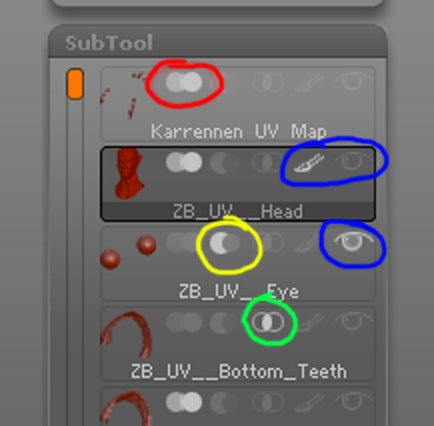
I have been using ZBrush for a number of years, and something here stil boggles me… what do the other Icons on the Subtool palette do? here is a picture showing the icons… i have looking in the reference manual but couldn’t find anything conclusive…
I know the eyeball and paintbrush are for Subtool/Polypaint visibility…what do the other ones do…?
Thanks.
[ ](javascript:zb_insimg(‘197201’,‘Subtool%20Palette%20Ref.jpg’,1,0))
 I really wish ZB had a better way i converting polypaint to texture (aside from merging subtools…)