ZBrushCentral

subtool merging and normal mapps

Hi all! First a statement then a Quick question! :slight_smile:

I am new to zbrush, I have been working with maya professionally for years,
and i must say, this is a breath of fresh air! But i am still a noob in need of help.

I have created some teeth and gums in maya and exported them in to zbrush.
I have polygrouped (autogroups) them and used “grp split” in subtools so that
each tooth is a tool. Then i polypainted each tooth and sculpted them.

Now i want to take things back in to maya, but i dont want 14 textures and
14 normalmaps. I realize i did things backwards by splitting them in to
subtoolws in the first place; But can someone help me merge them,
export one texturemap
and export one normal map?

I have used subtool master to merge them, but ofcourse i can not
normalmap anything with just one subdiv.level… and if i take all subdiv.levels
to the minimum and merge, i loose all my polypainting and displacement
information…

All help is apreciated!

Kjetil birtles

Attachments
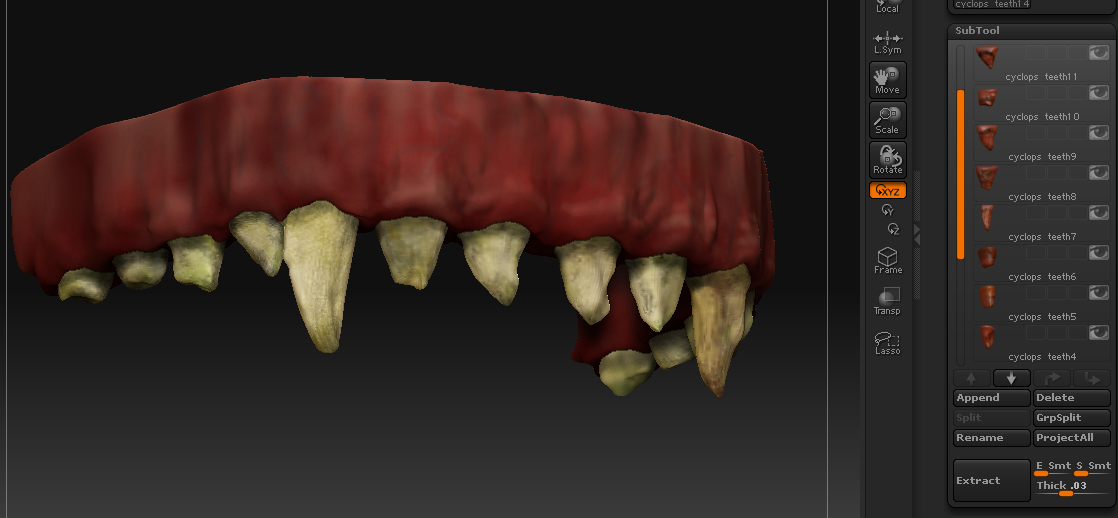
teeth.jpg

Every part must have the same number of subdivision levels. Then use Tool>Geometry>Insert Mesh to combine them together. If they have the same number of levels before the insertion, the mesh will maintain its levels after insertion.

Hi Aurick,

I picked my first mesh and dragged it on the canvas and pressed t, then I did tool -geometry -insert mesh, and selected the second tool, but then nothing happened.

What might I be messing up?

Could the inserted part be inside the other part? Try Ctrl+Shift+Click on the visible mesh to hide it.

Thanks aurick! :cool: I will try that next time. By the time I got a reply I had
allready merged the teeth and made new displacement with new texture
(polypainting)

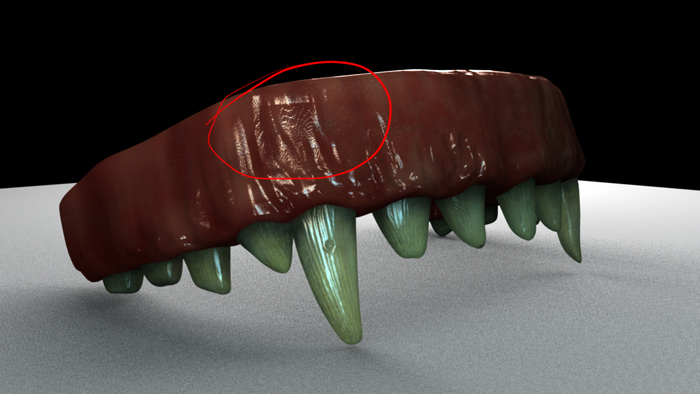
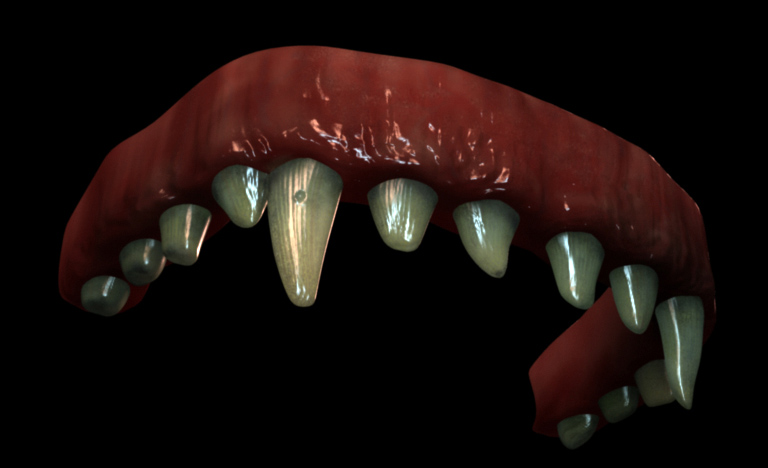
I exported all to maya and rendered in mentalray.
I have had a lot of issues with using displacement on an sss material,
but suddenly it worked, for no aparent reason what so ever. There was little
to no help to be found anywhere on the subject. so there was a lot of back
and forth. I did unfortunatley get artifacts (circled in red) from one angle…

Anyone know what this is?
teeth1.jpg

Attachments

teeth2.jpg

Those artifacts are stredged out polygones…

I dont really have a good solution to make them disappear…subdividing works but, like I said…I dont have a GOOD solution:P
Sorry