OK, I have SubToolMaster.zsc in Pixologic\ZBrush3\ZStartup\ZPlugs and also in there I have the folder SubToolMasterData with 38 files in it.
But my SubTool Master buttons look like this:
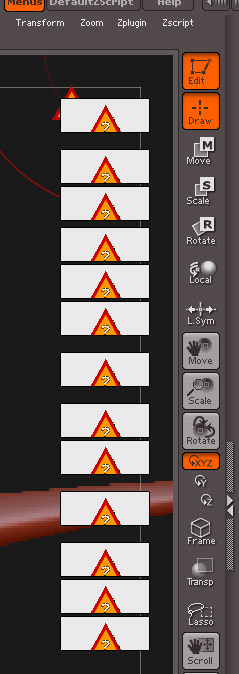
What can I do?
Thanx!
Helen
OK, I have SubToolMaster.zsc in Pixologic\ZBrush3\ZStartup\ZPlugs and also in there I have the folder SubToolMasterData with 38 files in it.
But my SubTool Master buttons look like this:
What can I do?
Thanx!
Helen
You probably just don’t have it installed properly. Make sure you read the installation instructions carefully then give it another shot.
I already checked the installation instructions. If everything is in the right place, and I can use the functions, then I think it must be installed correctly, and the problem must be something else…? 
H
Everything can’t be in the right place because the button images would show if they were (the error triangles simply mean that the plugin can’t find the image files). Also the buttons would be on the left hand side of the interface.
Check again that the data folder (named SubToolMasterData) is not wrapped inside another folder (for example simply called SubToolMaster) . If you still think everything’s ok please post a screen shot showing your ZPlugs folder, the SubToolMasterData folder and contents.
Thanks,
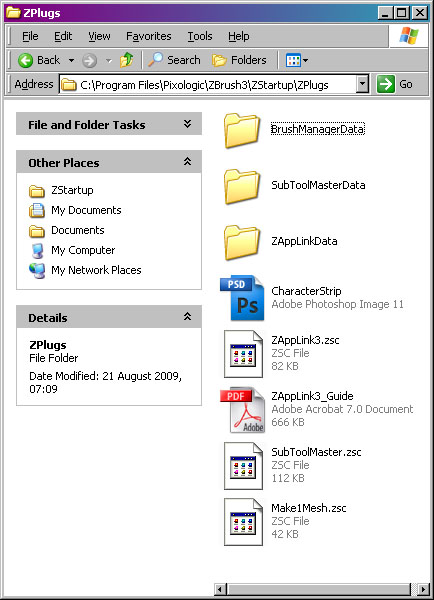
Here we are:
Zplugs Folder:
Thanx,
H
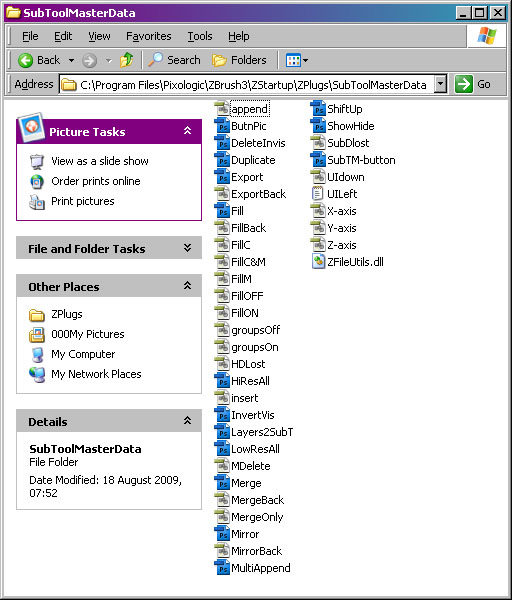
OK Helen, that’s great. Nothing wrong there. Now check your ZBrush3ZData\ZPlugs. I’ve a feeling there might be a SubToolMaster.zsc in there by mistake.
Hee hee - I remember putting that there, when I didn’t have a clue where I was supposed to be putting things! 
Deleted it there and it works perfectly now!
Thanx so much, Marcus! 
All the best,
Helen
No problem Helen, I hope you find the plugin useful. 
All the best,